Plugin
Updated
Admin Menu Editor Pro
Admin Menu Editor Pro by Janis Elsts is a WordPress plugin for reshaping the admin menu. You can rearrange, rename and hide menu items, add your own entries and decide which roles or individual users see each part of the dashboard.
- Version
- 2.37.1
- Released
- Oct 3, 2026
- Developer
- Janis Elsts
- Type
- WordPress plugin
- Licence
- GPL
- Included in
- Every plan, or $7.99 on its own
What’s new in Admin Menu Editor Pro 2.37.1
Version 2.37.1 · Oct 3, 2026
Latest
- ImprovedAdded optional checksum and signature verification for plugin updates. It's currently optional because there hasn't been sufficient real-world testing done, but you can switch it to "required" in the "Settings" tab, under "Update verification". The default setting will also be changed to "required" eventually, in a future release.
- NewAdded a "Block URLs" section to the "Tweaks" tab. It lets you block access to certain URLs by role(s). It works both with admin dashboard URLs and frontend URLs. This only affects logged-in users since anonymous visitors don't have any roles.
- ImprovedTested up to WP 7.1.2.
What it does
The default WordPress admin menu shows the same long list to nearly everyone, and plugins keep adding to it. For clients and less technical users, that clutter makes the dashboard harder to use and puts sensitive settings within easy reach. This plugin gives you control over that menu. You can drag items into a logical order, give them clearer names, group them under section headers and hide whatever a given person does not need, all without changing anyone's WordPress role.
It fits well on client sites, multisite setups and any project where different user groups need different levels of access. Visibility can be set per role or per individual user, and installed plugins can be hidden from certain users on the Plugins page. A live preview lets you check changes before applying them. Add-ons extend the same approach to the admin toolbar and to branding, such as the login screen and logo, and import and export lets you reuse a setup across sites.
Best for
- Agencies and freelancers handing WordPress sites to clients
- Multisite networks with varied user access needs
- Site managers who want a tidier, safer dashboard
Features
Permissions by role or user
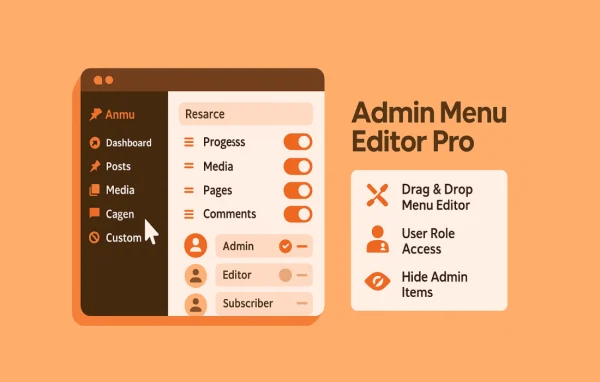
Show or hide menu items for specific user roles or individual users, so each person sees only what they need without altering their WordPress role.
Drag and drop organization
Rearrange, move and group menu and submenu items by dragging them into place to build an admin layout that matches your workflow or your client's.
Custom menu items
Add new top-level or submenu links to posts, pages or external URLs, or create non-clickable section headers to organize a long admin menu.
Icons and menu colors
Pick from over 600 Dashicons and FontAwesome icons or upload PNG or GIF icons, and change background, text and icon colors globally or per item.
New tabs or iframes
Open menu links in a new browser tab, or display external pages and tutorials inside WordPress using a borderless iframe.
Hide installed plugins
Keep selected plugins off the Plugins page for certain users or roles, which reduces the chance of accidental changes or confusion.
Import and export settings
Save your menu configuration to a file and load it on other WordPress sites to repeat the same admin setup quickly.
Block URLs by role
Block logged-in users with chosen roles from reaching specific URLs, covering both admin dashboard pages and frontend pages.
Admin Menu Editor Pro older versions
- 2.37Sep 291 improvement
- 2.36Sep 15
- 2.34Aug 171 new, 2 improvements, 2 fixes
- 2.33.4May 221 improvement, 2 fixes
- 2.33.3May 20
- 2.33.2May 18
- 2.32Feb 21
- 2.31Jan 22
- 2.30Sep 8, 2025
- 2.29.1May 23, 2025
Members and buyers of this product can download older versions.
34 older versions in all. If you need one that is not listed, ask support.
Questions about Admin Menu Editor Pro
Can I hide menu items from one user without changing their role?
Yes. Menu visibility can be set by user role or for individual users, so you can hide or show items for one specific person while their WordPress role stays exactly the same.
Can I check my changes before they go live?
There is a live preview that shows the results of your menu customizations as you make them, so you can confirm the layout looks right before applying it across the site.
Can I reuse the same menu setup on several sites?
Yes. You can export your customized admin menu configuration to a file and import it on other WordPress sites, which is handy for agencies and freelancers managing many similar installs.
Does it also cover the admin toolbar and login screen?
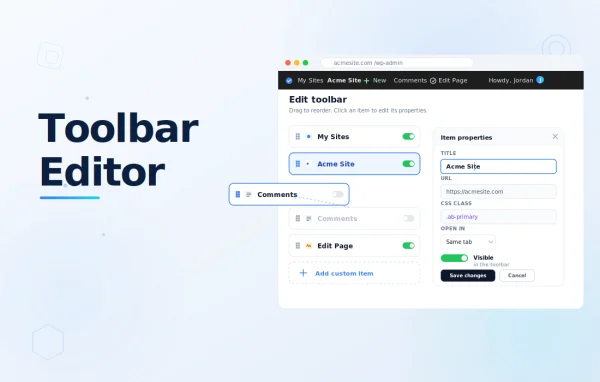
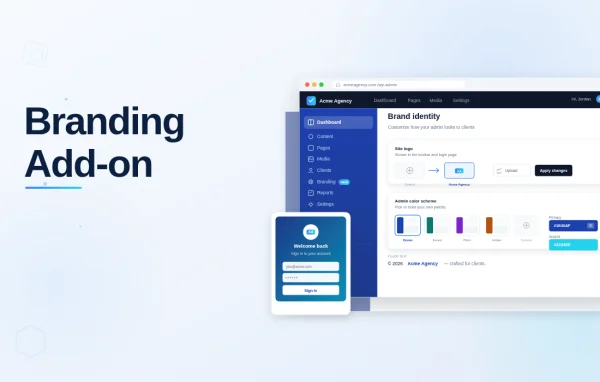
Through add-ons, yes. The Toolbar Editor lets you hide, rearrange, rename and add toolbar items. The Branding add-on replaces WordPress branding with your logo, customizes the login screen and hides WordPress version info.
Is Admin Menu Editor Pro free?
The code of Admin Menu Editor Pro is licensed under the GPL, so anyone may use, change and share it. GPL Feast is a paid service: a plan or a single purchase gives you the download and automatic updates. The developer's own support, licence key and online services are not included.
Which version of Admin Menu Editor Pro is this?
Version 2.37.1, released Oct 3, 2026. New versions appear here when the developer publishes them, and members get them as automatic updates.
How do I update Admin Menu Editor Pro?
Install the free GPL Feast Updater on your site and connect it with your API key. It installs new versions of Admin Menu Editor Pro automatically and keeps a backup, so you can roll back.
You might also like