Plugin
Updated
Appointment Booking Checkout Fields
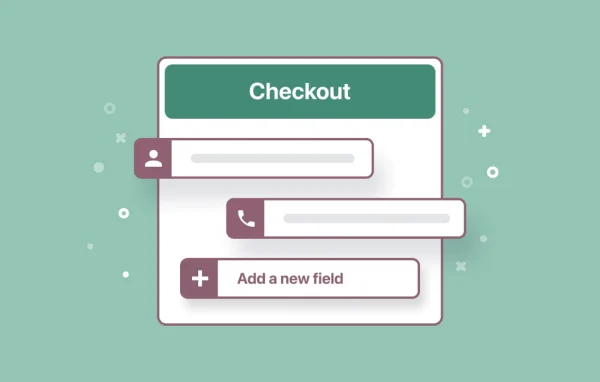
Appointment Booking Checkout Fields by MotoPress is a WordPress addon for customizing the checkout form of your appointment booking system. You can add, edit, remove and reorder fields so each booking collects the information your business actually needs.
- Version
- 1.1.4
- Released
- Feb 16, 2026
- Developer
- Appointment Booking
- Type
- WordPress plugin
- Licence
- GPL
- Included in
- Every plan, or $4.79 a year on its own
What’s new in Appointment Booking Checkout Fields 1.1.4
Version 1.1.4 · Feb 16, 2026
Latest
What it does
Default booking forms often ask for too little or the wrong things, which leaves you chasing clients by phone or email for missing details. This addon gives you control over the checkout step of your booking system. Salons, medical practices, consultancies and other service providers can shape the form around their own workflow, asking for contact details, preferences or anything else relevant to the appointment before it is confirmed.
The addon works alongside your existing WordPress appointment booking plugin. You build the form from field types such as text, dropdowns, date selectors, checkboxes and payment inputs, then drag fields into the order you want. Conditional logic lets you show or hide fields based on earlier answers, so clients only see questions that apply to them. Forms are mobile friendly, and the addon supports multilingual sites.
Best for
- Salons and beauty studios taking online appointments
- Medical practices and clinics needing detailed patient information
- Consultants and service providers with custom booking requirements
Features
Add, edit or remove fields
Customize the booking checkout form by adding new fields, editing existing ones or removing those you do not need for your appointments.
Drag and drop reordering
Rearrange fields by dragging them into place so the checkout form follows the order that makes sense for your business and clients.
Multiple field types
Build forms with text fields, dropdowns, date selectors, checkboxes and payment inputs to collect different kinds of booking information.
Conditional logic
Show or hide fields based on how a customer answers earlier questions, so each form adjusts to the specific booking scenario.
Works with your booking plugin
The addon connects with your existing WordPress appointment booking plugin and extends its checkout step with your custom fields.
Mobile friendly forms
Checkout forms are designed to work on phones and tablets as well as desktops, so clients can book comfortably from any device.
Multilingual site support
Use the addon on multilingual WordPress sites, which suits businesses that take bookings from clients speaking different languages.
Questions about Appointment Booking Checkout Fields
Does this work on its own or with another booking plugin?
It is an addon. It works with your existing WordPress appointment booking plugin and adds control over the checkout form, letting you customize which fields appear and in what order when clients book.
What kinds of fields can I add to the booking form?
You can add text fields, dropdowns, date selectors, checkboxes and payment inputs. Fields can also be edited or removed, and you can reorder them with drag and drop to match how you want the form to flow.
Can I show certain questions only to some clients?
Yes. Conditional logic lets you show or hide fields based on a customer's earlier responses. For example, a follow-up question can appear only when a specific option is chosen, keeping the form short for everyone else.
Will the forms work on mobile devices and multilingual sites?
The checkout forms are mobile friendly, so clients can book from phones and tablets. The addon also supports multilingual sites, which helps if you serve clients in more than one language.
Is Appointment Booking Checkout Fields free?
The code of Appointment Booking Checkout Fields is licensed under the GPL, so anyone may use, change and share it. GPL Feast is a paid service: a plan or a single purchase gives you the download and automatic updates. The developer's own support, licence key and online services are not included.
Which version of Appointment Booking Checkout Fields is this?
Version 1.1.4, released Feb 16, 2026. New versions appear here when the developer publishes them, and members get them as automatic updates.
How do I update Appointment Booking Checkout Fields?
Install the free GPL Feast Updater on your site and connect it with your API key. It installs new versions of Appointment Booking Checkout Fields automatically and keeps a backup, so you can roll back.
More from Appointment Booking