Plugin
Updated
Appointment Booking WooCommerce Payments
Appointment Booking WooCommerce Payments by MotoPress is an addon plugin that links WooCommerce payment gateways to the MotoPress Appointment Booking plugin. Clients pay for appointments through WooCommerce checkout, and paid orders turn into confirmed bookings automatically.
- Version
- 1.4.0
- Released
- Aug 5, 2026
- Developer
- Appointment Booking
- Type
- WordPress plugin
- Requires
- WooCommerce
- Licence
- GPL
- Included in
- Every plan, or $4.79 a year on its own
What’s new in Appointment Booking WooCommerce Payments 1.4.0
Version 1.4.0 · Aug 5, 2026
Latest
- FixedFixed an issue that prevented redirecting customers to the WooCommerce checkout page after updating Appointment Booking to version 2.4.7.
What it does
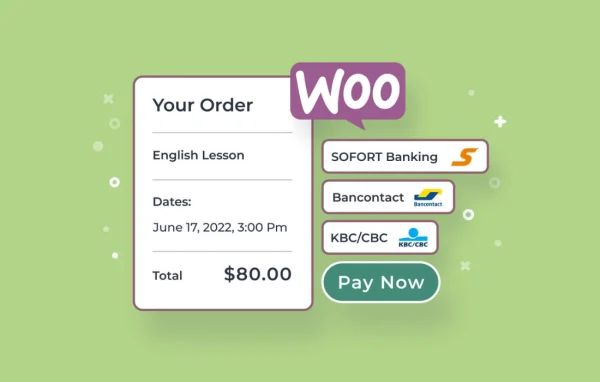
Service businesses that take bookings online often want more payment choices than a scheduling plugin offers on its own. This addon solves that by routing appointment payments through WooCommerce, so any gateway available as a WooCommerce extension can be used at booking time. That includes PayPal and regional options such as Sofort Banking and Bancontact, with support for more than 80 gateways in total. You avoid custom development and do not need to run a second booking plugin.
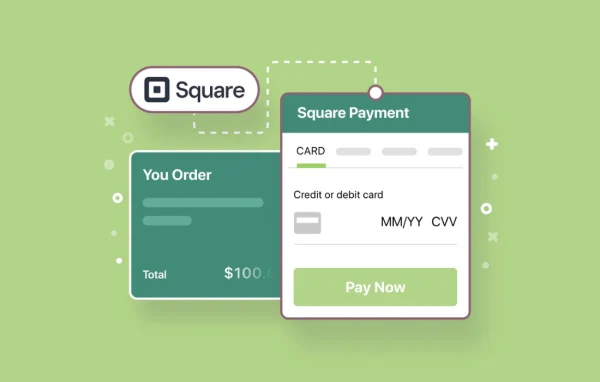
Setup happens in the WordPress dashboard. You activate the addon, create a WooCommerce product for appointments and turn on the gateways you want to offer. When a client books, they are sent to the WooCommerce checkout page to pay. Once the order is processed, the booking status in MotoPress updates on its own, keeping orders and schedules in step. Coupons and deposit payments are also supported, which gives clients more ways to pay for their time slot. WooCommerce is required.
Best for
- Salons, clinics and studios taking paid appointments online
- MotoPress Appointment Booking users needing more payment options
- Service businesses serving clients who prefer regional payment methods
Features
Connects to MotoPress bookings
Links WooCommerce payment gateways to the MotoPress Appointment Booking plugin so booking payments and order syncing happen without extra plugins or code.
More than 80 payment gateways
Accept payments through over 80 international and local methods available as WooCommerce extensions, including PayPal, Sofort Banking and Bancontact.
Automatic booking confirmation
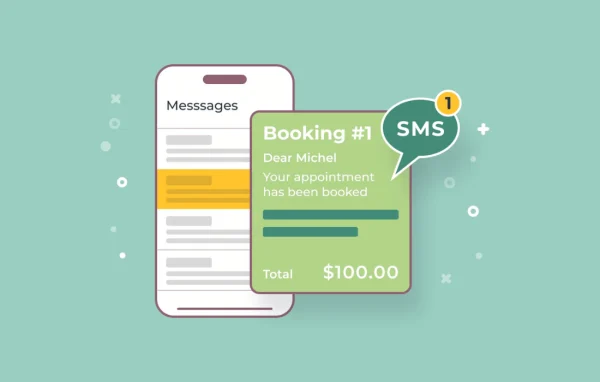
Paid appointments generate confirmed bookings in MotoPress right away, so your orders and your schedule stay matched without manual entry.
Status updates from orders
Booking statuses change automatically when WooCommerce orders are processed, which keeps confirmations accurate and cuts down on admin mistakes.
Coupons for appointments
Clients can apply WooCommerce coupons when paying for an appointment, giving you a simple way to run promotions on your services.
Deposit payments
Let clients pay a deposit for an appointment instead of the full amount upfront, adding flexibility to how bookings are paid.
Dashboard setup without coding
Configure everything from WordPress settings by creating a WooCommerce product for appointments and enabling the gateways you want.
Appointment Booking WooCommerce Payments older versions
- 1.3.0May 81 fix
- 1.2.3Feb 16
- 1.2.0Oct 17, 20241 fix
- 1.1.2Nov 26, 20231 improvement
Members and buyers of this product can download older versions.
Questions about Appointment Booking WooCommerce Payments
Do I need both WooCommerce and MotoPress Appointment Booking?
Yes. This is an addon that bridges the two. MotoPress Appointment Booking handles scheduling, and WooCommerce handles checkout and payment gateways. The addon connects them so appointment payments go through WooCommerce and bookings update in MotoPress.
Which payment methods can my clients use?
Any gateway available as a WooCommerce extension can be used, with support for more than 80 options. Examples include PayPal and regional services such as Sofort Banking and Bancontact, which helps if your clients are spread across different countries.
Will bookings be confirmed automatically after payment?
Yes. When a client pays and the WooCommerce order is processed, a confirmed booking is created in MotoPress and its status updates automatically. This keeps your schedule and orders aligned without manual checks.
Can clients pay a deposit or use a coupon?
Both are supported. Clients can pay a deposit toward an appointment rather than the full amount, and WooCommerce coupons can be applied to appointment payments at checkout.
Is Appointment Booking WooCommerce Payments free?
The code of Appointment Booking WooCommerce Payments is licensed under the GPL, so anyone may use, change and share it. GPL Feast is a paid service: a plan or a single purchase gives you the download and automatic updates. The developer's own support, licence key and online services are not included.
Which version of Appointment Booking WooCommerce Payments is this?
Version 1.4.0, released Aug 5, 2026. New versions appear here when the developer publishes them, and members get them as automatic updates.
How do I update Appointment Booking WooCommerce Payments?
Install the free GPL Feast Updater on your site and connect it with your API key. It installs new versions of Appointment Booking WooCommerce Payments automatically and keeps a backup, so you can roll back.
What does Appointment Booking WooCommerce Payments need?
Appointment Booking WooCommerce Payments needs WooCommerce installed and active.
More from Appointment Booking