Plugin
Updated
Divi Hotspot
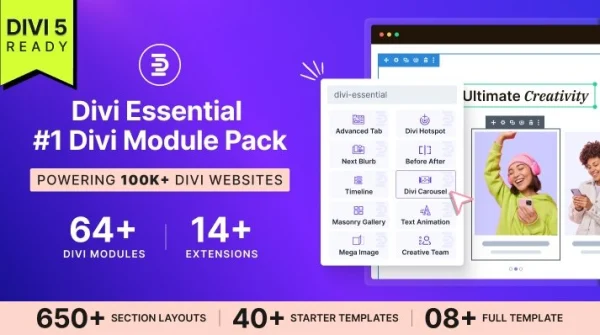
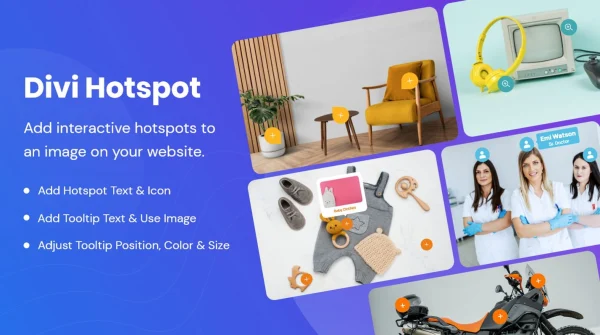
Divi Hotspot is a WordPress plugin for the Divi Builder that turns images into interactive visuals. You place clickable hotspots on a picture, and each one opens a tooltip or popup with text, images, links or videos.
- Version
- 1.7
- Released
- May 2, 2024
- Developer
- Divi Next
- Type
- WordPress plugin
- Licence
- GPL
- Included in
- Every plan, or $3.99 on its own
What’s new in Divi Hotspot 1.7
Version 1.7 · May 2, 2024
Latest
- ImprovedUpdated Naming Conventions from ‘Divi Image Hotspot to ‘Divi Hotspot’
- FixedFixed a few known deprecated issues
- ImprovedAdded Support for the latest PHP Version
What it does
Some images need explaining. A product photo may have parts worth pointing out, a diagram may need labels, and a floor plan or map may need notes in specific spots. Writing all of that in paragraphs below the image makes visitors scroll back and forth. This plugin lets you attach that information to the exact point on the image, so people can click a marker and read the detail right where it applies.
The plugin works inside the Divi Builder, so you add and manage hotspots within your existing Divi layouts without writing code. You can set the color, shape, size and animation of each marker to match the rest of your design, and choose fade-in, bounce or other effects to draw the eye. Hotspots are responsive and adapt to different screen sizes. It suits online stores, portfolios, educational pages and any Divi site that uses images to explain something.
Best for
- Divi stores pointing out product features on photos
- Portfolio sites adding notes to project images
- Educational sites labeling diagrams and complex visuals
Features
Clickable image hotspots
Place clickable markers directly on your images so visitors can explore product details or other information tied to a specific spot in the picture.
Tooltips and popups
Each hotspot can show text, images, links or videos in a tooltip or popup when a visitor interacts with it.
Custom hotspot styling
Adjust the colors, shapes and sizes of your hotspot markers so they fit the look of your brand and the surrounding layout.
Animation effects
Choose from several animations, including fade-ins and bounce effects, to help hotspots catch a visitor's attention on the image.
Works in the Divi Builder
Add and manage hotspots inside your existing Divi layouts with the familiar builder interface, with no coding knowledge needed.
Responsive on all devices
Hotspots are built to display and work properly across different devices and screen sizes, including phones and tablets.
Questions about Divi Hotspot
Do I need Divi to use this plugin?
Yes. Divi Hotspot is made for the Divi Builder. You add and manage hotspots inside your Divi layouts, so it is meant for sites that are built with Divi.
What can I show when someone clicks a hotspot?
Hotspots can open a tooltip or a popup. Inside it you can display text, images, links or videos, which makes it useful for product details, quick tips or explanations of parts of a visual.
Can I make the hotspots match my site's design?
You can change the color, shape and size of the hotspot markers, and pick from animation effects such as fade-ins and bounces. That lets you fit the hotspots to your brand and the rest of your page.
Will the hotspots work on mobile?
Yes. The hotspots are responsive and designed to display and function across different devices and screen sizes, so visitors on phones and tablets can use them too.
Is Divi Hotspot free?
The code of Divi Hotspot is licensed under the GPL, so anyone may use, change and share it. GPL Feast is a paid service: a plan or a single purchase gives you the download and automatic updates. The developer's own support, licence key and online services are not included.
Which version of Divi Hotspot is this?
Version 1.7, released May 2, 2024. New versions appear here when the developer publishes them, and members get them as automatic updates.
How do I update Divi Hotspot?
Install the free GPL Feast Updater on your site and connect it with your API key. It installs new versions of Divi Hotspot automatically and keeps a backup, so you can roll back.
More from Divi Next