Plugin
Updated
Divi Next Button
Divi Next Button is a WordPress plugin for sites built with the Divi theme. It adds styled next buttons that move visitors from one post or page to the next, and you can shape the design to match your layout without writing code.
- Version
- 2.2
- Released
- Nov 5, 2025
- Developer
- Divi Next
- Type
- WordPress plugin
- Licence
- GPL
- Included in
- Every plan, or $3.99 on its own
What’s new in Divi Next Button 2.2
Version 2.2 · Nov 5, 2025
Latest
What it does
Many Divi sites leave readers at the bottom of a post or page with no clear place to go. A next button gives them an obvious way forward. This plugin works inside the Divi theme builder, so you add and style the button in the same place you already build your pages. It can link automatically to the next post or page, or you can point it to a custom URL when you want to send people somewhere specific.
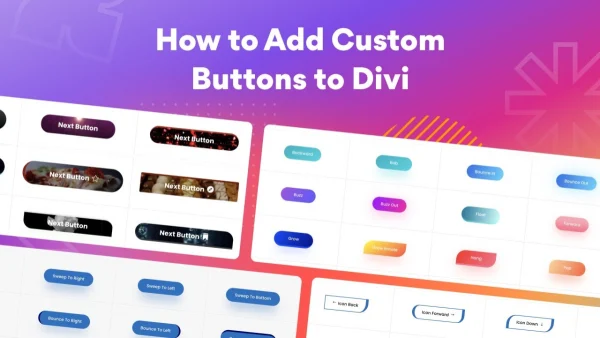
The design controls cover colors, shapes, sizes, icons, icon placement and typography, along with hover and transition animations. Buttons are responsive, so they adapt to different screen sizes. For more hands-on control, there are custom CSS fields and shortcode support, which let you place buttons outside the builder or fine-tune their look. The plugin is also translation ready, which helps on multilingual sites. It fits blogs, portfolios and e-commerce stores running Divi.
Best for
- Bloggers using Divi who want readers to keep reading
- Portfolio sites guiding visitors from project to project
- Divi online stores adding simple page navigation
Features
Works in the Divi builder
Add and customize next buttons directly inside the Divi theme builder, using the same editing workflow you already rely on for your pages and posts.
Automatic next links
Buttons can link automatically to the next post or page, or you can set a custom URL to direct visitors to a specific destination.
Design controls
Adjust colors, shapes, sizes, icons and typography so the button matches your branding and sits naturally within your existing Divi layout.
Hover and transition animations
Choose from multiple animation effects for hover states and transitions, giving your navigation buttons some movement when visitors interact with them.
Responsive layout
Buttons are built to be mobile friendly, adapting their display across different device sizes so navigation stays usable on phones and tablets.
Custom CSS fields
Advanced users can add their own CSS through dedicated fields to fine-tune styling beyond the standard design options in the builder.
Shortcode support
Place next buttons with shortcodes, which gives you another way to add navigation in spots where you want more control over placement.
Translation ready
The plugin supports translation, so button text and navigation can be localized for visitors on multilingual websites.
Questions about Divi Next Button
Do I need the Divi theme to use this plugin?
Yes. Divi Next Button is designed specifically for Divi websites and works within the Divi theme builder, where you add the buttons and adjust their design and behavior.
Can the button link somewhere other than the next post?
It can. The button links automatically to the next post or page, and you can also set a custom URL when you want visitors to go to a particular page instead.
Can I style the button to match my brand without coding?
Yes. You can change colors, shapes, sizes, icons and typography, and add hover or transition animations from the builder. If you want deeper control, custom CSS fields are available too.
Will it work on a multilingual site?
The plugin is translation ready, so it supports multilingual websites and lets you localize the navigation for visitors who read your site in different languages.
Is Divi Next Button free?
The code of Divi Next Button is licensed under the GPL, so anyone may use, change and share it. GPL Feast is a paid service: a plan or a single purchase gives you the download and automatic updates. The developer's own support, licence key and online services are not included.
Which version of Divi Next Button is this?
Version 2.2, released Nov 5, 2025. New versions appear here when the developer publishes them, and members get them as automatic updates.
How do I update Divi Next Button?
Install the free GPL Feast Updater on your site and connect it with your API key. It installs new versions of Divi Next Button automatically and keeps a backup, so you can roll back.
More from Divi Next