Plugin
Updated
Divi Next Dual Button
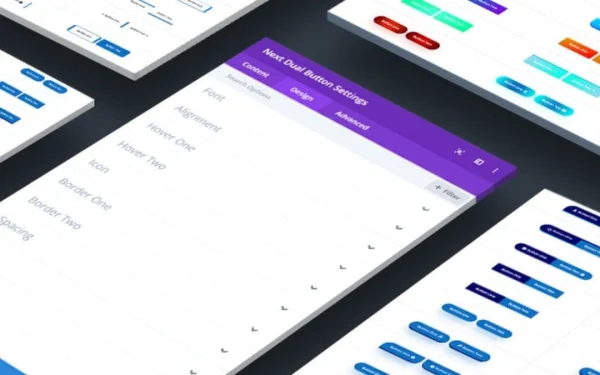
Divi Next Dual Button is a plugin for Divi theme users that places two buttons next to each other in a single layout. You build and style the pair inside the Divi Builder, with control over shapes, colors, fonts, icons and hover effects, and no coding required.
- Version
- 2.2
- Released
- Nov 5, 2025
- Developer
- Divi Next
- Type
- WordPress plugin
- Licence
- GPL
- Included in
- Every plan, or $3.99 on its own
What’s new in Divi Next Dual Button 2.2
Version 2.2 · Nov 5, 2025
Latest
What it does
Many pages need to offer visitors two choices at once, such as Learn More and Buy Now, or Sign Up and Contact Us. Setting that up with separate button modules can mean extra spacing work and mismatched styling. This plugin handles the pair as one element, so the two buttons sit side by side and you can style them to complement each other. It is built for sites running the Divi theme and works inside the Divi Builder's drag and drop interface.
Once added to a page, the dual button can be adjusted through the familiar Divi settings panels. You can set button shapes, sizes, fonts and colors, add optional icons, and apply hover animations. Pre-built style presets give you a starting point if you would rather not design from scratch. Alignment options let you place the buttons left, center, right or justified, and the layout responds to desktops, tablets and phones.
Best for
- Websites built with the Divi theme
- Landing pages offering two calls to action
- Designers who want matched button pairs without code
Features
Two buttons side by side
Display two distinct call to action buttons together in one layout, useful for pairing options like Learn More with Buy Now on the same section.
Custom button styling
Adjust button shapes, sizes, fonts and colors so the pair matches the rest of your Divi site's look and branding.
Hover animations
Apply hover effects to the buttons so they respond visually when visitors move their cursor over them.
Optional icons
Add icons to either button to make its purpose clearer at a glance and give the pair extra visual detail.
Style presets
Start from pre-built button styles and then adjust them, which saves time compared with designing every button from a blank slate.
Alignment choices
Align the button pair left, center, right or justified so it fits the layout of the section where you place it.
Responsive layout
The dual buttons adapt to desktops, tablets and mobile phones, so the pair stays usable on smaller screens.
Works in Divi Builder
Add and configure the dual buttons within the Divi Builder's drag and drop environment, using the same editing workflow you already know.
Questions about Divi Next Dual Button
Do I need the Divi theme to use this plugin?
Yes. The plugin is designed specifically for Divi theme users and works inside the Divi Builder. You add and configure the dual buttons through the Builder's drag and drop interface, so it is meant for sites already built with Divi.
Can I style each button differently?
You can customize button shapes, sizes, fonts, colors and hover effects to match your brand. This lets you make the two buttons complement each other, for example giving a primary action a stronger color than a secondary one.
Will the buttons look right on mobile devices?
The dual button layout is responsive and adapts to desktops, tablets and mobile phones. Combined with the alignment options (left, center, right or justified), you can keep the pair tidy across different screen sizes.
Do I have to write any code to set it up?
No coding knowledge is needed. Everything is handled through the Divi Builder settings, and pre-built style presets give you a ready starting point that you can adjust to suit your design.
Is Divi Next Dual Button free?
The code of Divi Next Dual Button is licensed under the GPL, so anyone may use, change and share it. GPL Feast is a paid service: a plan or a single purchase gives you the download and automatic updates. The developer's own support, licence key and online services are not included.
Which version of Divi Next Dual Button is this?
Version 2.2, released Nov 5, 2025. New versions appear here when the developer publishes them, and members get them as automatic updates.
How do I update Divi Next Dual Button?
Install the free GPL Feast Updater on your site and connect it with your API key. It installs new versions of Divi Next Dual Button automatically and keeps a backup, so you can roll back.
More from Divi Next