Plugin
Updated
Elementor Shortcode Builder for MEC
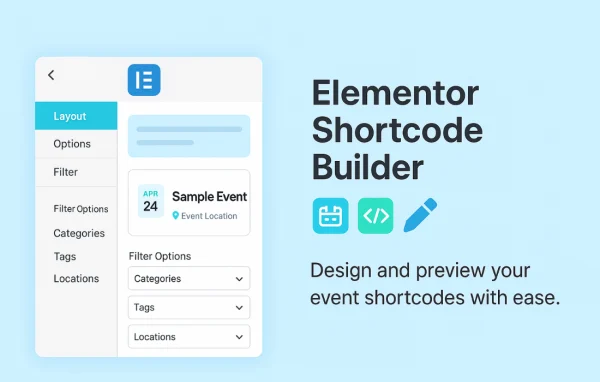
Elementor Shortcode Builder for MEC by Webnus Team is an add-on plugin for the Modern Events Calendar. It lets you build, customize and preview event shortcodes visually inside Elementor, so you can design event displays without writing code.
- Version
- 2.1.0
- Released
- Aug 3, 2026
- Developer
- Modern Events Calendar
- Type
- WordPress plugin
- Requires
- Elementor
- Licence
- GPL
- Included in
- Every plan, or $4.79 a year on its own
What’s new in Elementor Shortcode Builder for MEC 2.1.0
Version 2.1.0 · Aug 3, 2026
Latest
- NewEntity Type option to Elementor Shortcode Builder enviroment.
- NewAn option to control the featured image resolution.
- NewMissing Liquid Carousel options to match the default shortcode settings.
- FixedTranslation loading triggered too early (load_textdomain_just_in_time) notice.
- FixedSecurity issues reported in the security audit.
- FixedVarious minor issues and improvements.
What it does
Modern Events Calendar relies on shortcodes to place event lists, grids and calendars on your pages. Setting those up by hand can mean a lot of trial and error, since you often have to save and reload a page to see how a change looks. This add-on moves that work into Elementor, where you can create a shortcode, adjust its settings and watch the result update in real time before you publish.
The builder works with Elementor and gives you control over typography, the visibility of individual shortcode elements, search bars with custom fields and multiple skins and types. You can also add your own CSS for details like element spacing and hover effects. Other options cover the featured image resolution, an entity type setting and Liquid Carousel options that match the default shortcode settings. Paired with Modern Events Calendar Pro, shortcode usage is unlimited.
Best for
- Event sites running Modern Events Calendar and Elementor
- Designers building custom event layouts without code
- Agencies managing event calendars for client websites
Features
Real-time visual builder
See each change to your event shortcode as you make it inside Elementor, so the layout looks the way you want before the page goes live.
Multiple skins and types
Choose from several shortcode skins and types to match your site design, then place the finished shortcode anywhere on your website.
Search bar with custom fields
Add a working search bar to your event displays and pick which search fields visitors can use to find events.
Show or hide elements
Toggle the visibility of individual shortcode components to keep each event display clean and limited to the details your visitors need.
Typography controls
Set fonts, sizes, colors and spacing across shortcode elements so your event displays stay consistent with the rest of your branding.
Custom CSS styles
Write your own CSS to fine-tune event shortcodes, including the distance between elements and hover effects, when the built-in controls are not enough.
Featured image resolution
Control the resolution of featured images in your event displays, which helps you balance image quality against the layout you are building.
Liquid Carousel options
Configure Liquid Carousel displays with options that match the default shortcode settings, giving you the same choices inside the visual builder.
Elementor Shortcode Builder for MEC older versions
- 2.0.0Dec 23, 20255 fixes
- 1.9.5Sep 29, 20251 new, 1 improvement
- 1.9.0May 21, 20251 new, 2 improvements, 7 fixes
- 1.8.3Dec 23, 2024
- 1.8.2Jul 15, 2024
- 1.8.1Oct 2, 2023
- 1.8.0Aug 15, 2023
- 1.7.5Apr 18, 2023
- 1.7.0Apr 18, 2023
Members and buyers of this product can download older versions.
Questions about Elementor Shortcode Builder for MEC
Do I need Elementor to use this add-on?
Yes. The builder works inside Elementor, where you create, customize and preview Modern Events Calendar shortcodes visually. You will need Elementor active on your site along with Modern Events Calendar.
Can I preview my event layout before publishing?
Yes. The visual builder updates in real time as you change settings, styles or visible elements, so you can check exactly how your event display will look before the page goes live.
Does it work with Modern Events Calendar Pro?
It does. When paired with Modern Events Calendar Pro, you get unlimited shortcode usage, so you can create as many event displays as your site needs.
Can I style the event displays beyond the built-in options?
Yes. Along with typography controls for fonts, sizes, colors and spacing, you can add your own CSS to adjust details such as element distances and hover effects.
Is Elementor Shortcode Builder for MEC free?
The code of Elementor Shortcode Builder for MEC is licensed under the GPL, so anyone may use, change and share it. GPL Feast is a paid service: a plan or a single purchase gives you the download and automatic updates. The developer's own support, licence key and online services are not included.
Which version of Elementor Shortcode Builder for MEC is this?
Version 2.1.0, released Aug 3, 2026. New versions appear here when the developer publishes them, and members get them as automatic updates.
How do I update Elementor Shortcode Builder for MEC?
Install the free GPL Feast Updater on your site and connect it with your API key. It installs new versions of Elementor Shortcode Builder for MEC automatically and keeps a backup, so you can roll back.
What does Elementor Shortcode Builder for MEC need?
Elementor Shortcode Builder for MEC needs Elementor installed and active.
More from Modern Events Calendar