Plugin
Updated
Filter Bar
Filter Bar by Modern Tribe is an add-on plugin for The Events Calendar. It places a bar of filters beside or above your calendar so visitors can narrow the list by category, tag, venue, organizer, day, time, price and other details.
- Version
- 5.6.6
- Released
- Jul 22, 2026
- Developer
- The Events Calendar
- Type
- WordPress plugin
- Requires
- The Events Calendar
- Licence
- GPL
- Included in
- Every plan, or $7.99 a year on its own
What’s new in Filter Bar 5.6.6
Version 5.6.6 · Jul 22, 2026
Latest
- NewFeature - Add a Filter Bar setting to batch filter selections behind an Apply button, improving keyboard accessibility.
- FixedCorrected encoding of additional field filter values containing spaces so the FilterBar no longer returns empty results when adding a second filter from a direct link.
- FixedResolved additional field filter matching and display issues for values containing quotes, percent signs, or plus-encoded spaces.
- FixedResolved an issue where additional field filters did not return events when an option value contained special characters such as commas or ampersands, and where the active filter state could display incorrectly.
- FixedResolved an issue where the Cost filter range slider stopped filtering on sites with cent-priced events.
- FixedResolved a PHP warning when the Cost filter was displayed as checkboxes.
- FixedResolved fatal errors that could occur when the Cost or Date filters received malformed request parameters.
- ChangedLanguage - 4 new strings added, 16 updated, 0 fuzzied, and 0 obsoleted.
What it does
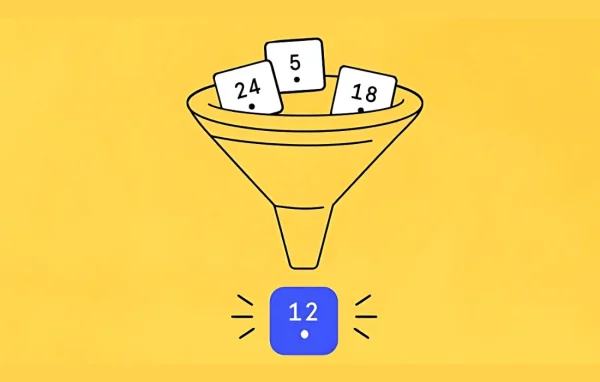
A calendar with dozens or hundreds of events gets hard to browse. Visitors scroll, give up, or miss the event they would have attended. Filter Bar addresses this by adding a set of filters to the calendar views created by The Events Calendar, which it requires. People can narrow results by category, tag, venue, organizer, day of the week, time of day and cost, plus default filters for featured events, event status, event series and location by country, state or city.
You choose which filters appear, put them in the order you want, and set the bar to sit horizontally or vertically. The layout adapts to desktop, tablet and mobile screens. Filter selections are added to the calendar URL, so you can share a link that opens a pre-filtered view. There is also a setting that groups selections behind an Apply button for better keyboard accessibility. Paired with Events Calendar Pro, you can build custom filters from your own event fields and filter by distance, and with Virtual Events visitors can sort virtual, in-person and hybrid events.
Best for
- Event sites running The Events Calendar with large calendars
- Venues, community groups and organizations listing many events
- Agencies building event calendars for clients
Features
Filter by many event details
Visitors can narrow events by category, tag, venue, organizer, day of the week, time of day and cost to find what interests them faster.
Location and status filters
Default filters cover featured events, event status, event series and location broken down by country, state and city, ready to use without extra setup.
Horizontal or vertical layout
Place the filter bar horizontally or vertically, and pick which filters to show and the order they appear in so it fits your page design.
Shareable filtered links
Filter selections are appended to the calendar URL, letting you copy and share a link that opens the calendar with those filters already applied.
Custom field filters
With Events Calendar Pro, you can create filters based on additional event fields you define, plus filter events by distance for local discovery.
Virtual and hybrid filtering
When used with the Virtual Events add-on, visitors can filter the calendar to show virtual, in-person or hybrid events based on their preference.
Apply button option
A setting lets you batch filter selections behind an Apply button, so changes run together and keyboard users can move through filters more easily.
Works on any screen size
The filter bar is designed to respond to desktop, tablet and mobile screens, giving visitors consistent filtering on whatever device they use.
Filter Bar older versions
- 5.6.3Mar 125 improvements, 1 change
- 5.6.2Sep 17, 20253 improvements, 1 fix, 1 change
- 5.6.1Aug 27, 20252 improvements, 1 change
- 5.6.0Jul 24, 2025
- 5.5.10May 14, 2025
- 5.5.9Apr 8, 2025
- 5.5.8Dec 20, 2024
- 5.5.7Sep 27, 2024
- 5.5.6Sep 12, 2024
- 5.5.5Jul 20, 2024
Members and buyers of this product can download older versions.
16 older versions in all. If you need one that is not listed, ask support.
Questions about Filter Bar
Does this work on its own or do I need another plugin?
It is an add-on for The Events Calendar, so that plugin needs to be active. Some extra filters depend on other add-ons: custom field and distance filters need Events Calendar Pro, and virtual, in-person and hybrid filtering needs Virtual Events.
Can I control which filters visitors see?
Yes. You choose which filters to display and the order they appear in. You can also set the bar to run horizontally or vertically so it suits the layout of your calendar page.
Can I link people straight to a filtered set of events?
Yes. When filters are selected, they are added to the calendar URL. You can copy that link and share it in newsletters or social posts, and it opens the calendar with the same filters applied.
Can visitors filter events by price?
Yes, there is a Cost filter that lets visitors narrow events by what they cost. It can be shown as a range slider or as checkboxes, depending on how you prefer it to appear.
Is Filter Bar free?
The code of Filter Bar is licensed under the GPL, so anyone may use, change and share it. GPL Feast is a paid service: a plan or a single purchase gives you the download and automatic updates. The developer's own support, licence key and online services are not included.
Which version of Filter Bar is this?
Version 5.6.6, released Jul 22, 2026. New versions appear here when the developer publishes them, and members get them as automatic updates.
How do I update Filter Bar?
Install the free GPL Feast Updater on your site and connect it with your API key. It installs new versions of Filter Bar automatically and keeps a backup, so you can roll back.
What does Filter Bar need?
Filter Bar needs The Events Calendar installed and active.
More from The Events Calendar