
Plugin
Updated
The Events Calendar PRO
The Events Calendar PRO by Modern Tribe is an add-on plugin that extends The Events Calendar with more advanced event management tools. It adds recurring events, extra calendar views, custom event fields, location search and virtual event features to your WordPress site.
- Version
- 7.8.3
- Released
- Sep 17, 2026
- Developer
- The Events Calendar
- Type
- WordPress plugin
- Requires
- The Events Calendar
- Licence
- GPL
- Included in
- Every plan, or $7.19 a year on its own
What’s new in The Events Calendar PRO 7.8.3
Version 7.8.3 · Sep 17, 2026
Latest
- FixedRemoved the previously saved values of a checkbox Additional Field when every option is unselected and the event is updated.
- FixedResolved two PHP 8 fatal errors in recurring events: describing a yearly rule with no months selected, and generating a series when an instance could not be inserted.
- ChangedLanguage - 0 new strings added, 36 updated, 0 fuzzied, and 0 obsoleted.
What it does
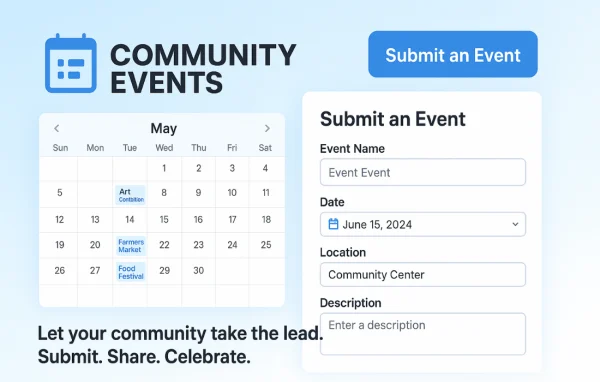
The free The Events Calendar plugin covers the basics of publishing events, and this add-on builds on it for sites that need more. If you run regular classes, weekly meetups or a season of concerts, recurring event scheduling saves you from entering each date by hand. Visitors can browse events in month, list, day, week, photo, map and summary views, so you can pick the layout that suits your audience. The base The Events Calendar plugin must be active for the add-on to work.
The plugin fits nonprofits, schools, venues, businesses and community groups that publish events on their site. It handles in-person, online and hybrid events, with connections to Zoom, Microsoft Teams, Google Meet and WebEx, plus livestream embeds from YouTube or Facebook. Custom fields let you add the event details you need, and widgets and shortcodes place mini calendars or countdown timers around your pages. Developers can also customize the code to fit a site's design.
Best for
- Venues and organizers running recurring classes or shows
- Nonprofits, schools and community groups publishing event schedules
- Businesses hosting webinars or hybrid online events
Features
Multiple calendar views
Show events in month, list, day, week, photo, map and summary views so visitors can browse your schedule in the format that works best for them.
Recurring events and series
Set up repeating events or event series once, and the calendar fills in the dates for you instead of requiring manual entry for each occurrence.
Virtual and hybrid events
Connect events to Zoom, Microsoft Teams, Google Meet or WebEx, and embed livestreams from YouTube or Facebook directly on your event pages.
Custom event fields
Add your own fields to events, including checkbox options, so each listing can carry the specific details your attendees need to know.
Widgets and shortcodes
Place mini calendars, countdown timers, featured venues and other event elements across your site using the included widgets and shortcodes.
Location search with maps
Visitors can search events by location and see venues plotted on a map, with Google Maps support built into the map view.
Calendar subscriptions and CSV import
Let visitors subscribe to your calendar through iCal or Google Calendar, and bring existing events into your site by importing CSV files.
Elementor and automation support
Embed calendars and countdowns with Elementor widgets, and connect event workflows to other apps through Zapier and Microsoft Power Automate.
The Events Calendar PRO older versions
- 7.8.2Sep 41 fix, 1 change
- 7.8.0Jul 91 improvement, 1 change
- 7.7.16Jun 261 security fix, 1 change
- 7.7.14Mar 12
- 7.7.13Feb 12
- 7.7.12Jan 14
- 7.7.11Nov 19, 2025
- 7.7.10Nov 5, 2025
- 7.7.9Oct 23, 2025
- 7.7.8Oct 17, 2025
Members and buyers of this product can download older versions.
64 older versions in all. If you need one that is not listed, ask support.
Questions about The Events Calendar PRO
Do I need the free The Events Calendar plugin as well?
Yes. This is an add-on that builds on the base The Events Calendar plugin, so that plugin needs to be active. The add-on then layers on recurring events, extra views, custom fields, virtual event tools and the other advanced features.
Can I schedule events that repeat every week or year?
Yes. Recurring event scheduling lets you create repeating events or a series from one entry, including rules such as yearly repeats. The calendar generates the individual dates, so you do not have to add each occurrence manually.
Does it work for online events?
It does. You can link events to Zoom, Microsoft Teams, Google Meet or WebEx and embed livestreams from YouTube or Facebook on the event page. This makes it suitable for fully virtual events as well as hybrid ones.
Can I use it with Elementor?
Yes. The plugin includes Elementor widget compatibility, so you can add event calendars and countdowns to pages you build in Elementor and adjust them within the editor alongside the rest of your layout.
Is The Events Calendar PRO free?
The code of The Events Calendar PRO is licensed under the GPL, so anyone may use, change and share it. GPL Feast is a paid service: a plan or a single purchase gives you the download and automatic updates. The developer's own support, licence key and online services are not included.
Which version of The Events Calendar PRO is this?
Version 7.8.3, released Sep 17, 2026. New versions appear here when the developer publishes them, and members get them as automatic updates.
How do I update The Events Calendar PRO?
Install the free GPL Feast Updater on your site and connect it with your API key. It installs new versions of The Events Calendar PRO automatically and keeps a backup, so you can roll back.
What does The Events Calendar PRO need?
The Events Calendar PRO needs The Events Calendar installed and active.
More from The Events Calendar