Plugin
Updated
Virtual Events
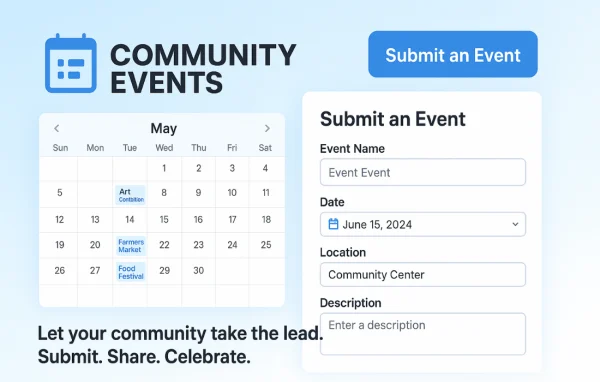
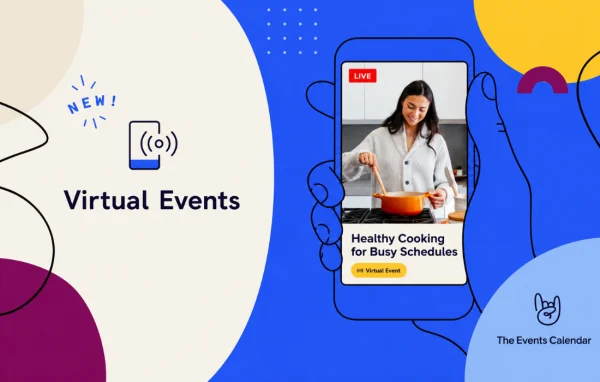
The Events Calendar Virtual Events is a WordPress plugin by Modern Tribe that extends The Events Calendar with support for online and hybrid events. It lets you list webinars, meetings and livestreams alongside in-person gatherings, with meeting links and video embeds placed right on the event pages.
- Version
- 1.15.8
- Released
- Apr 18, 2024
- Developer
- The Events Calendar
- Type
- WordPress plugin
- Licence
- GPL
- Included in
- Every plan, or $7.99 a year on its own
What’s new in Virtual Events 1.15.8
Version 1.15.8 · Apr 18, 2024
Latest
- FixedCorrected the template override paths to include the events-virtual folder.
- SecurityLanguage - 0 new strings added, 0 updated, 0 fuzzied, and 0 obsoleted
What it does
Many organizations now run a mix of in-person meetups, webinars and live streams, and keeping them in separate places makes scheduling messy. This extension brings virtual and hybrid events into the same calendar you already use for physical events. You can attach Zoom, Microsoft Teams, Google Meet or WebEx meeting details to an event, or embed YouTube Live, Facebook Live and pre-recorded videos so visitors can watch from the event page on your site.
It fits businesses, nonprofits, schools and community groups that want one place to publish every event. Visitors can browse month, week, day, list, photo, map and summary views, and subscribe through iCal or Google Calendar. Recurring events and series help with regular sessions, widgets and Elementor integration let you place events and countdowns around your site, and Event Automator connects the calendar to Zapier and Microsoft Power Automate.
Best for
- Organizations hosting webinars and livestreams
- Schools and nonprofits running hybrid events
- Community groups with recurring online meetups
Features
Virtual and hybrid events
Manage online, in-person and hybrid events together in a single calendar, so all of your scheduling lives in one place on your WordPress site.
Meeting platform connections
Link Zoom, Microsoft Teams, Google Meet and WebEx to your events so attendees can find the meeting details directly in the event listing.
Livestream and video embeds
Embed YouTube Live, Facebook Live or pre-recorded videos on event pages, letting viewers watch without leaving your site.
Several calendar views
Offer month, week, day, list, photo, map and summary views that adapt to different devices, so visitors can browse events the way they prefer.
Recurring events and series
Set up recurring events and event series to handle repeating webinars, classes or meetings without creating each one by hand.
Widgets and Elementor integration
Use widgets and Elementor integration to highlight events, countdowns and featured venues in different areas of your site.
Workflow automation
Event Automator connects your calendar to Zapier and Microsoft Power Automate, so you can automate tasks across other apps you use.
Calendar subscriptions
Visitors can subscribe to your calendar through iCal or Google Calendar and see new events appear in their own calendar apps.
Virtual Events older versions
- 1.15.6Feb 29, 20241 improvement, 1 fix, 1 security fix
- 1.15.5Nov 19, 20231 new, 1 improvement
- 1.15.4Sep 21, 20231 fix, 1 security fix
- 1.15.2Aug 13, 2023
- 1.15.1Jul 19, 2023
- 1.15.0Jun 20, 2023
- 1.13.6Apr 18, 2023
Members and buyers of this product can download older versions.
Questions about Virtual Events
Which meeting platforms can I use with my events?
The plugin works with Zoom, Microsoft Teams, Google Meet and WebEx. You can link these to your events so meeting details appear in the event listing, which helps attendees find how to join without searching elsewhere.
Can I show a livestream on the event page itself?
Yes. You can embed YouTube Live, Facebook Live and pre-recorded videos directly into event pages. Visitors can watch the stream on your site instead of being sent to an outside page to view it.
Can I mix in-person and online events in one calendar?
Yes. Virtual, hybrid and in-person events are managed together in a single calendar. Visitors can browse them through month, week, day, list, photo, map and summary views, and subscribe via iCal or Google Calendar.
Does it work with Elementor?
It includes Elementor integration along with widgets, so you can display events, countdowns and featured venues on pages you build. This lets you promote upcoming sessions in places beyond the main calendar page.
Is Virtual Events free?
The code of Virtual Events is licensed under the GPL, so anyone may use, change and share it. GPL Feast is a paid service: a plan or a single purchase gives you the download and automatic updates. The developer's own support, licence key and online services are not included.
Which version of Virtual Events is this?
Version 1.15.8, released Apr 18, 2024. New versions appear here when the developer publishes them, and members get them as automatic updates.
How do I update Virtual Events?
Install the free GPL Feast Updater on your site and connect it with your API key. It installs new versions of Virtual Events automatically and keeps a backup, so you can roll back.
More from The Events Calendar