Plugin
Updated
Hotel Booking Checkout Fields
Hotel Booking Checkout Fields is an add-on plugin by MotoPress for the MotoPress Hotel Booking plugin. It lets you edit the default checkout fields and add new ones, so your booking form collects the guest details and preferences your property needs.
- Version
- 1.2.3
- Released
- Aug 22, 2025
- Developer
- Hotel Booking
- Type
- WordPress plugin
- Licence
- GPL
- Included in
- Every plan, or $4.79 a year on its own
What’s new in Hotel Booking Checkout Fields 1.2.3
Version 1.2.3 · Aug 22, 2025
Latest
- ImprovedImproved compatibility with WordPress 6.8, addressing the _load_textdomain_just_in_time notice.
What it does
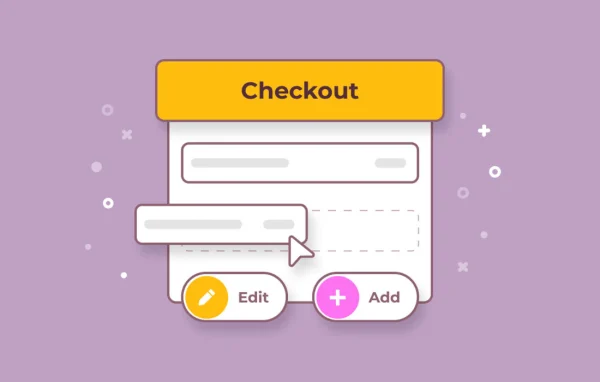
The standard checkout form in a booking system rarely asks every question a property needs answered. You might want a guest's date of birth, flight details, special requests, a signed agreement or a note on how they heard about you. This add-on gives you control over that form. You can change default fields such as ZIP code, country or email, and add new fields of many types, including text, checkboxes, phone numbers, file uploads and select menus.
Fields can be rearranged with drag and drop, so the form follows an order that makes sense to your guests. You can also add headings and paragraphs for instructions, plus custom CSS classes to style fields so they match your site. Guest answers appear in booking confirmation and admin notification emails, and they can be exported with booking information as a spreadsheet. It suits hotels, B&Bs and rental properties already running MotoPress Hotel Booking.
Best for
- Hotels using the MotoPress Hotel Booking plugin
- B&Bs and guesthouses needing extra guest details
- Vacation rental owners with property-specific policies
Features
Edit default checkout fields
Change built-in fields like ZIP code, country and email so the standard checkout form asks for information the way your property prefers.
Many custom field types
Add text, checkbox, email, phone, date of birth, file upload, select and country selector fields to collect the specific guest details you need.
Drag and drop ordering
Rearrange default and custom fields by dragging them into place, giving guests a checkout flow that follows a logical order.
Custom CSS classes
Assign CSS classes to both default and new fields, so you can highlight certain fields or style the form to match your website design.
Answers in booking emails
Guest responses from custom fields are included automatically in booking confirmation emails and admin notification emails, keeping all details in one message.
Spreadsheet export
Export custom field data together with booking information in spreadsheet format for guest management, planning and marketing review.
Consent and legal fields
Add agreement or consent checkboxes tailored to regional rules or your own property policies, so guests confirm terms during checkout.
Instructions and referral surveys
Insert headings and paragraph blocks to guide guests, and add survey fields that ask how they found your property.
Hotel Booking Checkout Fields older versions
- 1.2.2May 6, 20251 fix
- 1.2.1Jan 12, 20241 new
- 1.2.0Nov 26, 20233 fixes
Members and buyers of this product can download older versions.
Questions about Hotel Booking Checkout Fields
Does this work on its own or do I need another plugin?
It is an add-on for the MotoPress Hotel Booking plugin, so you need that plugin running on your WordPress site. The checkout fields you create are added to the Hotel Booking checkout form.
Can guests upload documents during booking?
Yes. A file upload field is one of the available field types, so you can ask guests to attach a file at checkout. You can place it anywhere in the form using drag and drop.
Will I see the custom field answers after a booking is made?
Yes. Answers from custom fields are included in booking confirmation emails and admin notification emails. You can also export them alongside booking information as a spreadsheet for record keeping or analysis.
Can I ask guests how they found my property?
Yes. You can add survey style fields, such as a select menu or checkboxes, that ask guests how they heard about you. The answers are included in your exported booking reports.
Is Hotel Booking Checkout Fields free?
The code of Hotel Booking Checkout Fields is licensed under the GPL, so anyone may use, change and share it. GPL Feast is a paid service: a plan or a single purchase gives you the download and automatic updates. The developer's own support, licence key and online services are not included.
Which version of Hotel Booking Checkout Fields is this?
Version 1.2.3, released Aug 22, 2025. New versions appear here when the developer publishes them, and members get them as automatic updates.
How do I update Hotel Booking Checkout Fields?
Install the free GPL Feast Updater on your site and connect it with your API key. It installs new versions of Hotel Booking Checkout Fields automatically and keeps a backup, so you can roll back.
More from Hotel Booking