Plugin
Updated
Hotel Booking Notifier – Event-Driven Emails
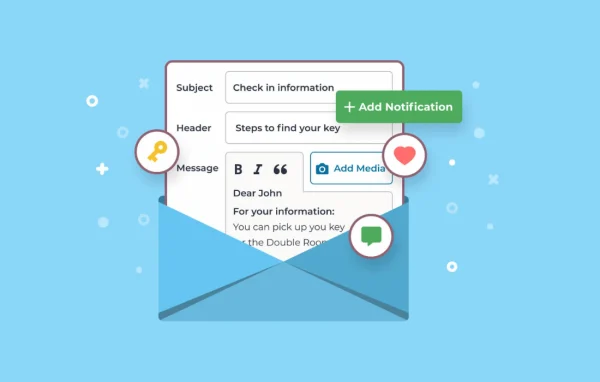
Hotel Booking Notifier by MotoPress is a WordPress plugin that sends automated emails tied to booking milestones. It schedules messages before arrival, around check-in and check-out, and after departure, so guests and staff get the right details at the right time.
- Version
- 1.4.1
- Released
- Jun 5, 2026
- Developer
- Hotel Booking
- Type
- WordPress plugin
- Licence
- GPL
- Included in
- Every plan, or $4.79 a year on its own
What’s new in Hotel Booking Notifier – Event-Driven Emails 1.4.1
Version 1.4.1 · Jun 5, 2026
Latest
- ImprovedImproved compatibility with WPML: Fixed an issue where the same notification could be sent multiple times in different languages.
What it does
Running a property means sending the same messages again and again: key pick-up instructions, house rules, breakfast reminders and thank-you notes. This plugin handles that routine work for hotels, vacation rentals and other accommodation providers. You set each email to go out a chosen number of days relative to a guest's check-in or check-out date, and it sends automatically for every matching booking. That takes repetitive writing off the plates of managers, receptionists and housekeepers.
Messages can be tailored by accommodation type, which helps when different units have different check-in steps or offerings. You can also create any number of general notifications that go to all bookings. Templates use macros to pull in booking-specific details, and emails can reach guests, administrators, housekeepers or custom addresses. It also works with Mailchimp to add guests to your email lists, and it handles multilingual sites running WPML without sending duplicate notifications.
Best for
- Hotels using MotoPress Hotel Booking on WordPress
- Vacation rental owners managing several unit types
- Property teams wanting automatic staff and housekeeping alerts
Features
Event-driven booking emails
Send automated emails before and after guest arrival or departure, with triggers set relative to the check-in or check-out date of each booking.
Accommodation type personalization
Write different email content for different room or rental types so guests get instructions, offers and details that match the unit they booked.
Unlimited general notifications
Schedule as many generic emails as you need for all bookings, such as breakfast promotions, local attraction tips or thank-you messages.
Multiple recipient options
Send notifications to guests, administrators, housekeepers or any custom email address, so staff hear about upcoming arrivals and departures when it matters.
Templates with macros
Build branded email templates that insert booking-specific details automatically through macros, so each message is personalized without manual edits.
Post-stay review requests
Ask guests for a review a set number of days after departure, so feedback requests go out on schedule without anyone remembering to send them.
Mailchimp connection
Connect to Mailchimp to subscribe guests to your email marketing lists automatically and stay in touch after their stay ends.
Upsell messages
Use pre-arrival and post-stay emails to mention property upgrades, spa services, dining options or offers for a future visit.
Hotel Booking Notifier – Event-Driven Emails older versions
- 1.4.0Jan 151 new
- 1.3.5Sep 3, 20251 improvement
- 1.3.4Jun 3, 20251 fix
- 1.3.3Oct 16, 2024
- 1.3.2Nov 26, 2023
Members and buyers of this product can download older versions.
Questions about Hotel Booking Notifier – Event-Driven Emails
Can I send different emails for different room types?
Yes. Notifications can be customized by accommodation type, so a cabin and a standard room can each get their own instructions, house rules or offers. You can also set up general notifications that go to every booking regardless of type.
Who can receive the notifications besides guests?
Emails can go to administrators, housekeepers or any custom email address you enter. This is useful for letting cleaning staff or reception know about upcoming check-ins and check-outs without sending updates by hand.
How do I control when each email is sent?
Each notification has a trigger set relative to the booking's check-in or check-out date. For example, you could send arrival instructions a few days before check-in and a review request a set number of days after departure.
Does it work on multilingual sites?
It is compatible with WPML. The plugin handles multilingual setups so the same notification is not sent multiple times in different languages to one guest.
Is Hotel Booking Notifier – Event-Driven Emails free?
The code of Hotel Booking Notifier – Event-Driven Emails is licensed under the GPL, so anyone may use, change and share it. GPL Feast is a paid service: a plan or a single purchase gives you the download and automatic updates. The developer's own support, licence key and online services are not included.
Which version of Hotel Booking Notifier – Event-Driven Emails is this?
Version 1.4.1, released Jun 5, 2026. New versions appear here when the developer publishes them, and members get them as automatic updates.
How do I update Hotel Booking Notifier – Event-Driven Emails?
Install the free GPL Feast Updater on your site and connect it with your API key. It installs new versions of Hotel Booking Notifier – Event-Driven Emails automatically and keeps a backup, so you can roll back.
More from Hotel Booking