Plugin
Updated
LearnPress Frontend Editor
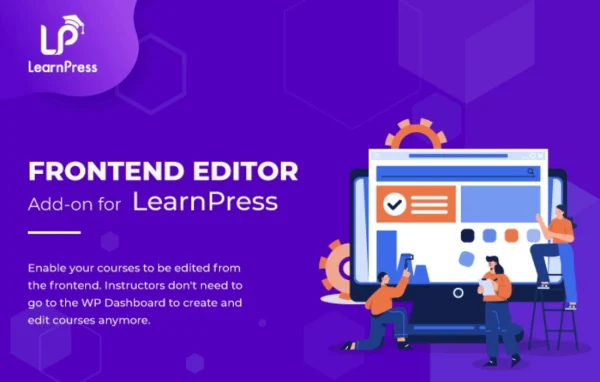
LearnPress Frontend Editor by ThimPress is an add-on for the LearnPress learning management plugin. It lets instructors create, edit and configure their courses from the front end of the site, so they can manage lessons, quizzes and course settings without working inside the WordPress admin dashboard.
- Version
- 4.0.7
- Released
- May 12, 2025
- Developer
- LearnPress
- Type
- WordPress plugin
- Requires
- LearnPress
- Licence
- GPL
- Included in
- Every plan, or $5.59 a year on its own
What’s new in LearnPress Frontend Editor 4.0.7
Version 4.0.7 · May 12, 2025
Latest
- NewFeature Material File.
What it does
Many instructors find the WordPress admin area confusing, and site owners often prefer to keep teachers out of it. This add-on gives them a separate editing space on the front end of the site. From there, instructors can build new courses, update existing lessons and quizzes, and adjust course settings. Because the work happens in one place, small fixes and ongoing course improvements are easier to handle, even for people with no coding background.
The editor uses a drag and drop interface built with React JS. Instructors move elements around to shape courses and lessons, add images, videos and other media, and check a live preview before publishing. Course options such as quizzes, lessons and profiles can also be configured from the front end, and material files can be attached to course content. It requires LearnPress and suits schools, training businesses and course marketplaces that rely on several instructors.
Best for
- LearnPress sites with multiple instructors
- Online schools wanting teachers out of the admin dashboard
- Educators without coding experience who build courses
Features
Front end course editing
Instructors create and edit course and lesson content directly on the front end of the site, without switching over to the WordPress admin dashboard.
Drag and drop building
Courses and lessons are put together by moving elements around in a visual interface, which keeps course creation approachable for people without technical skills.
Multimedia content
Add images, videos and other media to lessons so courses can include richer learning material, with no coding required to place it.
Live preview
Check the course layout and content in real time before publishing, so instructors can confirm everything looks right for students.
Course settings on the front end
Configure course options such as quizzes, lessons and profiles from the front end, keeping course management in one place for instructors.
React JS editor
The editor is built with the React JS framework, giving instructors a responsive editing interface while they work on their courses.
Material files
Attach material files to course content so students can access supporting documents alongside lessons.
LearnPress Frontend Editor older versions
- 4.0.6Sep 3, 20242 improvements, 1 fix
- 4.0.5Jul 31, 20242 improvements
- 4.0.4Apr 18, 20231 new, 2 fixes
Members and buyers of this product can download older versions.
Questions about LearnPress Frontend Editor
Do I need LearnPress to use this add-on?
Yes. This is an add-on for LearnPress, so the LearnPress plugin needs to be active on your WordPress site. The add-on then provides a front end editing area for the courses, lessons and quizzes that LearnPress manages.
Can instructors build quizzes and lessons without the WordPress dashboard?
Yes. Instructors can create and edit courses and lessons on the front end and configure course options such as quizzes, lessons and profiles there too, so they do not need to go into the WordPress admin area.
Can I add videos and images to lessons?
You can. The editor supports adding images, videos and other media to course content, and you can also attach material files. A live preview lets you check how everything looks before you publish.
Is it hard to use for someone who is not technical?
The editor uses a visual drag and drop interface, so instructors arrange course and lesson elements by moving them around. No coding knowledge is needed to build courses or add media.
Is LearnPress Frontend Editor free?
The code of LearnPress Frontend Editor is licensed under the GPL, so anyone may use, change and share it. GPL Feast is a paid service: a plan or a single purchase gives you the download and automatic updates. The developer's own support, licence key and online services are not included.
Which version of LearnPress Frontend Editor is this?
Version 4.0.7, released May 12, 2025. New versions appear here when the developer publishes them, and members get them as automatic updates.
How do I update LearnPress Frontend Editor?
Install the free GPL Feast Updater on your site and connect it with your API key. It installs new versions of LearnPress Frontend Editor automatically and keeps a backup, so you can roll back.
What does LearnPress Frontend Editor need?
LearnPress Frontend Editor needs LearnPress installed and active.
More from LearnPress