
Plugin
Updated
SearchWP Metrics
SearchWP Metrics is a WordPress plugin by SearchWP that adds search analytics to your site. It works as an extension for the SearchWP search engine and records what visitors type into your search box, which results they click and which searches come up empty, all inside your WordPress dashboard.
- Version
- 1.5.2
- Released
- Jun 12, 2026
- Developer
- SearchWP
- Type
- WordPress plugin
- Licence
- GPL
- Included in
- Every plan, or $5.59 a year on its own
What’s new in SearchWP Metrics 1.5.2
Version 1.5.2
Latest
- FixedData deletion process removing all search hashes instead of only unreferenced ones.
What it does
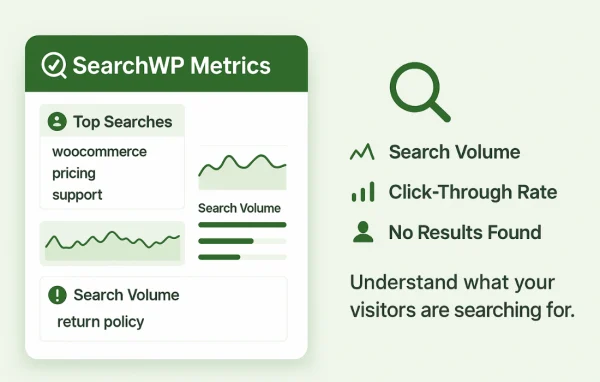
Most site owners have little idea what people look for when they use the search box. Visitors search, find nothing useful and leave without telling anyone. This extension records that activity so you can see popular keywords, the results that get clicked and the queries that return no results at all. With that information you can spot content gaps, write the pages people are asking for and adjust how your search ranks results.
The plugin runs alongside an existing SearchWP setup and keeps its reports in the WordPress admin. A dashboard widget shows search volume and clicks at a glance, and filtering options let you focus on the numbers you care about. When you need deeper analysis, you can export the search data to CSV and open it in a spreadsheet or another tool. It suits blogs, stores and content-heavy sites already running SearchWP.
Best for
- WordPress sites already using the SearchWP search engine
- Content teams looking for topics visitors cannot find
- WooCommerce stores wanting to understand product searches
Features
Real-time search data
See current visitor search trends and behavior as they happen, so you can respond quickly when people start looking for something new on your site.
Popular searches tracking
Find out which keywords and phrases visitors search for most often, giving you a clear picture of the topics worth expanding or improving.
Search clicks reporting
Review which search results get the most clicks, then use that information to fine-tune keyword relevance and the order of your search results.
No-result queries analysis
Identify the search terms that return nothing, which points directly to content you could add to meet what visitors are asking for.
Data filtering
Customize which search analytics are displayed so you can focus on the metrics that matter most to you and skip the rest.
Dashboard widget
Check search volume and clicks from a widget in your WordPress admin panel without leaving the dashboard to open a separate report.
CSV data export
Export all of your search data to a CSV file for further analysis in a spreadsheet or whichever external reporting tool you prefer.
SearchWP Metrics older versions
- 1.5.1Feb 242 fixes
- 1.5.0Aug 6, 20251 new, 2 improvements, 1 fix
- 1.4.9May 21, 20252 fixes
- 1.4.8Apr 21, 2025
- 1.4.7Jan 14, 2025
- 1.4.6Oct 18, 2024
- 1.4.5Oct 16, 2024
- 1.4.4Mar 27, 2024
- 1.4.3Apr 18, 2023
Members and buyers of this product can download older versions.
Questions about SearchWP Metrics
Do I need SearchWP to use this plugin?
Yes. SearchWP Metrics is built as an extension for the SearchWP search engine and works with your existing SearchWP setup, adding analytics on top of the search it already provides.
Can I see which searches return no results?
Yes. The plugin tracks queries that return no results, so you can see exactly what visitors looked for and failed to find. Those terms are a practical starting point for new pages or updated content.
Can I analyze the data outside WordPress?
You can export all search data to a CSV file. That lets you open it in a spreadsheet or another analysis tool and combine it with your other reports.
Does it work with WooCommerce and Advanced Custom Fields?
It is designed to work with SearchWP and other popular WordPress plugins, including WooCommerce and Advanced Custom Fields, so searches on stores and sites with custom field content are tracked as part of the same setup.
Is SearchWP Metrics free?
The code of SearchWP Metrics is licensed under the GPL, so anyone may use, change and share it. GPL Feast is a paid service: a plan or a single purchase gives you the download and automatic updates. The developer's own support, licence key and online services are not included.
Which version of SearchWP Metrics is this?
Version 1.5.2, released Jun 12, 2026. New versions appear here when the developer publishes them, and members get them as automatic updates.
How do I update SearchWP Metrics?
Install the free GPL Feast Updater on your site and connect it with your API key. It installs new versions of SearchWP Metrics automatically and keeps a backup, so you can roll back.
More from SearchWP