
Plugin
Updated
SearchWP Polylang
SearchWP Polylang is an integration plugin by SearchWP that connects the SearchWP search engine with the Polylang multilingual plugin. It filters search results by language, so visitors searching your site see content in the language they have selected.
- Version
- 1.5.1
- Released
- Jan 23, 2026
- Developer
- SearchWP
- Type
- WordPress plugin
- Licence
- GPL
- Included in
- Every plan, or $5.59 a year on its own
What’s new in SearchWP Polylang 1.5.1
Version 1.5.1
Latest
- FixedPost types with dashes in their names cause empty results
What it does
On a multilingual WordPress site, the default search can return a mix of languages, which leaves visitors sorting through pages they cannot read. This integration solves that by linking SearchWP and Polylang. Once the extension is enabled, SearchWP detects the visitor's chosen language and returns results in that language. Setup is a single click, and no coding or complicated configuration is needed to make search language-aware.
The plugin builds on the SearchWP core engine, so you keep its customizable algorithm for indexing and ranking content by relevance across your languages. You can also adjust the order of results, promoting or demoting specific posts, pages or other content types. Live Ajax search shows results as visitors type, and search analytics let you track multilingual search trends. It fits sites that already run both SearchWP and Polylang and want search to respect each language.
Best for
- Multilingual WordPress sites running Polylang and SearchWP
- Agencies building translated sites for international clients
- Content-heavy blogs or businesses publishing in several languages
Features
One-click extension activation
Turn on the Polylang integration with a single click, making your SearchWP search language-aware without writing code or working through complex settings.
Automatic language detection
Search results are filtered to match the language the visitor has selected in Polylang, so people only see content in their chosen language.
Customizable search algorithm
Fine-tune how content is indexed and ranked across your languages so the most relevant posts and pages appear first for each search.
Live Ajax instant search
Show search suggestions and results that update as visitors type, helping them reach the right content without loading a separate results page first.
Custom results ordering
Promote or demote specific posts, pages or other content types within search results to shape what visitors see for particular queries.
Multilingual search analytics
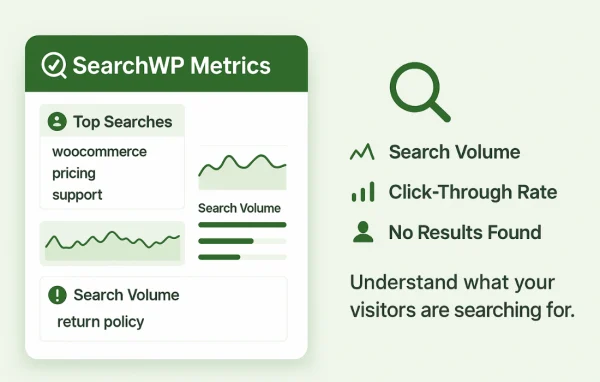
Track search trends and visitor search behavior across languages, giving you data to guide content decisions and refine how your site search works.
Broad language coverage
Works with the Polylang language library, which covers 50+ languages, so search can follow whichever language combination your site uses.
SearchWP Polylang older versions
- 1.5.0Dec 20, 20251 new
- 1.4.1May 17, 20251 fix, 1 removal
- 1.4.0Nov 4, 20241 new, 1 improvement
- 1.3.9Mar 28, 2024
- 1.3.8Apr 18, 2023
Members and buyers of this product can download older versions.
Questions about SearchWP Polylang
Do I need both SearchWP and Polylang for this to work?
Yes. This plugin is an integration that connects the two, so it relies on SearchWP for the search engine and Polylang for managing your languages. It extends SearchWP with language filtering based on Polylang's language settings.
Will visitors see results in other languages?
The integration detects the language a visitor has selected and filters search results to that language. Someone browsing your French pages, for example, gets French results instead of a mix of every translation on the site.
Can I control which content shows up first in results?
Yes. You can tune the search algorithm that ranks content by relevance, and you can promote or demote specific posts, pages or other content types so chosen items appear higher or lower in results.
Does it work with custom post types?
It searches posts, pages and other content types indexed by SearchWP. Post types with dashes in their names are handled correctly, so custom post types using that naming style return results as expected.
Is SearchWP Polylang free?
The code of SearchWP Polylang is licensed under the GPL, so anyone may use, change and share it. GPL Feast is a paid service: a plan or a single purchase gives you the download and automatic updates. The developer's own support, licence key and online services are not included.
Which version of SearchWP Polylang is this?
Version 1.5.1, released Jan 23, 2026. New versions appear here when the developer publishes them, and members get them as automatic updates.
How do I update SearchWP Polylang?
Install the free GPL Feast Updater on your site and connect it with your API key. It installs new versions of SearchWP Polylang automatically and keeps a backup, so you can roll back.
More from SearchWP