Plugin
Updated
Soliloquy Pinterest
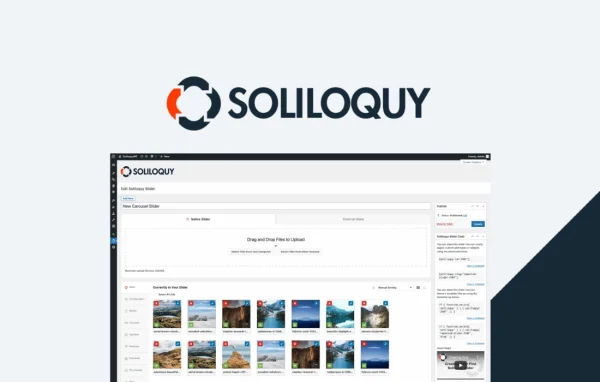
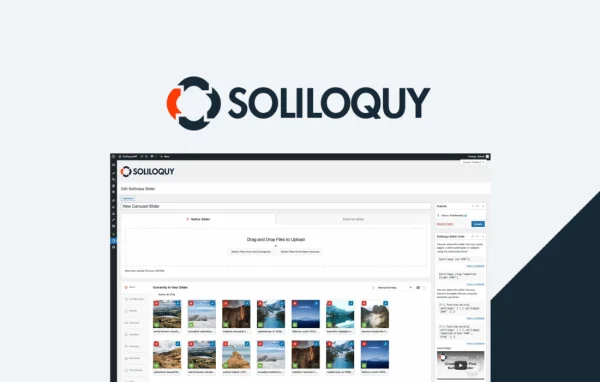
Soliloquy Pinterest is an addon plugin for the Soliloquy slider plugin. It places a Pinterest Pin It button on your slider images, so visitors can save and share your pictures to Pinterest with a single click.
- Version
- 2.2.3
- Released
- Jul 28, 2026
- Developer
- Soliloquy
- Type
- WordPress plugin
- Licence
- GPL
- Included in
- Every plan, or $3.99 on its own
What’s new in Soliloquy Pinterest 2.2.3
Version 2.2.3 · Jul 28, 2026
Latest
- FixedThe Pin It button color and position dropdowns are now escaped.
What it does
Image sliders are a common way to display photos, products and featured posts, but by default there is no quick way for visitors to save those images to Pinterest. This addon fills that gap. Once it is active, a Pin It button appears on the images in your Soliloquy sliders, and it can also appear when images open in the lightbox view. Visitors who like a picture can pin it straight from the slider without hunting for a share link.
Setup asks for very little configuration. You choose a button color from gray, red or white, and pick one of four corner positions: top left, top right, bottom left or bottom right. The buttons are retina ready, so they stay sharp on high-resolution screens, and they work with responsive Soliloquy sliders on desktops, tablets and phones. It suits sites where images carry much of the content, such as blogs, photography portfolios and online stores.
Best for
- Bloggers who feature images in Soliloquy sliders
- Photographers displaying portfolio work in sliders
- Online stores using sliders for product images
Features
Pin It buttons on slides
Adds a Pinterest Pin It button directly onto the images in your Soliloquy sliders, letting visitors pin a picture with one click.
Lightbox sharing
Extends the Pin It button to images shown in lightbox view, so visitors can still pin a picture after opening it larger.
Three button colors
Choose a classic gray, red or white Pin It button to fit the look of your site and the colors of your slider images.
Four placement options
Position the button at the top left, top right, bottom left or bottom right corner of each image to suit your layout.
Retina ready buttons
The Pin It buttons are built for high-resolution displays, so they look crisp on Retina screens and modern mobile devices.
Works with responsive sliders
Compatible with responsive Soliloquy sliders, keeping the Pin It button usable across desktops, tablets and smartphones.
Minimal configuration
The button appears on slider images automatically, with only a few settings for color and position to adjust if you want.
Soliloquy Pinterest older versions
- 2.2.2May 211 improvement
- 2.2.0Apr 18, 20231 new
Members and buyers of this product can download older versions.
Questions about Soliloquy Pinterest
Do I need the Soliloquy slider plugin to use this?
Yes. This is an addon for Soliloquy, and it adds Pinterest sharing to sliders built with that plugin. It works on the images inside your Soliloquy sliders and their lightbox views.
Can I change how the Pin It button looks?
You can pick from three button colors: gray, red or white. You can also choose where the button sits on each image, with top left, top right, bottom left and bottom right available.
Will the button show up when images open in a lightbox?
Yes. The addon supports lightbox view, so the Pin It button can appear on images after a visitor opens them in the lightbox, along with the regular slider images.
Does it work on phones and tablets?
The addon is compatible with responsive Soliloquy sliders, so the Pin It button works across desktops, tablets and smartphones. The buttons are also retina ready, keeping them sharp on high-resolution screens.
Is Soliloquy Pinterest free?
The code of Soliloquy Pinterest is licensed under the GPL, so anyone may use, change and share it. GPL Feast is a paid service: a plan or a single purchase gives you the download and automatic updates. The developer's own support, licence key and online services are not included.
Which version of Soliloquy Pinterest is this?
Version 2.2.3, released Jul 28, 2026. New versions appear here when the developer publishes them, and members get them as automatic updates.
How do I update Soliloquy Pinterest?
Install the free GPL Feast Updater on your site and connect it with your API key. It installs new versions of Soliloquy Pinterest automatically and keeps a backup, so you can roll back.
More from Soliloquy