Plugin
Updated
Account Pages
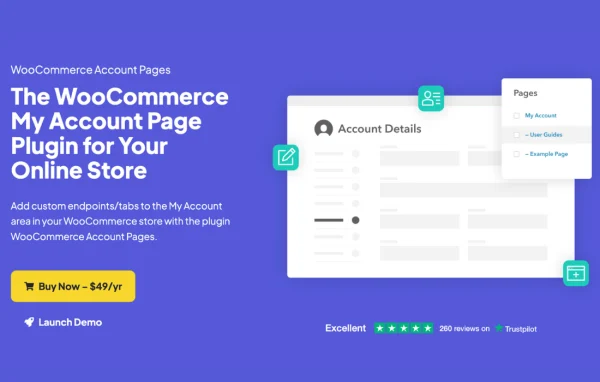
WooCommerce Account Pages by IconicWP is a plugin that lets you add custom tabs, or endpoints, to the WooCommerce My Account area. You build the content with regular WordPress pages, then decide which customers can see each tab.
- Version
- 1.7.1
- Released
- Apr 28, 2025
- Developer
- IconicWP
- Type
- WordPress plugin
- Requires
- WooCommerce
- Licence
- GPL
- Included in
- Every plan, or $6.39 a year on its own
What’s new in Account Pages 1.7.1
Version 1.7.1 · Apr 28, 2025
Latest
- ImprovedUpdated dependencies and added more safety checks to telemetry opt-ins/opt-outs.
What it does
The default WooCommerce My Account area covers orders, addresses and account details, and not much else. Many stores want a place inside that dashboard for FAQs, tutorials, coupons, contact forms or promotional content. This plugin gives you that space by letting you create as many custom endpoints as you need, each appearing as a new tab next to the standard ones. The original account features keep working as before, so customers get extra content without losing anything they already use.
Setup relies on tools you already know. You create standard WordPress pages as sub-pages of the main My Account page, and each published sub-page is added to the account menu automatically. Content can be written with the Gutenberg block editor, shortcodes or page builders such as Elementor. You can limit a tab to selected user roles to show targeted information to specific customer groups, and reorder tabs with the Simple Page Ordering plugin. WooCommerce is required.
Best for
- WooCommerce stores adding FAQs or guides to customer accounts
- Shops showing different account content to different user roles
- Agencies customizing My Account areas for client stores
Features
Unlimited custom endpoints
Add as many custom pages or tabs to the WooCommerce My Account area as your store needs, each holding its own content for customers.
Block editor content
Build account tab content with the Gutenberg block editor, adding FAQs, tutorials, coupons, contact forms and similar material without writing code.
Role-based visibility
Show a specific account page only to selected user roles, so different customer groups see information and offers meant for them.
Automatic menu linking
Any sub-page published under the main My Account page appears automatically as a new tab in the account navigation menu.
Native WordPress pages
Account tabs are standard WordPress pages, so you create and edit them in the familiar page editor with no new interface to learn.
Shortcode and builder friendly
Use shortcodes and page builders, including Elementor, to design account pages so they match the layout of the rest of your site.
Tab reordering
Change the order of your custom account pages using the Simple Page Ordering plugin to arrange the menu in a sensible sequence.
Account Pages older versions
- 1.7.0Feb 27, 20251 improvement
- 1.6.0Jun 19, 20241 fix
- 1.5.0May 3, 20241 new
- 1.4.0Apr 13, 2024
- 1.3.2Dec 15, 2023
- 1.3.1Sep 4, 2023
- 1.3.0Aug 29, 2023
- 1.2.2Jul 26, 2023
- 1.1.1Apr 18, 2023
Members and buyers of this product can download older versions.
Questions about Account Pages
Will adding custom tabs break the default My Account features?
No. The plugin works with the default WooCommerce My Account page and adds your custom endpoints as new tabs. The original tabs and their functions stay in place alongside the content you add.
Can I show certain tabs only to some customers?
Yes. Each account page can be restricted to selected user roles. This lets you give targeted content, such as specific offers or instructions, to particular groups of customers while others never see that tab.
Do I need to code to build the tab content?
No coding is needed. Tabs are regular WordPress pages, so you can use the Gutenberg block editor, shortcodes or a page builder like Elementor to add FAQs, tutorials, coupons, contact forms and other content.
How do I change the order of the account tabs?
Custom account pages can be reordered with the Simple Page Ordering plugin. Because each tab is a sub-page of the My Account page, adjusting the page order changes how the tabs appear in the account menu.
Is Account Pages free?
The code of Account Pages is licensed under the GPL, so anyone may use, change and share it. GPL Feast is a paid service: a plan or a single purchase gives you the download and automatic updates. The developer's own support, licence key and online services are not included.
Which version of Account Pages is this?
Version 1.7.1, released Apr 28, 2025. New versions appear here when the developer publishes them, and members get them as automatic updates.
How do I update Account Pages?
Install the free GPL Feast Updater on your site and connect it with your API key. It installs new versions of Account Pages automatically and keeps a backup, so you can roll back.
What does Account Pages need?
Account Pages needs WooCommerce installed and active.
More from IconicWP