Plugin
Updated
Linked Variations
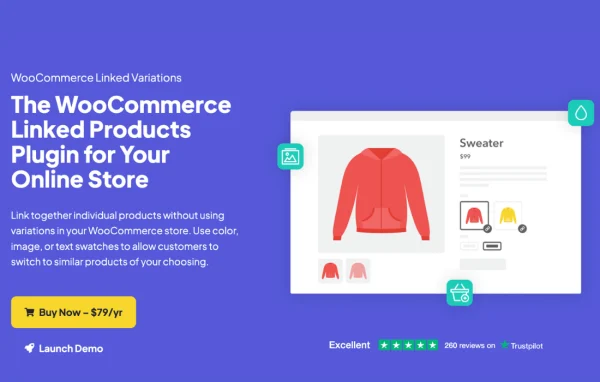
Linked Variations is a WooCommerce plugin by Iconic that connects separate simple products so shoppers can switch between them like variations. Each product keeps its own page, URL, title and description, while customers move between related options using swatches, images or text links.
- Version
- 1.12.1
- Released
- Apr 20, 2026
- Developer
- IconicWP
- Type
- WordPress plugin
- Requires
- WooCommerce
- Licence
- GPL
- Included in
- Every plan, or $6.39 a year on its own
What’s new in Linked Variations 1.12.1
Version 1.12.1 · Apr 20, 2026
Latest
- FixedRevert hard-coded database collation conversion
What it does
Many stores sell the same item in several colors, sizes or styles. The usual answer is a variable product, which puts every option on one page under one URL. That works, but it means one title, one description and one page for every version. This plugin takes a different route. You keep each version as its own simple product, then link them together by an attribute such as color or size, so they behave like variations on the front end.
On the product page, linked items appear as image swatches, color previews, text links, buttons or a dropdown, so customers can jump to another version in one click. You can group products by hand or automatically by category or tag. Because each product stays separate, it shows up on its own in your store search and filters, and shoppers can share a link to the exact version they want. Linked products that are out of stock are faded out instead of removed. It requires WooCommerce.
Best for
- WooCommerce stores selling items in multiple colors or styles
- Merchants wanting a separate page for each product version
- Shops that prefer simple products over variable products
Features
Link simple products together
Connect separate simple products using any attribute, such as color or size, so they act like variations without building a variable product.
Several display styles
Show linked products as image swatches, color previews, text links, buttons or dropdown menus to suit the look of your store.
Own URL for each product
Every linked product keeps its own URL, title, description and editable metadata, so each version has a full product page of its own.
Grouping by category or tag
Create linked groups automatically from product categories or tags, which saves manual work and keeps groupings consistent across your catalog.
Faded out-of-stock options
Linked products that are unavailable are faded out automatically, so shoppers can still see the option exists while knowing it cannot be bought right now.
Works with search and filters
Since each version stays an individual product, it appears on its own in your store search and filtering results.
Shareable version links
Customers can share a direct link to a specific version, such as one color, by email or on social media.
Linked Variations older versions
- 1.12.0Nov 19, 20253 fixes
- 1.11.1Apr 29, 20251 improvement
- 1.11.0Feb 26, 20251 improvement
- 1.9.0Nov 20, 2024
- 1.8.0Apr 30, 2024
- 1.7.0Dec 15, 2023
- 1.6.1Sep 4, 2023
- 1.6.0Aug 29, 2023
- 1.5.1Jul 26, 2023
- 1.4.1Apr 18, 2023
Members and buyers of this product can download older versions.
Questions about Linked Variations
How is this different from a normal variable product?
A variable product keeps every option on one page with one URL. With this plugin, each option is its own simple product with its own URL, title and description, and the products are linked so customers can switch between them using swatches, links, buttons or a dropdown.
Do I have to link every product by hand?
No. You can create linked groups automatically based on product categories or tags. That helps keep things consistent when you have many related products in your catalog.
What happens when one linked product sells out?
Out-of-stock linked products are faded out automatically. The option stays visible so shoppers know it exists, but it is clearly marked as unavailable.
Does it need WooCommerce?
Yes. Linked Variations is built for WooCommerce and works with the simple products in your WooCommerce store, linking them by attributes such as color or size.
Is Linked Variations free?
The code of Linked Variations is licensed under the GPL, so anyone may use, change and share it. GPL Feast is a paid service: a plan or a single purchase gives you the download and automatic updates. The developer's own support, licence key and online services are not included.
Which version of Linked Variations is this?
Version 1.12.1, released Apr 20, 2026. New versions appear here when the developer publishes them, and members get them as automatic updates.
How do I update Linked Variations?
Install the free GPL Feast Updater on your site and connect it with your API key. It installs new versions of Linked Variations automatically and keeps a backup, so you can roll back.
What does Linked Variations need?
Linked Variations needs WooCommerce installed and active.
More from IconicWP