Plugin
Updated
Attribute Swatches
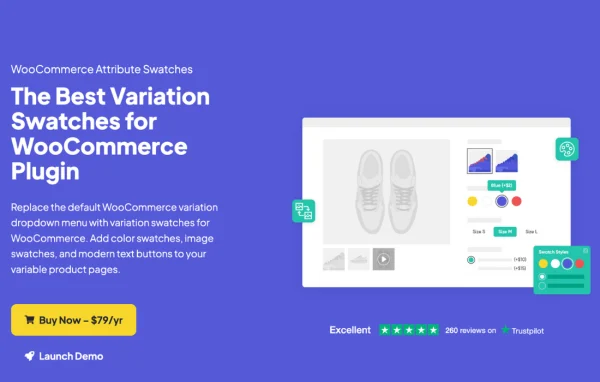
Attribute Swatches is a WooCommerce plugin by Iconic that swaps the default variation dropdowns for clickable swatches. Shoppers pick colors, patterns, sizes or materials by clicking color dots, image tiles or text buttons, so the available options are visible at a glance.
- Version
- 1.21.1
- Released
- Oct 24, 2025
- Developer
- IconicWP
- Type
- WordPress plugin
- Requires
- WooCommerce
- Licence
- GPL
- Included in
- Every plan, or $5.59 a year on its own
What’s new in Attribute Swatches 1.21.1
Version 1.21.1 · Oct 24, 2025
Latest
- FixedCater for accounting script handle change in WC 10.3
What it does
Standard WooCommerce variable products ask shoppers to open a dropdown menu to see each option, which hides choices like color or material behind a plain list. This plugin turns those attributes into visual swatches. You can set colors with hex codes or a color picker, upload images to represent textures or finished products, or turn text attributes into button-style swatches. Swatches can also appear under product listings on shop, category and archive pages, so customers see the options before opening a product.
Settings work at two levels. You can define swatch styles and attributes globally for the whole store, then adjust them for individual products where needed. Styling options cover round or square shapes, pixel sizes, display order and how the active swatch is marked. Extras include tooltips, a large hover preview for image swatches, stacked, single line or slider layouts, swatch grouping, swatches inside product filters and optional fees tied to specific attribute values. WooCommerce is required.
Best for
- WooCommerce stores selling products in several colors or patterns
- Clothing, furniture and fabric shops with material options
- Store builders who want variation choices visible on catalog pages
Features
Color, image and text swatches
Show colors using hex codes or a color picker, upload images for textures and materials, or display text attributes as clickable buttons instead of dropdown menus.
Adjustable swatch styling
Choose round or square shapes, set the size in pixels, reorder swatches and decide whether the active swatch is marked with a tick or a border.
Tooltips and hover previews
Tooltips show attribute names or descriptions when shoppers hover over a swatch, and image swatches can open a larger preview on hover for a closer look.
Layouts for many options
Present multiple swatches as a stacked list, a single line or a slider, which helps on products that have a long list of attribute values.
Swatches on shop pages
Display attribute swatches beneath product listings on shop, category and archive pages so shoppers can see available variations before clicking into a product.
Swatches in product filters
Add swatches to product filters on shop and category pages, letting customers filter the catalog by color, size or other attributes visually.
Attribute fees
Attach an extra fee to a specific attribute value, such as a charge for a gold material option, and the price updates as customers make their selection.
Swatch grouping
Sort swatches into groups, for example plain colors and patterned colors, so long option lists are easier for shoppers to scan.
Attribute Swatches older versions
- 1.21.0Sep 30, 20255 new, 6 fixes
- 1.20.2Apr 29, 20251 fix
- 1.20.0Feb 27, 20251 improvement
- 1.19.0Sep 11, 2024
- 1.18.0May 17, 2024
- 1.17.3Dec 15, 2023
- 1.17.1Sep 4, 2023
- 1.17.0Aug 29, 2023
- 1.16.3Jul 26, 2023
- 1.16.1Jun 11, 2023
Members and buyers of this product can download older versions.
11 older versions in all. If you need one that is not listed, ask support.
Questions about Attribute Swatches
Can I use different swatch styles on different products?
Yes. You can set swatch styles and attribute settings globally for the whole store, then override them on a per-product basis when a specific product needs a different shape, size or swatch type.
Can I show a picture of the fabric or material instead of a color dot?
Yes. Image swatches let you upload pictures of textures, materials or finished products. You can also turn on a large hover preview so shoppers can see the image swatch in more detail before choosing it.
Will the swatches appear on my shop and category pages?
They can. The plugin can display attribute swatches under product listings on shop, category and archive pages, and it can also add swatches to product filters so customers filter by color, size or other attributes.
Can a particular option cost more than the others?
Yes. The attribute fee feature lets you add a fee to specific attribute values, such as a premium material, and the displayed price reflects that fee as the customer selects options.
Is Attribute Swatches free?
The code of Attribute Swatches is licensed under the GPL, so anyone may use, change and share it. GPL Feast is a paid service: a plan or a single purchase gives you the download and automatic updates. The developer's own support, licence key and online services are not included.
Which version of Attribute Swatches is this?
Version 1.21.1, released Oct 24, 2025. New versions appear here when the developer publishes them, and members get them as automatic updates.
How do I update Attribute Swatches?
Install the free GPL Feast Updater on your site and connect it with your API key. It installs new versions of Attribute Swatches automatically and keeps a backup, so you can roll back.
What does Attribute Swatches need?
Attribute Swatches needs WooCommerce installed and active.
More from IconicWP