Plugin
Updated
Flux Checkout
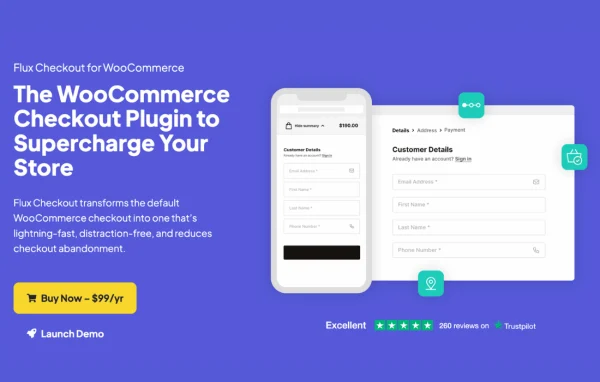
Flux Checkout for WooCommerce is a plugin by Iconic that replaces the standard WooCommerce checkout with a distraction-free, multi-step process. It gives shoppers a focused page for entering their details and paying, and gives store owners design themes, styling settings and conditional content blocks to shape that page.
- Version
- 2.25.0
- Released
- Jan 27, 2026
- Developer
- IconicWP
- Type
- WordPress plugin
- Requires
- WooCommerce
- Licence
- GPL
- Included in
- Every plan, or $6.39 a year on its own
What’s new in Flux Checkout 2.25.0
Version 2.25.0 · Jan 27, 2026
Latest
- FixedCountry restrictions not working in the Google Address Autocomplete widget
- FixedBroken Alignment of Product Attributes on Order Review
- FixedAutocomplete not working
- FixedBug where state is incorrect while autocompleting the address for Philippines
- FixedIssue where the international phone field wouldn't consider fixed-line numbers as valid
- FixedWarning during checkout when the Shipping destination is default to customer shipping address
- FixedEmail Address Error When Creating an Account During Checkout with "Default to Customer Shipping Address" and "Use Same Address for Billing?" Enabled
- FixedStreet address order issue for European addresses where street number comes after the address_1
What it does
The default WooCommerce checkout usually sits inside your full theme, with headers, footers and sidebars competing for attention while a customer types in an address and card details. This plugin removes those elements and splits checkout into separate steps for order details, shipping address and payment. Shoppers see one task at a time, and a collapsible order review keeps the page tidy on phones and tablets. Address autocomplete, which uses a Google API key, fills in address fields as customers type, and it handles details like country restrictions and international phone numbers.
It requires WooCommerce and works as a replacement for the existing checkout and order completion pages. You pick one of two checkout design themes, then adjust color presets, button styles and header text to match your brand. Custom checkout elements built in the WordPress block editor let you add banners, trust seals, FAQs and cross-sell offers, shown or hidden based on user role, cart contents or cart total. After the order, a customizable thank you page can show text, images, video and a map of the customer's location.
Best for
- WooCommerce store owners wanting a cleaner checkout page
- Shops with many mobile shoppers
- Agencies building branded WooCommerce stores for clients
Features
Multi-step checkout
Splits checkout into separate steps for order details, shipping address and payment, so customers move through the process one section at a time.
Distraction-free layout
Removes headers, footers and sidebars from the checkout page, leaving shoppers with only the fields and information they need to complete an order.
Two checkout design themes
Choose between two prebuilt checkout designs, then adjust color presets, button styles and header text so the page fits your store's branding.
Address autocomplete
Fills in billing and shipping address fields as customers type, using a Google API key, which helps cut down on typing and address mistakes.
Block editor checkout elements
Build banners, trust seals, FAQs and other interactive blocks with the WordPress block editor and place them within the checkout flow.
Conditional display rules
Show or hide checkout elements, banners and cross-sells based on user role, cart contents or cart total, so different shoppers see relevant messages.
Checkout cross-sells
Add cross-sell offers at points in the checkout, tailored to what is in the customer's cart, to suggest related products before payment.
Custom thank you page
Replace the default order completion page with a branded design that can include text, images, video and a map of the customer's location.
Flux Checkout older versions
- 2.24.0Dec 11, 20253 fixes
- 2.23.0Nov 18, 20251 new, 3 fixes
- 2.22.0Oct 3, 20251 new, 5 fixes
- 2.21.0Sep 3, 2025
- 2.20.1Apr 29, 2025
- 2.20.0Apr 10, 2025
- 2.19.0Feb 25, 2025
- 2.17.0Nov 20, 2024
- 2.16.0Oct 19, 2024
- 2.15.0Aug 30, 2024
Members and buyers of this product can download older versions.
21 older versions in all. If you need one that is not listed, ask support.
Questions about Flux Checkout
Does Flux Checkout work without WooCommerce?
No. It is built as a replacement for the WooCommerce checkout, so WooCommerce must be active on your site. The plugin takes over the checkout and order completion pages that WooCommerce normally provides.
How does the address autocomplete work?
Address autocomplete uses a Google API key to suggest and fill in address fields as customers type. It supports country restrictions and handles regional address formats, such as European addresses where the street number follows the street name.
Can I show different checkout content to different customers?
Yes. Custom checkout elements, banners and cross-sells can be shown or hidden using conditions based on user role, cart contents or cart total. You build the elements themselves in the WordPress block editor.
Can I change how the checkout looks?
You can pick one of two checkout design themes and then adjust color presets, button styles, header text and other settings. The thank you page can also be customized with text, images, video and a customer location map.
Is Flux Checkout free?
The code of Flux Checkout is licensed under the GPL, so anyone may use, change and share it. GPL Feast is a paid service: a plan or a single purchase gives you the download and automatic updates. The developer's own support, licence key and online services are not included.
Which version of Flux Checkout is this?
Version 2.25.0, released Jan 27, 2026. New versions appear here when the developer publishes them, and members get them as automatic updates.
How do I update Flux Checkout?
Install the free GPL Feast Updater on your site and connect it with your API key. It installs new versions of Flux Checkout automatically and keeps a backup, so you can roll back.
What does Flux Checkout need?
Flux Checkout needs WooCommerce installed and active.
More from IconicWP