Plugin
Updated
Iconic Image Swap
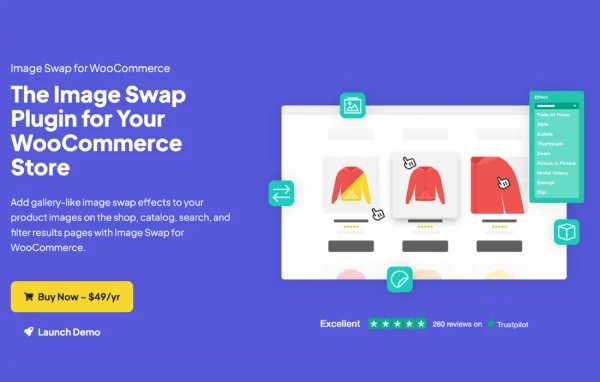
Iconic Image Swap for WooCommerce is a plugin by Iconic that adds gallery-style image swap effects to your product listings. Shoppers can see alternate photos of a product right on shop, catalog, search and filter results pages, without opening the product page.
- Version
- 2.13.0
- Released
- Sep 1, 2025
- Developer
- IconicWP
- Type
- WordPress plugin
- Requires
- WooCommerce
- Licence
- GPL
- Included in
- Every plan, or $5.59 a year on its own
What’s new in Iconic Image Swap 2.13.0
Version 2.13.0 · Sep 1, 2025
Latest
- NewCompatibility with Salient theme
- FixedSale badge not showing on block themes
What it does
On a typical WooCommerce shop page, each product shows a single image, so customers have to click through to see other angles or variants. This plugin lets them view more product photos straight from the listing. A shopper can hover to fade to a second image, slide through photos with arrows or bullets, zoom in, or open a larger gallery window. It works on shop, catalog, search and filter results pages, which is where most browsing happens.
There are nine effects to choose from: Fade, Slide, Bullets, Thumbnails, Zoom, Picture-in-Picture, Modal Gallery, Enlarge and Flip. Each one has its own settings, such as transition speed, navigation style, image count and layout, all handled through a settings interface with no coding needed. It works with well-coded WooCommerce themes, page builders such as Elementor and block-based shop layouts. WooCommerce is required.
Best for
- WooCommerce stores selling products photographed from several angles
- Shops with product variants like colors or styles
- Store builders using Elementor or block-based shop layouts
Features
Nine image swap effects
Pick from Fade, Slide, Bullets, Thumbnails, Zoom, Picture-in-Picture, Modal Gallery, Enlarge and Flip to control how alternate product images appear on listings.
Per-effect settings
Adjust transition speed, navigation style, image count and layout for each effect so the image display fits the look of your store.
Hover and slide navigation
Turn on fade-on-hover, or let shoppers move through product photos with arrows or bullets while they stay on the listing page.
Zoom on hover
Customers can zoom into a product image by hovering over it, which helps them check details before opening the product page.
Picture-in-picture previews
Show alternate images embedded within the main product image, giving shoppers a quick preview of other photos at a glance.
Modal gallery window
Open a large modal window where customers can look at product images at full size, useful for products that need closer inspection.
Works across listing pages
Effects apply on shop, catalog, search and filter results pages, and work with block-based shop layouts and page builders like Elementor.
No-code setup
Choose your effect and configure its options through a settings interface, with no code or template edits required.
Iconic Image Swap older versions
- 2.12.1Apr 29, 20251 improvement
- 2.12.0Feb 27, 20251 improvement
- 2.11.0Nov 20, 20241 fix
- 2.10.0May 3, 2024
- 2.9.0Apr 13, 2024
- 2.8.3Dec 15, 2023
- 2.8.2Dec 6, 2023
- 2.8.1Sep 4, 2023
- 2.8.0Aug 29, 2023
- 2.7.3Jul 26, 2023
Members and buyers of this product can download older versions.
12 older versions in all. If you need one that is not listed, ask support.
Questions about Iconic Image Swap
Does this plugin work without WooCommerce?
No. It is built for WooCommerce and adds its image swap effects to WooCommerce product listings, including shop, catalog, search and filter results pages. You need WooCommerce active on your site.
Which image effects can I use?
There are nine: Fade, Slide, Bullets, Thumbnails, Zoom, Picture-in-Picture, Modal Gallery, Enlarge and Flip. Each effect can be customized with settings such as transition speed, navigation style, image count and layout.
Will it work with my theme or page builder?
It is designed to work with any well-coded WooCommerce theme and with popular page builders such as Elementor. It also works with block-based shop layouts, so you can use it on newer block themes too.
Do I need to write code to set it up?
No coding is needed. You choose your preferred effect and adjust its options from the plugin's settings interface, and the effect is applied to your product listings.
Is Iconic Image Swap free?
The code of Iconic Image Swap is licensed under the GPL, so anyone may use, change and share it. GPL Feast is a paid service: a plan or a single purchase gives you the download and automatic updates. The developer's own support, licence key and online services are not included.
Which version of Iconic Image Swap is this?
Version 2.13.0, released Sep 1, 2025. New versions appear here when the developer publishes them, and members get them as automatic updates.
How do I update Iconic Image Swap?
Install the free GPL Feast Updater on your site and connect it with your API key. It installs new versions of Iconic Image Swap automatically and keeps a backup, so you can roll back.
What does Iconic Image Swap need?
Iconic Image Swap needs WooCommerce installed and active.
More from IconicWP