Plugin
Updated
Bulk Actions Pro
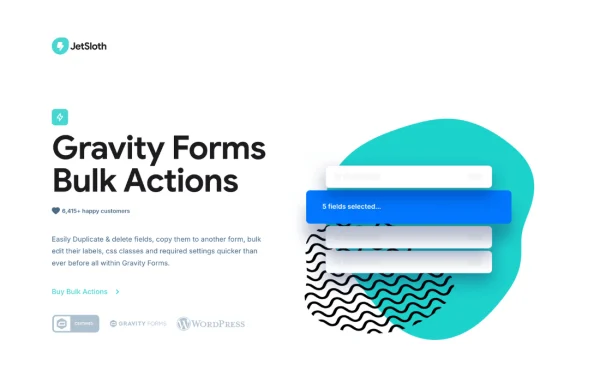
Bulk Actions Pro for Gravity Forms by JetSloth is a WordPress plugin that adds bulk field tools to the Gravity Forms editor. It lets you select many fields at once and then edit, reorder, duplicate, delete or copy them to other forms in a single action.
- Version
- 1.4.10
- Released
- Oct 3, 2026
- Developer
- JetSloth
- Type
- WordPress plugin
- Licence
- GPL
- Included in
- Every plan, or $3.99 a year on its own
What’s new in Bulk Actions Pro 1.4.10
Version 1.4.10 · Oct 3, 2026
Latest
- FixedFixed an updater loading issue introduced in the previous release. A small path mix-up on our end — apologies for the unexpected detour!
What it does
Long forms with dozens or hundreds of fields are slow to manage in the standard Gravity Forms editor, because most changes happen one field at a time. Changing a label here, marking a field required there and dragging fields into a new order can take a long while on a big form. This add-on brings multi-selection to the form editor so you can apply the same change to a whole group of fields at once, which cuts down on repetitive clicking.
Selection works the way it does in many desktop apps. You can select all, none or invert the current selection with one click, use Ctrl or Cmd plus click to pick individual fields, and use Shift plus click to grab a range. Once fields are selected, you can update their settings together, drag them as a group, duplicate them inline, remove them or copy them into another form. It suits anyone who builds and maintains large or standardized forms across several projects.
Best for
- Sites running many long Gravity Forms
- Agencies reusing standard fields across client forms
- Administrators who frequently restructure complex forms
Features
Flexible multi-field selection
Select all fields, none or invert your selection with one click, then refine it using Ctrl or Cmd plus click for single fields or Shift plus click for ranges.
Bulk edit field settings
Update labels, descriptions, admin labels, CSS classes, visibility and required settings across many selected fields in a single action instead of opening each one.
Reorder fields as a group
Drag and drop one or several selected fields together to rearrange a form quickly, without moving every field individually through the editor.
Delete fields in one click
Remove all of your selected fields at once, which helps when cleaning up old or unused fields on a long form.
Duplicate field groups inline
Duplicate several selected fields right where they sit in the form, handy for repeating field groups you use often.
Copy fields between forms
Copy a set of fields from one form into another, so standardized fields such as contact or address blocks can be reused across your forms.
Bulk Actions Pro older versions
- 1.4.9Oct 21 improvement
- 1.4.8Oct 26, 20251 fix
- 1.4.7Oct 22, 20251 new
- 1.4.6Oct 20, 2025
- 1.4.5Aug 22, 2025
- 1.4.4Aug 3, 2025
- 1.4.3Aug 2, 2025
- 1.4.2Jul 31, 2025
- 1.4.1May 17, 2025
- 1.4.0Mar 8, 2025
Members and buyers of this product can download older versions.
17 older versions in all. If you need one that is not listed, ask support.
Questions about Bulk Actions Pro
What kinds of changes can I make to several fields at once?
You can bulk edit labels, descriptions, admin labels, CSS classes, visibility and required settings. You can also reorder, duplicate and delete groups of selected fields, and copy a set of fields from one form into another.
How do I select the fields I want to change?
The editor gets one-click options to select all, select none or invert the selection. For finer control, Ctrl or Cmd plus click toggles individual fields, and Shift plus click selects a continuous range of fields.
Can I reuse fields from one form in a different form?
Yes. The copy feature lets you take a set of selected fields from one form and add them to another, which saves rebuilding the same fields by hand when several forms share a standard layout.
Does this plugin need Gravity Forms?
Yes. Bulk Actions Pro is an add-on that works inside the Gravity Forms form editor, so you need Gravity Forms running on your site to use its bulk field tools.
Is Bulk Actions Pro free?
The code of Bulk Actions Pro is licensed under the GPL, so anyone may use, change and share it. GPL Feast is a paid service: a plan or a single purchase gives you the download and automatic updates. The developer's own support, licence key and online services are not included.
Which version of Bulk Actions Pro is this?
Version 1.4.10, released Oct 3, 2026. New versions appear here when the developer publishes them, and members get them as automatic updates.
How do I update Bulk Actions Pro?
Install the free GPL Feast Updater on your site and connect it with your API key. It installs new versions of Bulk Actions Pro automatically and keeps a backup, so you can roll back.
More from JetSloth