Plugin
Updated
Image Choices
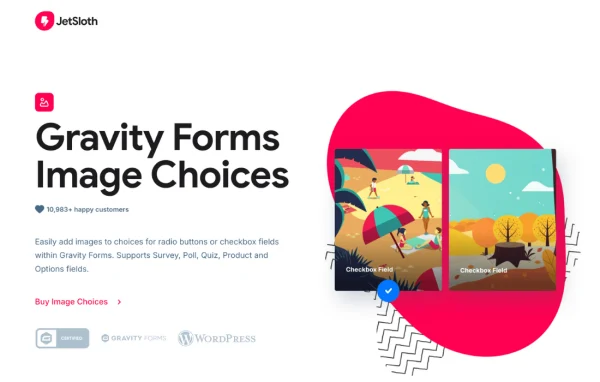
Gravity Forms Image Choices by JetSloth is an add-on plugin for Gravity Forms. It lets you swap plain text radio buttons and checkboxes for clickable images, so visitors can pick options by looking at them. It works for product selections, surveys, quizzes and polls.
- Version
- 1.7.3
- Released
- Oct 2, 2026
- Developer
- JetSloth
- Type
- WordPress plugin
- Licence
- GPL
- Included in
- Every plan, or $3.99 a year on its own
What’s new in Image Choices 1.7.3
Version 1.7.3 · Oct 2, 2026
Latest
- ImprovedImproved license activation and update reliability.
What it does
Text labels on radio buttons and checkboxes work fine until the choice is visual, like a product color, a design style or a quiz answer based on a picture. Adding images by hand usually means stuffing HTML into field labels, which gets messy fast. This add-on removes that step. You attach PNG, JPG, GIF or SVG files to each option straight from the WordPress media library, and the form shows those images as the choices.
It covers a wide range of Gravity Forms fields, including product, single product, product option, poll, survey, quiz and shipping fields. Visitors can open a lightbox to view an image larger before choosing. After submission, entry tables and entry details show thumbnails of the selected images, and merge tags let you include image choices in notifications and confirmations. It also works with extensions such as Gravity Wizz and Gravity PDF.
Best for
- Online stores taking orders through Gravity Forms
- Sites running surveys, polls or picture-based quizzes
- Agencies building visual order or booking forms for clients
Features
Image radio buttons and checkboxes
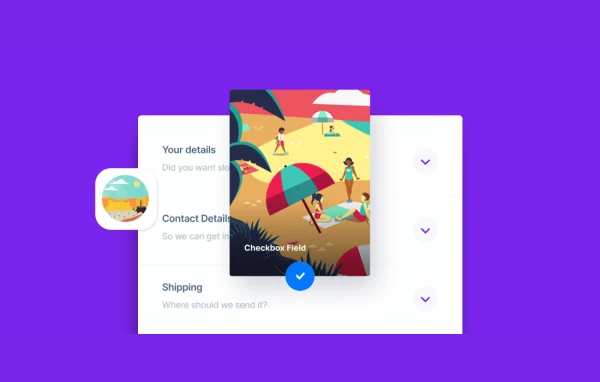
Replace standard text options on radio and checkbox fields with images, so visitors make their selection by clicking a picture instead of reading a label.
Media library image picker
Attach PNG, JPG, GIF or SVG images to each choice from the native WordPress media library, with no HTML needed in your field labels.
Product and option fields
Show images on product, product option and single product fields, including quantity selection on single products, so buyers can see the exact variation they are ordering.
Lightbox previews
Visitors can open any image choice in a lightbox popup to see it at a larger size before they make a selection.
Polls, surveys and quizzes
Works with the Gravity Forms Polls, Survey and Quiz add-ons, so you can build picture-based questions and answers for interactive forms.
Thumbnails in entries
Entry tables and entry detail screens display thumbnail previews of the selected images, which makes reviewing submissions quicker.
Merge tag support
Use Gravity Forms merge tags to include image choices in notifications and confirmations, so emails and thank you messages reflect what the visitor picked.
Label visibility control
Choose whether radio and checkbox labels appear alongside the images, giving you the option of a cleaner, image-only layout.
Image Choices older versions
- 1.7.0Aug 111 improvement
- 1.6.17May 21 improvement
- 1.6.16Nov 18, 20251 improvement
- 1.6.15Oct 26, 2025
- 1.6.14Oct 22, 2025
- 1.6.13Oct 20, 2025
- 1.6.12Aug 22, 2025
- 1.6.11Aug 3, 2025
- 1.6.10Jul 1, 2025
- 1.6.9May 26, 2025
Members and buyers of this product can download older versions.
57 older versions in all. If you need one that is not listed, ask support.
Questions about Image Choices
Which Gravity Forms fields can use image choices?
Image choices work on radio and checkbox fields, plus product, product option, single product, poll, survey, quiz and shipping fields. That covers most situations where a visitor picks from a set of options, from ordering a product variation to answering a quiz question.
What image formats can I use?
You can use PNG, JPG, GIF and SVG files. Images are added from the standard WordPress media library, so you can reuse files you have already uploaded and keep everything organized in one place.
Will I see which images people selected when I review entries?
Yes. Entry tables and entry detail views include thumbnail previews of the chosen images. You can also use merge tags to place image choices in notifications and confirmations sent after a form is submitted.
Does it work with other Gravity Forms extensions?
It is built to work with third-party Gravity Forms extensions, including Gravity Wizz and Gravity PDF, along with the Gravity Forms Polls, Survey and Quiz add-ons. This lets you combine image choices with tools you may already use on your forms.
Is Image Choices free?
The code of Image Choices is licensed under the GPL, so anyone may use, change and share it. GPL Feast is a paid service: a plan or a single purchase gives you the download and automatic updates. The developer's own support, licence key and online services are not included.
Which version of Image Choices is this?
Version 1.7.3, released Oct 2, 2026. New versions appear here when the developer publishes them, and members get them as automatic updates.
How do I update Image Choices?
Install the free GPL Feast Updater on your site and connect it with your API key. It installs new versions of Image Choices automatically and keeps a backup, so you can roll back.
More from JetSloth