Plugin
Updated
Frontend Reports
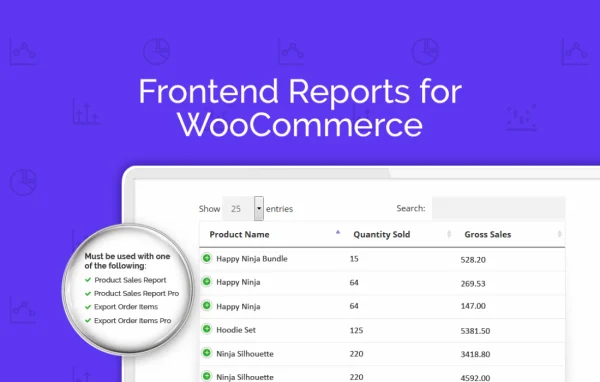
Frontend Reports for WooCommerce, by Aspen Grove Studios, is a WordPress add-on plugin that places WooCommerce sales reports on the front end of your site. You can share live sales data with team members or selected users through pages, posts and widget areas, without giving them access to the WordPress or WooCommerce admin.
- Version
- 1.0.14
- Released
- Jan 19, 2026
- Developer
- BerryPress
- Type
- WordPress plugin
- Licence
- GPL
- Included in
- Every plan, or $3.99 a year on its own
What’s new in Frontend Reports 1.0.14
Version 1.0.14 · Jan 19, 2026
Latest
- ImprovedRedesigned UI
- ImprovedImplemented BerryPress Updater
What it does
Sharing sales numbers usually means generating a report in the admin, saving it and emailing it around. That gets old quickly, and handing out backend logins just so someone can check figures is a risk many store owners would rather avoid. This plugin moves the reports onto regular site pages, so the people who need the data can see current figures in one place while the admin area stays closed to them.
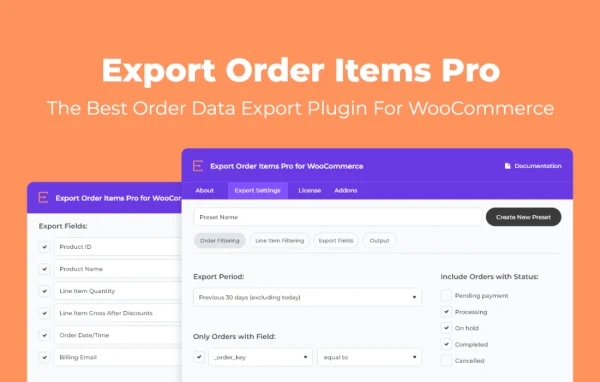
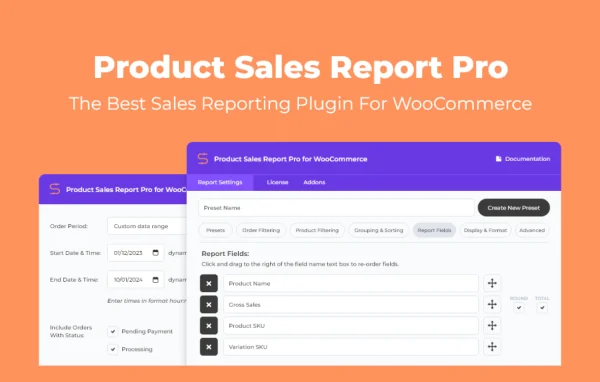
It works alongside WooCommerce reporting plugins such as Product Sales Report and Export Order Items, including their Pro versions. You build a shortcode in the admin with the shortcode generator, choose a date range or a preset saved in the connected reporting plugin, and drop it into a post, page or widget. Visitors get tables they can sort, search and page through. Pair it with a content restriction plugin to limit reports to logged-in, authorized users.
Best for
- WooCommerce store owners sharing sales data with staff
- Agencies reporting store performance to clients
- Teams that need sales figures without backend logins
Features
Reports through shortcodes
Place live WooCommerce sales reports inside any post, page or shortcode-compatible content, so viewers can read the data without needing admin access.
Sortable, searchable tables
Report tables on the front end can be sorted, searched and paginated, which helps viewers filter and review sales data quickly.
Downloadable report links
Give front end users links to downloadable reports so they can review and share sales information offline.
Widget placement
Add reports to widget-ready areas such as sidebars or footers to display sales figures across the site.
Works with reporting plugins
Connects with Product Sales Report and Export Order Items, including their Pro versions, to pull the report data you already configure there.
Date ranges and presets
Choose specific date ranges or use report presets defined in the connected reporting plugin to control what each embedded report shows.
Access control friendly
Combine it with content restriction plugins so sales reports appear only to logged-in users you have authorized to see them.
Admin shortcode generator
A shortcode builder in the WordPress admin lets you set report display options and copy the resulting shortcode into your content.
Frontend Reports older versions
- 1.0.13Feb 23, 20241 improvement
- 1.0.12Apr 18, 20231 improvement
Members and buyers of this product can download older versions.
Questions about Frontend Reports
Does this plugin create sales reports by itself?
It displays reports from compatible WooCommerce reporting plugins, namely Product Sales Report and Export Order Items, including their Pro versions. Those plugins handle the report setup and presets, and this plugin presents the results on your site's front end.
Can I keep the reports private?
Yes, by pairing it with a content restriction plugin. That lets you show the pages or areas holding your reports only to logged-in, authorized users, so sensitive sales data stays away from the general public.
Where on my site can the reports appear?
You can add reports to posts, pages and other shortcode-compatible content using shortcodes, or place them in widget-ready areas like sidebars and footers. Viewers can sort, search and page through the report tables.
Can viewers save a copy of a report?
Yes. You can provide downloadable report links on the front end, so users can take a copy for offline review or share the sales information with others.
Is Frontend Reports free?
The code of Frontend Reports is licensed under the GPL, so anyone may use, change and share it. GPL Feast is a paid service: a plan or a single purchase gives you the download and automatic updates. The developer's own support, licence key and online services are not included.
Which version of Frontend Reports is this?
Version 1.0.14, released Jan 19, 2026. New versions appear here when the developer publishes them, and members get them as automatic updates.
How do I update Frontend Reports?
Install the free GPL Feast Updater on your site and connect it with your API key. It installs new versions of Frontend Reports automatically and keeps a backup, so you can roll back.
More from BerryPress