Plugin
Updated
S3 Image Storage for bbPress
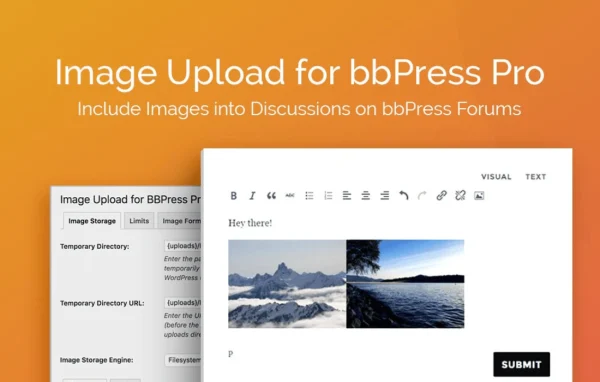
S3 Image Storage for bbPress is a WordPress plugin by BerryPress that moves forum images off your own server. Images that users upload to your bbPress forum are stored on Amazon S3 and served from there, so your hosting account holds far less media.
- Version
- 1.0.9
- Released
- Jun 17, 2025
- Developer
- BerryPress
- Type
- WordPress plugin
- Requires
- bbPress
- Licence
- GPL
- Included in
- Every plan, or $3.99 a year on its own
What’s new in S3 Image Storage for bbPress 1.0.9
Version 1.0.9 · Jun 17, 2025
Latest
- NewAdd BerryPress Updater
What it does
Forums where members share photos tend to pile up image files quickly. On many hosting plans that means disk space runs short and the server carries the weight of every picture request. This plugin addresses that by sending images uploaded in bbPress to Amazon S3 instead of keeping them in your WordPress uploads folder. Your server handles the forum itself, while Amazon's storage service holds and delivers the media that users post.
The plugin requires bbPress and works inside your existing forum setup. Admins connect the forum to their Amazon S3 account through a settings interface, and from then on uploaded images are stored externally. Because Amazon S3 bills for the storage you actually use, costs follow the size of your image library. It suits small discussion boards as well as large communities where members share a lot of pictures.
Best for
- bbPress forums where members post many images
- Community sites running low on hosting disk space
- Forum admins who already use Amazon S3
Features
Images stored on Amazon S3
Images that users upload to your bbPress forum are automatically stored on Amazon S3 rather than on your WordPress server.
Images served from S3
Forum images are delivered from Amazon's infrastructure, so requests for pictures do not have to be handled by your own hosting server.
Lighter server load
Offloading media files keeps image storage and delivery away from your server, which helps it cope with busy periods on the forum.
Storage that grows with you
Amazon S3 storage scales as your image library grows, which helps communities that would otherwise hit disk space limits on their hosting plan.
Simple S3 connection
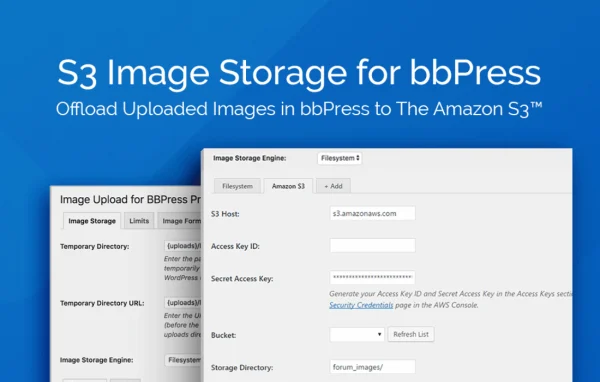
A settings interface lets forum admins connect bbPress to Amazon S3 without a complicated configuration process.
Pay for what you use
Amazon S3 charges based on the storage you use, so media costs match the actual volume of images posted on your forum.
Built for bbPress
The plugin is made for the bbPress forum software and works within your existing community setup rather than replacing any part of it.
Questions about S3 Image Storage for bbPress
Do I need bbPress to use this plugin?
Yes. The plugin requires bbPress and is built specifically for it. It handles images that users upload in your bbPress forum and stores them on Amazon S3 instead of your WordPress server.
Will I need an Amazon S3 account?
Yes. The plugin connects your forum to Amazon S3, so you need an account there. Amazon S3 bills you based on the storage you use, which means your costs follow how many images your members upload.
Is it hard to connect my forum to Amazon S3?
The plugin includes a settings interface for connecting bbPress to Amazon S3, and it is meant to work without complicated configuration. Once connected, uploaded forum images are stored on S3 automatically.
Where are forum images served from after I set it up?
Images posted by users are stored on Amazon S3 and served from there. That keeps image files and the requests for them off your WordPress server, which saves disk space and reduces server load.
Is S3 Image Storage for bbPress free?
The code of S3 Image Storage for bbPress is licensed under the GPL, so anyone may use, change and share it. GPL Feast is a paid service: a plan or a single purchase gives you the download and automatic updates. The developer's own support, licence key and online services are not included.
Which version of S3 Image Storage for bbPress is this?
Version 1.0.9, released Jun 17, 2025. New versions appear here when the developer publishes them, and members get them as automatic updates.
How do I update S3 Image Storage for bbPress?
Install the free GPL Feast Updater on your site and connect it with your API key. It installs new versions of S3 Image Storage for bbPress automatically and keeps a backup, so you can roll back.
What does S3 Image Storage for bbPress need?
S3 Image Storage for bbPress needs bbPress installed and active.
More from BerryPress