Plugin
Updated
Image Upload for bbPress Pro
Image Upload for bbPress Pro by Aspen Grove Studios is a WordPress plugin that lets members add images directly inside bbPress topics and replies. It gives users a drag-and-drop uploader and gives administrators control over who can upload, how big files can be and where images are stored.
- Version
- 2.2.1
- Released
- Oct 7, 2026
- Developer
- BerryPress
- Type
- WordPress plugin
- Requires
- bbPress
- Licence
- GPL
- Included in
- Every plan, or $3.99 a year on its own
What’s new in Image Upload for bbPress Pro 2.2.1
Version 2.2.1 · Oct 7, 2026
Latest
- FixedCleanup may use the wrong storage class
- FixedCleanup dry run issues
What it does
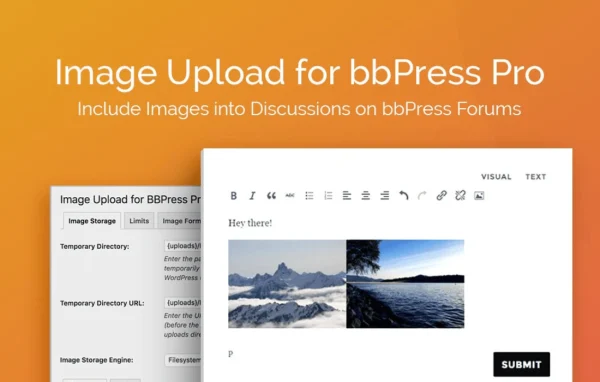
Out of the box, bbPress offers members no built-in way to upload images inside their posts, so they end up linking to outside image hosts or describing things in text. This plugin adds an uploader to the topic and reply forms. Members can drag in several images at once, and the pictures appear inline in their post. Thumbnails are generated automatically, while the larger version opens in a lightbox when clicked. Animated GIFs keep their animation, and the upload interface works on mobile devices too.
On the admin side, settings sit in tabs inside the WordPress dashboard. You can choose which user roles may upload, cap the number of images per topic or reply, and set maximum file sizes and dimensions. Images can be resized automatically, converted to one consistent format and compressed with PNG and JPEG controls. Storage can stay on your own server, or move to Amazon S3 with an add-on. Usage statistics show total image counts and file sizes. The plugin requires bbPress.
Best for
- bbPress community forums that want image sharing in posts
- Support forums where members post screenshots
- Site owners managing forum storage and upload limits
Features
Drag-and-drop uploader
Members can drag multiple images at once into topics and replies, and the images are placed inline in the post content.
Thumbnails with lightbox
The plugin creates and inserts thumbnails automatically while keeping the larger version, which opens in a lightbox for a closer look.
Animated GIF support
Users can upload animated GIFs and they display with their animation intact instead of being flattened into a still image.
Role-based upload permissions
Administrators choose which WordPress user roles are allowed to upload images, so only trusted members can add media to the forum.
Quantity and size limits
Set how many images are allowed per topic or reply, along with maximum file size and dimensions, to keep server use in check.
Resizing and format conversion
Uploads can be resized automatically to set maximum dimensions and converted to a single image format for consistent storage.
Compression and storage options
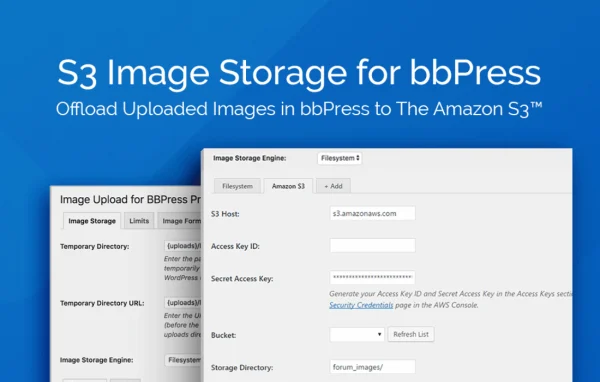
Adjust PNG and JPEG compression levels, and store images on your own server or on Amazon S3 using an add-on.
Image usage statistics
Track total image counts and file size usage from the dashboard to see how much media your forum is holding.
Image Upload for bbPress Pro older versions
- 2.2.0Sep 231 new, 3 improvements, 1 fix
- 2.1.38May 101 improvement
- 2.1.36Aug 23, 20251 improvement
- 2.1.35Jun 18, 2025
- 2.1.34Dec 15, 2023
- 2.1.33Sep 21, 2023
- 2.1.32Sep 7, 2023
- 2.1.31Apr 18, 2023
Members and buyers of this product can download older versions.
Questions about Image Upload for bbPress Pro
Does this work without bbPress?
No. The plugin is built for bbPress and adds image uploading to bbPress topics and replies, so bbPress needs to be active on your WordPress site for it to do anything.
Can I keep forum images off my own server?
Yes. By default images are stored locally on your server, but you can store them remotely on Amazon S3 instead. The Amazon S3 option requires an add-on.
Can I stop some members from uploading images?
Yes. Upload permissions are based on user roles, so you decide which roles can add images. You can also limit how many images go into each topic or reply and set maximum file sizes and dimensions.
Will large photos from members take up a lot of space?
You have several controls for this. Images can be resized automatically to a maximum size, converted to one format and compressed using PNG and JPEG settings. Usage statistics help you watch total image counts and file sizes.
Is Image Upload for bbPress Pro free?
The code of Image Upload for bbPress Pro is licensed under the GPL, so anyone may use, change and share it. GPL Feast is a paid service: a plan or a single purchase gives you the download and automatic updates. The developer's own support, licence key and online services are not included.
Which version of Image Upload for bbPress Pro is this?
Version 2.2.1, released Oct 7, 2026. New versions appear here when the developer publishes them, and members get them as automatic updates.
How do I update Image Upload for bbPress Pro?
Install the free GPL Feast Updater on your site and connect it with your API key. It installs new versions of Image Upload for bbPress Pro automatically and keeps a backup, so you can roll back.
What does Image Upload for bbPress Pro need?
Image Upload for bbPress Pro needs bbPress installed and active.
More from BerryPress