Plugin
Updated
Scheduled Email Reports
Scheduled Email Reports for WooCommerce by Aspen Grove Studios is a WordPress plugin that emails your store's sales and order reports on a schedule you set. It works alongside a small group of compatible reporting plugins and delivers their reports as attachments, so you no longer have to generate and send them by hand.
- Version
- 1.0.21
- Released
- Jan 20, 2026
- Developer
- BerryPress
- Type
- WordPress plugin
- Licence
- GPL
- Included in
- Every plan, or $3.99 a year on its own
What’s new in Scheduled Email Reports 1.0.21
Version 1.0.21 · Jan 20, 2026
Latest
- FixedAn activation form may not be visible.
What it does
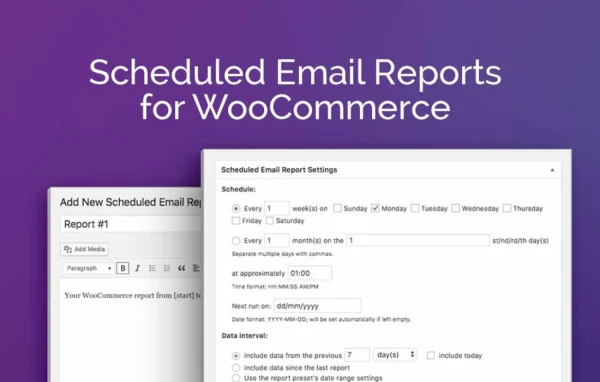
Pulling sales and order reports out of a WooCommerce store by hand is repetitive work, and it is easy to forget or to run the wrong date range. This plugin automates that job. You set up a scheduled email once, pick how often it goes out (daily, weekly, including several times a week, or monthly), choose the date range each report should cover, and the reports arrive in the inboxes you list. You can also write your own subject line and message body for each email.
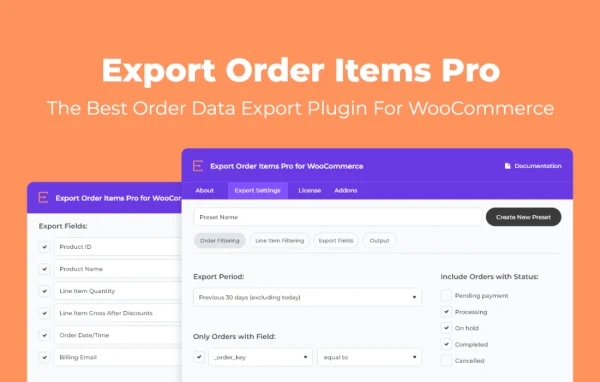
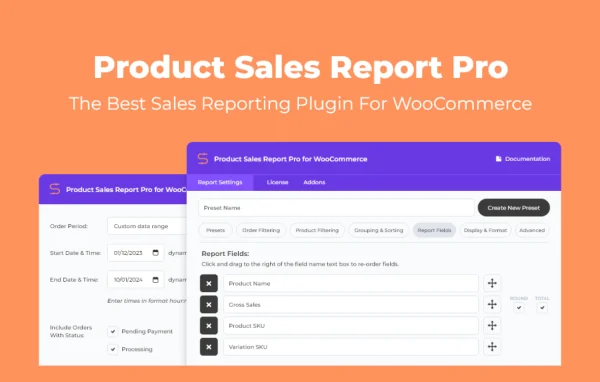
The plugin does not build reports by itself. It works only with Product Sales Report, Product Sales Report Pro, Export Order Items and Export Order Items Pro, which generate the report files it attaches. Setup uses the familiar WordPress post editor, and the plugin sits as its own menu item inside the WooCommerce dashboard. That makes it a good fit for store owners and agencies who already rely on one of those reporting plugins and want the results sent to the team or clients on a regular rhythm.
Best for
- WooCommerce store owners who want regular sales reports by email
- Agencies sending recurring order reports to clients
- Shops already using Product Sales Report or Export Order Items
Features
Automated report emails
Reports go out on the schedule you choose with no manual step, which cuts out repetitive exporting and the mistakes that come with it.
Flexible delivery schedules
Choose daily, weekly or monthly delivery, and set weekly emails to go out on multiple days if you want updates more often.
Multiple report attachments
Attach one report or several to a single email, so related sales and order data arrives together in one message.
Custom date ranges
Define the date range each report covers, so every email contains exactly the period of data you want to review.
Editable subject and body
Write your own subject line and email body for each scheduled report to give your team or clients the right context.
Multiple recipients
Send each scheduled report to one person or a whole list of recipients, keeping owners, staff and clients on the same page.
Familiar WordPress editor
Scheduled report emails are created and managed through the standard WordPress post editor, so the setup screens feel familiar from day one.
WooCommerce menu placement
The plugin appears as its own menu item in the WooCommerce dashboard, keeping your reporting tools in one place.
Scheduled Email Reports older versions
- 1.0.19Feb 23, 20241 improvement, 1 fix
- 1.0.18Apr 18, 20231 fix
Members and buyers of this product can download older versions.
Questions about Scheduled Email Reports
Does this plugin create sales reports on its own?
No. It schedules and emails reports generated by compatible plugins. It works only with Product Sales Report, Product Sales Report Pro, Export Order Items and Export Order Items Pro, so you need one of those to produce the report attachments.
How often can the reports be sent?
You can schedule emails daily, weekly or monthly. Weekly schedules can run on more than one day per week, and you can set the date range each report covers so the data matches the period you care about.
Can I send reports to more than one person?
Yes. Each scheduled email can go to one recipient or many, and you can customize the subject line and body text, which is useful when reports go to different team members or clients.
Can one email include several reports?
Yes. A single scheduled email can carry multiple report attachments, so you can bundle related sales and order reports together instead of sending separate messages for each one.
Is Scheduled Email Reports free?
The code of Scheduled Email Reports is licensed under the GPL, so anyone may use, change and share it. GPL Feast is a paid service: a plan or a single purchase gives you the download and automatic updates. The developer's own support, licence key and online services are not included.
Which version of Scheduled Email Reports is this?
Version 1.0.21, released Jan 20, 2026. New versions appear here when the developer publishes them, and members get them as automatic updates.
How do I update Scheduled Email Reports?
Install the free GPL Feast Updater on your site and connect it with your API key. It installs new versions of Scheduled Email Reports automatically and keeps a backup, so you can roll back.
More from BerryPress