Plugin
Updated
IconicWP Quickview
IconicWP Quickview is a WooCommerce plugin by Iconic that adds a quickview lightbox to your shop and category pages. Shoppers can open a product in a pop-up window, check its details and add it to the cart while staying on the page they were browsing.
- Version
- 3.12.1
- Released
- Feb 28, 2025
- Developer
- IconicWP
- Type
- WordPress plugin
- Requires
- WooCommerce
- Licence
- GPL
- Included in
- Every plan, or $4.79 a year on its own
What’s new in IconicWP Quickview 3.12.1
Version 3.12.1 · Feb 28, 2025
Latest
- ImprovedUpdated dependencies and added more safety checks to telemetry opt-ins/opt-outs
What it does
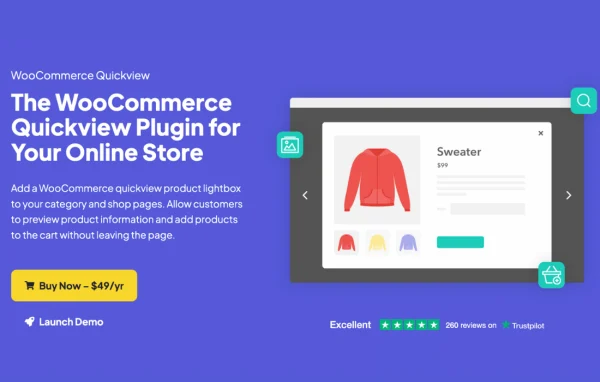
On a typical WooCommerce shop page, a customer who wants to see more about a product has to click through to its page and then come back to the listing. This plugin places a quickview button on your shop and category pages that opens a lightbox with the product's gallery, title, price, ratings, metadata and description. From that window the customer can add the item to the cart, or use next and previous arrows to move on to other products without closing it.
The plugin requires WooCommerce and works with simple, variable, digital and other product types. You control the button's text, color, style, padding, icons, hover effects and position, and you choose which product elements appear in the lightbox. It hooks into WooCommerce, so it works with well-coded themes and page builders. Shortcodes let you place quickview buttons in any page or post, and developers get action and filter hooks for adding custom information.
Best for
- WooCommerce stores with large product catalogs
- Shops selling variable or digital products
- Developers building custom WooCommerce storefronts
Features
Quickview lightbox on shop pages
Adds a pop-up product window to shop and category pages where customers can view product details and add items to the cart without leaving the page.
Customizable quickview button
Set the button text, color, style, padding, icons, hover effects and position so it matches the look of your store's theme.
Choose lightbox content
Pick which elements appear in the lightbox, including the product gallery, title, price, ratings, metadata and descriptions.
Browse inside the lightbox
Next and previous arrows let shoppers move between products while the quickview window stays open, so they can compare items without reloading pages.
Support for all product types
Works with simple, variable, digital and other WooCommerce product types, so the quickview behaves the same across your whole catalog.
Mobile responsive layout
The lightbox adapts to different screen sizes, including smartphones and tablets, so shoppers on any device can use the quickview.
Shortcodes for any page
Place quickview buttons on any page or post with shortcodes, which is handy for landing pages, blog posts or custom product sections.
Developer hooks
Action and filter hooks let developers add custom product information to the lightbox or extend how the plugin works for a specific store.
IconicWP Quickview older versions
- 3.12.0Feb 27, 20251 improvement
- 3.11.0Nov 20, 20241 improvement
- 3.10.0Jun 19, 20241 fix
- 3.9.0Apr 13, 2024
- 3.8.0Feb 7, 2024
- 3.7.2Jan 16, 2024
- 3.7.1Sep 4, 2023
- 3.7.0Aug 29, 2023
- 3.6.2Jul 26, 2023
- 3.5.1Apr 18, 2023
Members and buyers of this product can download older versions.
Questions about IconicWP Quickview
Does the quickview work with variable products?
Yes. The plugin supports simple, variable, digital and other WooCommerce product types, so customers can view and add these products to the cart from the lightbox.
Can I decide what information shows in the pop-up?
Yes. You can choose which elements appear in the lightbox, such as the product gallery, title, price, ratings, metadata and descriptions, and leave out anything you do not want shown.
Can I add quickview buttons outside the shop and category pages?
Yes. Shortcodes let you add quickview buttons to any page or post, so you can use the feature in blog posts, landing pages or other custom sections of your site.
Will it fit with my theme?
The plugin uses WooCommerce hooks and is built to work with well-coded WordPress themes and page builders. You can also adjust the button's text, colors, style, icons, hover effects and position to match your design.
Is IconicWP Quickview free?
The code of IconicWP Quickview is licensed under the GPL, so anyone may use, change and share it. GPL Feast is a paid service: a plan or a single purchase gives you the download and automatic updates. The developer's own support, licence key and online services are not included.
Which version of IconicWP Quickview is this?
Version 3.12.1, released Feb 28, 2025. New versions appear here when the developer publishes them, and members get them as automatic updates.
How do I update IconicWP Quickview?
Install the free GPL Feast Updater on your site and connect it with your API key. It installs new versions of IconicWP Quickview automatically and keeps a backup, so you can roll back.
What does IconicWP Quickview need?
IconicWP Quickview needs WooCommerce installed and active.
More from IconicWP