Plugin
Updated
Password Protected Categories
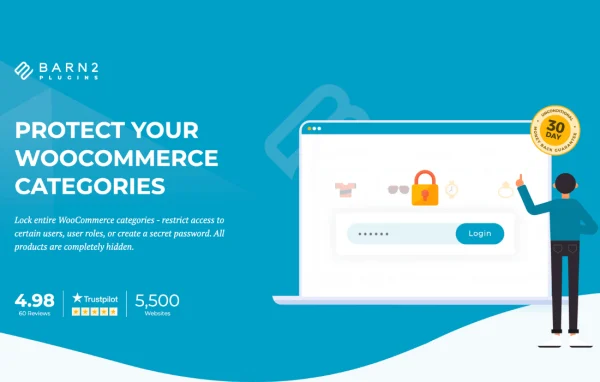
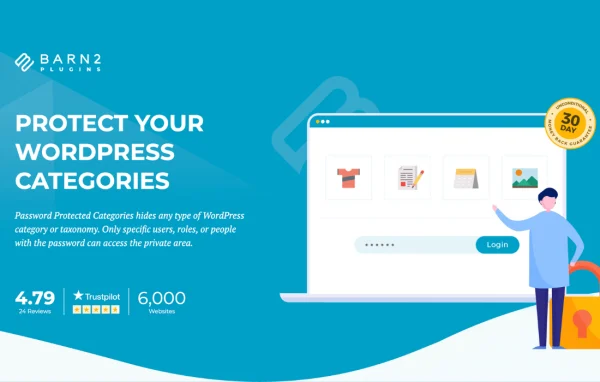
Password Protected Categories by Barn2 Media is a WordPress plugin that restricts access to entire categories on your site. You can protect a category with one or more passwords, or open it automatically for chosen users and roles, so private content stays private without a full membership system.
- Version
- 2.1.30
- Released
- Oct 7, 2026
- Developer
- Barn2 Media
- Type
- WordPress plugin
- Requires
- WooCommerce
- Licence
- GPL
- Included in
- Every plan, or $10.39 a year on its own
What’s new in Password Protected Categories 2.1.30
Version 2.1.30 · Oct 7, 2026
Latest
- ImprovedUpdated internal libraries.
- ImprovedTested up to WordPress 7.1.3.
What it does
Many sites need a private corner: a client portal, an invite-only event listing, a members area or a private blog. Setting up individual accounts for every visitor can be more work than the job needs. This plugin works at the category level instead. You protect a category, and its sub-categories and all posts inside it are protected too. Visitors enter a password to get in, which keeps access simple for you and for them.
The plugin also works with categories tied to custom post types, such as products, events and portfolios, so it fits shops, event sites and creative portfolios as well as blogs. Logged-in users or specific user roles can be given automatic access, and you can set several passwords on one category for different groups. A central login page sends each visitor to the right category based on the password they enter, and protected areas are set to no-index so they stay out of search results. WooCommerce is required.
Best for
- WooCommerce stores with private or wholesale product categories
- Agencies building password-protected client portals
- Private blogs, portfolios and invite-only event sites
Features
Category-level password protection
Protect an entire category, including its sub-categories and every post inside it, with one or more passwords instead of locking posts one at a time.
User and role-based access
Give specific logged-in users or whole user roles automatic access to protected categories, so members or team members skip the password prompt.
Multiple passwords per category
Add several passwords to a single category to give different groups or clients their own way in, and manage access for each group separately.
Custom post type support
Protect categories linked to custom post types such as products, events and portfolios, which makes the plugin useful well beyond standard blog posts.
Central login page
Visitors log in from one page and are redirected to the correct protected category based on the password they type, so you only need to share one link.
Hidden from search engines
Protected categories and their posts are automatically set to no-index, which keeps private areas out of public search results.
Password Protected Categories older versions
- 2.1.28Mar 252 improvements, 2 fixes
- 2.1.27Dec 27, 20252 new, 2 improvements
- 2.1.26Sep 13, 20251 improvement
- 2.1.25Jul 5, 2025
- 2.1.24Dec 14, 2024
- 2.1.23Oct 11, 2024
- 2.1.22Sep 13, 2024
- 2.1.21Aug 27, 2024
- 2.1.20May 22, 2024
- 2.1.19Apr 9, 2024
Members and buyers of this product can download older versions.
16 older versions in all. If you need one that is not listed, ask support.
Questions about Password Protected Categories
Can I protect products in my WooCommerce store with this?
Yes. The plugin supports categories linked to custom post types, including products, so you can password protect product categories. It has been tested alongside plugins such as Product Add-Ons, Quick View and Dynamic Pricing. Note that WooCommerce is required for this plugin.
Do logged-in users still have to enter a password?
Not if you set it up that way. You can choose specific logged-in users or entire user roles and give them automatic access to a protected category. Everyone else will see the password prompt, which suits membership areas and team content.
Will protected content show up in Google?
Password protected categories and the posts inside them are automatically set to no-index. That tells search engines not to list them, which helps keep your private areas out of public search results.
Can different clients each have their own password?
Yes. You can add multiple passwords to a single category, and the central login page sends each visitor to the right protected category based on the password entered. This works well for client portals with separate groups.
Is Password Protected Categories free?
The code of Password Protected Categories is licensed under the GPL, so anyone may use, change and share it. GPL Feast is a paid service: a plan or a single purchase gives you the download and automatic updates. The developer's own support, licence key and online services are not included.
Which version of Password Protected Categories is this?
Version 2.1.30, released Oct 7, 2026. New versions appear here when the developer publishes them, and members get them as automatic updates.
How do I update Password Protected Categories?
Install the free GPL Feast Updater on your site and connect it with your API key. It installs new versions of Password Protected Categories automatically and keeps a backup, so you can roll back.
What does Password Protected Categories need?
Password Protected Categories needs WooCommerce installed and active.
More from Barn2 Media