Plugin
Updated
Woocommerce Password Protected Categories
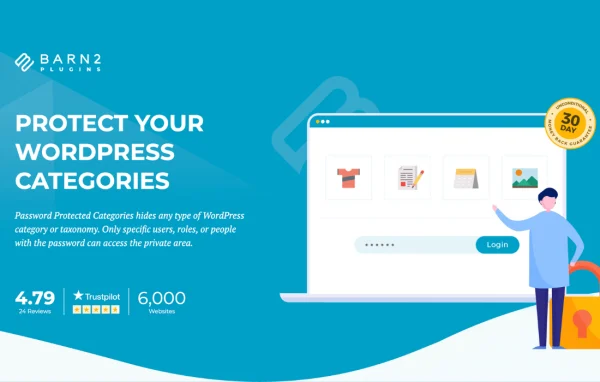
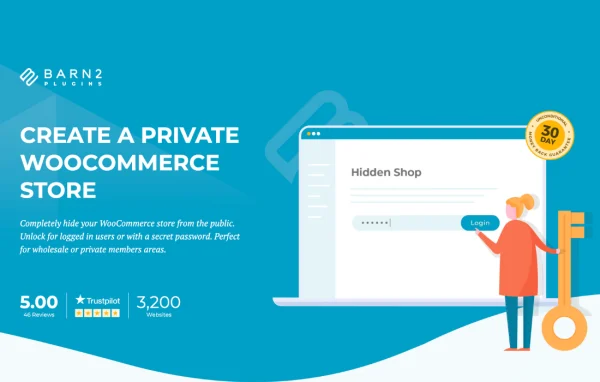
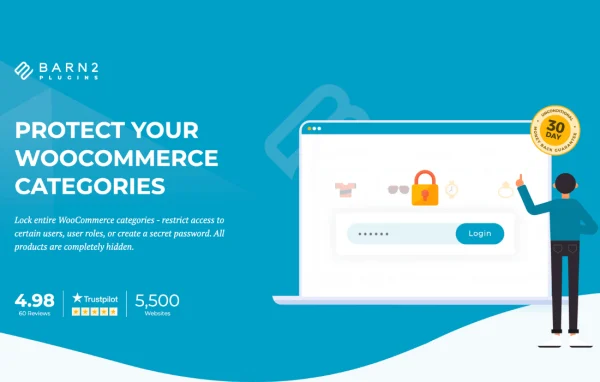
WooCommerce Protected Categories by Barn2 Media Ltd is a WordPress plugin that adds private areas to a WooCommerce store. You pick which categories to hide, then decide whether visitors reach them with a password, a user role or a specific user account.
- Version
- 2.8.3
- Released
- Oct 7, 2026
- Developer
- Barn2 Media
- Type
- WordPress plugin
- Requires
- WooCommerce
- Licence
- GPL
- Included in
- Every plan, or $10.39 a year on its own
What’s new in Woocommerce Password Protected Categories 2.8.3
Version 2.8.3 · Oct 7, 2026
Latest
- ImprovedUpdated internal libraries
- ImprovedTested up to WordPress 7.1.3 and WooCommerce 11.1.2
What it does
Many store owners need to sell some products to everyone and others only to certain people, such as wholesale buyers, club members or individual clients. Running a separate shop for each group is a lot of work. This plugin lets you keep one WooCommerce store and protect whole categories instead. When a category is protected, its products and sub-categories follow the same rules automatically, so you set things up once at the category level.
Customers reach their private area by logging into their account or by entering a password on a dedicated login page. You can choose password protection, user roles or individual user accounts, depending on how you manage customers. Protected categories can also be hidden from navigation menus, sidebars and widgets until a customer gains access, which keeps the public side of the store tidy. It suits photographers, schools, sports clubs and B2B wholesalers alike.
Best for
- B2B wholesalers selling hidden trade products
- Photographers sharing private client galleries for sale
- Schools, sports clubs and members-only shops
Features
Category-level protection
Restrict access to chosen WooCommerce categories so their products and sub-categories stay hidden from visitors who have not been given access.
Several ways to grant access
Open a protected category with a password, a user role or individual user accounts, so you can match the method to how you manage customers.
Private login pages
Customers reach their hidden area by logging into their account or entering a password on a dedicated login page, which works well for private sales.
Hide from menus and widgets
Optionally keep protected categories out of navigation menus, sidebars and widgets until a customer has access, so public visitors see a clean store.
Automatic inheritance
Products and sub-categories inside a protected category take on the same restrictions, which saves setup time and keeps rules consistent.
Wholesale and members-only shops
Build hidden wholesale or members-only sections that only approved clients can reach, based on a password or their user role.
Simple settings screen
Protected categories are configured through a straightforward interface, so you do not need coding knowledge to set them up.
Woocommerce Password Protected Categories older versions
- 2.8.2Jul 171 new, 2 improvements
- 2.8.1Mar 252 improvements, 1 fix
- 2.8.0Dec 23, 20251 improvement, 2 fixes
- 2.7.9Sep 18, 2025
- 2.7.8Sep 13, 2025
- 2.7.7Aug 27, 2025
- 2.7.6Dec 26, 2024
- 2.7.5Sep 25, 2024
- 2.7.3Jun 15, 2024
- 2.7.2May 3, 2024
Members and buyers of this product can download older versions.
13 older versions in all. If you need one that is not listed, ask support.
Questions about Woocommerce Password Protected Categories
Do I need WooCommerce to use this plugin?
Yes. The plugin is built specifically for WooCommerce and works with your store's existing product categories. It protects those categories, along with their sub-categories and products, inside the same store you already run.
Can different customers see different private categories?
Yes. You can grant access by password, by user role or by individual user account. That means one client can have their own private category while a wholesale group shares another, all within one store.
Will protected categories still show up in my menus?
Only if you want them to. You can optionally hide protected categories from navigation menus, sidebars and widgets, so they stay out of sight until a customer logs in or enters the right password.
Do I have to protect each product one by one?
No. When you protect a category, all of its products and sub-categories inherit the same restrictions automatically. You manage access at the category level, which keeps setup quick and the rules consistent.
Is Woocommerce Password Protected Categories free?
The code of Woocommerce Password Protected Categories is licensed under the GPL, so anyone may use, change and share it. GPL Feast is a paid service: a plan or a single purchase gives you the download and automatic updates. The developer's own support, licence key and online services are not included.
Which version of Woocommerce Password Protected Categories is this?
Version 2.8.3, released Oct 7, 2026. New versions appear here when the developer publishes them, and members get them as automatic updates.
How do I update Woocommerce Password Protected Categories?
Install the free GPL Feast Updater on your site and connect it with your API key. It installs new versions of Woocommerce Password Protected Categories automatically and keeps a backup, so you can roll back.
What does Woocommerce Password Protected Categories need?
Woocommerce Password Protected Categories needs WooCommerce installed and active.
More from Barn2 Media