Plugin
Updated
Quantity Manager
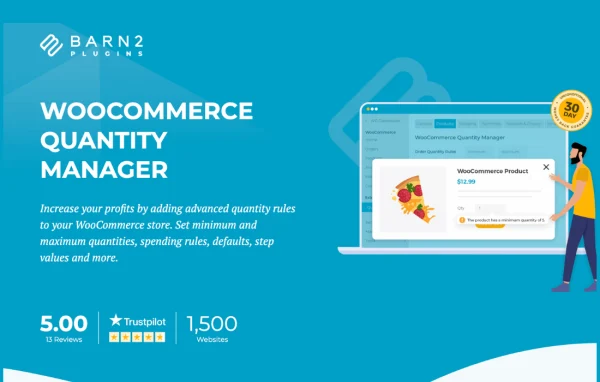
WooCommerce Quantity Manager by Barn2 Media is a WordPress plugin that adds quantity rules to WooCommerce stores. It lets you set minimum and maximum quantities, order values and quantity increments, then apply those rules storewide or to specific categories, products, variations and user roles.
- Version
- 2.4.4
- Released
- Jul 14, 2026
- Developer
- Barn2 Media
- Type
- WordPress plugin
- Requires
- WooCommerce
- Licence
- GPL
- Included in
- Every plan, or $10.39 a year on its own
What’s new in Quantity Manager 2.4.4
Version 2.4.4 · Jul 14, 2026
Latest
- NewAdded the helpscout beacon
- ImprovedUpdated the internal libraries and tested up to WordPress 7.0 and WooCommerce 10.9
- ImprovedImproved security and added permission checks
- FixedMinor design issues in the admin
What it does
Default WooCommerce lets shoppers buy any quantity they like, which causes trouble for stores that ship in cases, sell meal deals or gift baskets, or need wholesale buyers to meet a minimum order. This plugin gives you control over how much a customer can add to the cart. You can set lower and upper limits on quantity and order value, require purchases in fixed multiples, and change the starting quantity shown on product pages so it matches how you actually sell.
Rules can be applied at several levels: across the whole store, for a product category, for a single product, for individual variations or for particular user roles. That makes it practical to give wholesalers one set of limits and retail customers another. When a shopper picks a quantity that breaks a rule, clear validation messages explain what is needed. It also works with WooCommerce Product Table from Barn2, so you can build searchable order forms with quantity pickers on the shop page.
Best for
- Wholesale stores that enforce minimum order quantities
- Shops selling bundles, meal deals or gift baskets
- Stores with different rules for different customer roles
Features
Minimum and maximum quantities
Set lower and upper limits on how many units a customer can buy, so every order stays within the amounts your store can handle.
Order value limits
Define minimum and maximum order values in addition to quantity limits, useful when small orders are not worth fulfilling or large ones need review.
Quantity increments
Require customers to buy in set steps or multiples, such as packs of six, to match how products are packed and shipped.
Rules at several levels
Apply quantity rules to the entire store, specific categories, individual products or single product variations, depending on how detailed your setup needs to be.
User role rules
Give different customer groups, such as wholesalers, retailers or special clients, their own quantity rules based on their user role.
Custom default quantity
Change the starting quantity shown on product pages so the quantity field opens at a number that suits the product.
Validation messages
Show clear prompts and error messages that tell customers what quantity is required when their selection does not meet your rules.
Works with Product Table
Pair it with WooCommerce Product Table from Barn2 to create searchable order forms that list products with quantity selectors.
Quantity Manager older versions
- 2.4.3Sep 13, 20251 new, 1 improvement, 1 fix
- 2.4.2May 8, 20252 improvements
- 2.4.1Dec 6, 20242 improvements, 1 fix
- 2.4.0Aug 28, 2024
- 2.3.4Jan 12, 2024
- 2.3.3Dec 7, 2023
- 2.3.2Sep 27, 2023
- 2.3.1Aug 14, 2023
- 2.3Apr 18, 2023
Members and buyers of this product can download older versions.
Questions about Quantity Manager
Does this plugin need WooCommerce?
Yes. It is built for WooCommerce and adds quantity rules to WooCommerce products, categories, variations and user roles, so WooCommerce must be running on your site.
Can I set different quantity rules for wholesale and retail customers?
Yes. Rules can be tied to user roles, so you can give wholesalers higher minimums or different increments while retail shoppers follow another set of limits. You can also combine this with category, product or variation level rules.
Can I make customers buy in packs or multiples?
Yes. The quantity increment setting lets you define step values, so customers can only order in multiples you choose, such as 4, 8 or 12. Validation messages explain the requirement if someone enters a quantity that does not fit.
Can I set rules for individual product variations?
Yes. Along with storewide, category and product level rules, you can set quantity limits and increments on individual variations, which helps when different sizes or pack types need different ordering rules.
Is Quantity Manager free?
The code of Quantity Manager is licensed under the GPL, so anyone may use, change and share it. GPL Feast is a paid service: a plan or a single purchase gives you the download and automatic updates. The developer's own support, licence key and online services are not included.
Which version of Quantity Manager is this?
Version 2.4.4, released Jul 14, 2026. New versions appear here when the developer publishes them, and members get them as automatic updates.
How do I update Quantity Manager?
Install the free GPL Feast Updater on your site and connect it with your API key. It installs new versions of Quantity Manager automatically and keeps a backup, so you can roll back.
What does Quantity Manager need?
Quantity Manager needs WooCommerce installed and active.
More from Barn2 Media