
Plugin
Updated
SearchWP BigCommerce
SearchWP BigCommerce is a WordPress plugin by SearchWP that connects a BigCommerce store with SearchWP's search engine. It indexes product details such as attributes, categories, SKUs and custom fields, so shoppers searching your WordPress site get product results that match what they typed.
- Version
- 1.2.0
- Released
- Feb 4, 2023
- Developer
- SearchWP
- Type
- WordPress plugin
- Licence
- GPL
- Included in
- Every plan, or $4.79 a year on its own
What’s new in SearchWP BigCommerce 1.2.0
Version 1.2.0
Latest
- NewIntegration with Product Archive search functionality
- ImprovedUpdates updater
What it does
Default WordPress search often misses the details shoppers actually type, like a SKU, a color or a category name. This plugin indexes BigCommerce product information, including attributes, categories, SKUs and custom fields, and makes it searchable from your WordPress site. You can then adjust the search algorithm to give more weight to the attributes that matter most in your catalog, and control the order in which products appear in results.
The plugin fits stores that run BigCommerce products through a WordPress front end, from small shops to large or complex catalogs. It works with custom post types and taxonomies, and it can tie into product archive search. You can add search forms anywhere using Gutenberg blocks or modal popups, show live suggestions as people type, exclude products or pages that clutter results, and review search analytics to see what shoppers look for.
Best for
- BigCommerce stores using WordPress as the storefront
- Shops with large or complex product catalogs
- Store owners who want shoppers to search by SKU
Features
Full product indexing
Indexes BigCommerce product information, including attributes, categories, SKUs and custom fields, so shoppers can find items by the details they remember.
Custom search algorithm
Set search priorities based on product attributes such as SKU, color, category and custom taxonomies to decide which matches rank higher.
Control result ordering
Choose how products appear in search results, for example placing new arrivals, discounted items or high-margin products near the top.
Live search suggestions
Shows product suggestions in real time that update as customers type into the search box, helping them reach a product faster.
Related product promotion
Displays related or complementary products during and after checkout, giving you a way to present upsell and cross-sell items.
Exclude products or pages
Hide specific products or pages from search results when they would confuse or distract shoppers looking for something else.
Flexible search forms
Place BigCommerce search boxes anywhere on your WordPress site using Gutenberg blocks or modal popups that open on demand.
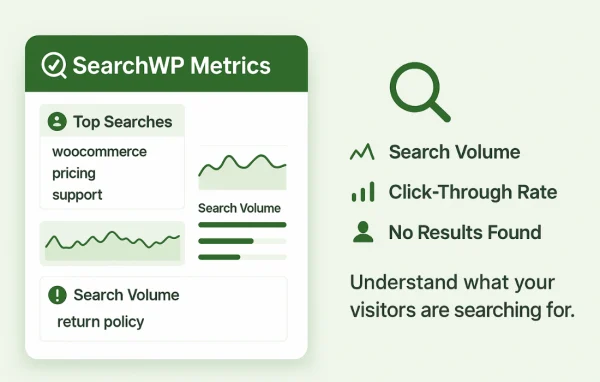
Search analytics
Review data on shopper search behavior and trends to see what people look for and adjust your search settings accordingly.
Questions about SearchWP BigCommerce
Can customers search for products by SKU or color?
Yes. The plugin indexes product attributes, categories, SKUs and custom fields. You can also tune the search algorithm so matches on attributes like SKU, color or category carry more weight in the results.
Will it work with custom post types and taxonomies?
It supports custom post types and taxonomies, along with extensive product catalogs. That makes it a reasonable fit for store owners whose BigCommerce inventory is large or organized in a more complex way.
How do I add a search box to my pages?
You can add BigCommerce search forms anywhere on your WordPress site using Gutenberg blocks. There is also a modal popup option if you prefer a search box that opens over the page.
Can I keep certain items out of search results?
Yes. You can exclude specific products or pages so they do not appear in search. This helps keep results focused on the items shoppers are most likely looking for.
Is SearchWP BigCommerce free?
The code of SearchWP BigCommerce is licensed under the GPL, so anyone may use, change and share it. GPL Feast is a paid service: a plan or a single purchase gives you the download and automatic updates. The developer's own support, licence key and online services are not included.
Which version of SearchWP BigCommerce is this?
Version 1.2.0, released Feb 4, 2023. New versions appear here when the developer publishes them, and members get them as automatic updates.
How do I update SearchWP BigCommerce?
Install the free GPL Feast Updater on your site and connect it with your API key. It installs new versions of SearchWP BigCommerce automatically and keeps a backup, so you can roll back.
More from SearchWP