
Plugin
Updated
SearchWP Diagnostics
SearchWP Diagnostics is a WordPress extension by SearchWP for sites that already run SearchWP. It shows you which content is missing from your search index, lets you check indexing status by content type and helps you adjust how content is indexed and weighted so results match what visitors look for.
- Version
- 1.5.2
- Released
- Feb 19, 2022
- Developer
- SearchWP
- Type
- WordPress plugin
- Licence
- GPL
- Included in
- Every plan, or $5.59 a year on its own
What’s new in SearchWP Diagnostics 1.5.2
Version 1.5.2
Latest
- FixedCompatibility with SearchWP 4.2.0 and above.
What it does
When site search returns poor results, the cause is often content that never made it into the index or keywords that are not being picked up. This extension gives you a view into your SearchWP setup so you can see what is and is not indexed. You can list unindexed pages, posts, media and other content, then work through the gaps without writing code. It is meant for site owners, marketers and developers who need to troubleshoot search issues on their own.
The extension is activated from inside the SearchWP interface, and it works out of the box while still offering finer controls for advanced users. Beyond spotting gaps, it lets you review which keywords and phrases are indexed, filter by content type, adjust weighting and re-index content. Search analytics show how visitors use your search, which helps you decide what to change. It suits WooCommerce stores, content-heavy blogs and sites with PDF archives that rely on internal search.
Best for
- WordPress sites already using SearchWP for internal search
- WooCommerce stores with large product catalogs
- Blogs and archives with many posts or PDF documents
Features
Activation from SearchWP
Turn the extension on directly from the SearchWP interface, so you can start running diagnostics without a separate, complicated setup process.
Unindexed content view
See a list of pages, posts, media and other content that is not included in your site search, so you know exactly what visitors cannot find.
Keyword indexing review
Analyze and adjust which keywords and phrases are indexed for your content, helping search results line up better with the queries visitors actually type.
Filters by content type
Check indexing status for individual items or whole content groups such as pages, posts, tags or media files, so you can focus on one area at a time.
Weighting and re-indexing
Change how content is weighted and re-index it so your search results reflect the priorities you set for your site.
Search analytics
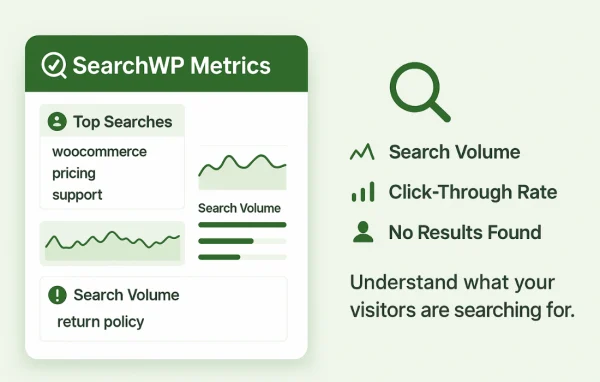
Monitor how visitors use your site search and use that data to guide both your content decisions and your search configuration.
PDF and custom field search
Extend indexing to PDF documents and custom fields, so content stored inside files and custom attributes can show up in search results.
Questions about SearchWP Diagnostics
Do I need SearchWP to use this?
Yes. This is an extension for SearchWP and is activated from within the SearchWP interface. It works with your existing SearchWP setup to show indexing status, adjust weighting and re-index content, so the main SearchWP plugin needs to be in place first.
Can it tell me why some posts do not appear in search results?
It can show you which pages, posts, media and other content are not in the search index. You can filter by content type, review which keywords are indexed and then re-index content, which helps you track down and fix missing results.
Does it work with PDFs and custom fields?
Yes. The extension supports indexing and searching inside PDF documents and custom fields. This is useful for sites with document archives or content stored in custom attributes, since that material can then be found through your site search.
Do I need coding skills to use it?
No. It is designed so you can find and fix common search issues without writing code. It works out of the box, and advanced users can still use the more detailed controls for weighting and indexing when they need a tailored setup.
Is SearchWP Diagnostics free?
The code of SearchWP Diagnostics is licensed under the GPL, so anyone may use, change and share it. GPL Feast is a paid service: a plan or a single purchase gives you the download and automatic updates. The developer's own support, licence key and online services are not included.
Which version of SearchWP Diagnostics is this?
Version 1.5.2, released Feb 19, 2022. New versions appear here when the developer publishes them, and members get them as automatic updates.
How do I update SearchWP Diagnostics?
Install the free GPL Feast Updater on your site and connect it with your API key. It installs new versions of SearchWP Diagnostics automatically and keeps a backup, so you can roll back.
More from SearchWP