
Plugin
Updated
SearchWP DirectoryPress
SearchWP DirectoryPress Integration is a WordPress plugin by SearchWP that connects its search engine to DirectoryPress. It indexes listing data such as custom fields and taxonomies, so visitors searching your directory get results that reflect the full details of each listing.
- Version
- 1.7.0
- Released
- Feb 4, 2023
- Developer
- SearchWP
- Type
- WordPress plugin
- Licence
- GPL
- Included in
- Every plan, or $5.59 a year on its own
What’s new in SearchWP DirectoryPress 1.7.0
Version 1.7.0 · Feb 4, 2023
Latest
What it does
Default WordPress search looks at a limited set of content, which often means directory listings with rich custom fields or detailed categories get missed. This integration links SearchWP with DirectoryPress so the search index includes listing attributes like custom fields, taxonomies and other details. Visitors typing a query get matches based on everything a listing contains, which helps on directories where the useful information lives outside the main description.
Once connected, you can adjust how the search algorithm weighs keywords and listings, push chosen entries to the top of results, and offer live Ajax search with suggestions as people type. Search analytics show what visitors are looking for, which helps you refine listings and settings over time. It works with WordPress multisite setups and multiple search indexes, so it suits local business directories, membership listings and larger directory networks.
Best for
- Local business directories built on DirectoryPress
- Membership and listing sites with many custom fields
- Agencies running directory sites on WordPress multisite
Features
Full listing attribute indexing
Indexes listing data including custom fields, taxonomies and listing details, so searches can match information stored anywhere in a DirectoryPress listing.
Adjustable search algorithm
Fine-tune how the search ranks results, giving more weight to specific keywords or listings so the order matches what matters for your directory.
Live Ajax instant search
Shows real-time results and suggestions as visitors type, so they can see matching listings before they finish entering their query.
One-click result prioritization
Move chosen listings or promotional entries to the top of search results with a single click, useful for featured or sponsored listings.
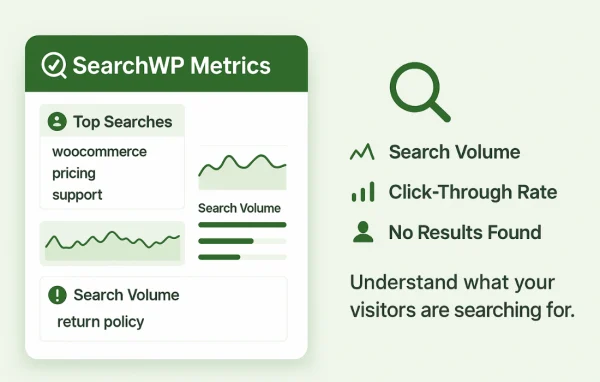
Search analytics
Review visitor search trends and behavior to see what people look for, then adjust your directory content and search settings based on that data.
Multisite and multiple indexes
Works with DirectoryPress across WordPress multisite setups and supports multiple search indexes, which helps when you run a network of directory sites.
Privacy-minded design
Built with privacy standards in mind, aiming to keep user data secure while returning search results across your directory listings.
Questions about SearchWP DirectoryPress
Does this plugin search custom fields in my DirectoryPress listings?
Yes. It indexes listing attributes including custom fields, taxonomies and other listing details, so a visitor's search can match information stored in those fields as well as the main listing content.
Can I make certain listings show up first in search results?
Yes. You can boost key listings or promotional entries to the top of results with a single click, and you can also tune the search algorithm to give more weight to specific keywords or listings.
Will visitors see results while they type?
Yes. The integration includes live Ajax instant search, which shows real-time results and suggestions as visitors type their query into your directory search.
Does it work on a WordPress multisite network?
It works with DirectoryPress across various WordPress multisite setups and supports multiple search indexes, so it can handle networks with several directory sites.
Is SearchWP DirectoryPress free?
The code of SearchWP DirectoryPress is licensed under the GPL, so anyone may use, change and share it. GPL Feast is a paid service: a plan or a single purchase gives you the download and automatic updates. The developer's own support, licence key and online services are not included.
Which version of SearchWP DirectoryPress is this?
Version 1.7.0, released Feb 4, 2023. New versions appear here when the developer publishes them, and members get them as automatic updates.
How do I update SearchWP DirectoryPress?
Install the free GPL Feast Updater on your site and connect it with your API key. It installs new versions of SearchWP DirectoryPress automatically and keeps a backup, so you can roll back.
More from SearchWP