
Plugin
Updated
SearchWP HeroThemes
SearchWP HeroThemes Integration is a WordPress plugin by SearchWP that brings SearchWP's search engine to HeroThemes knowledge base content. It indexes your help articles, FAQs, custom fields and attachments so visitors on support and documentation sites can find relevant answers.
- Version
- 1.2.0
- Released
- May 24, 2020
- Developer
- SearchWP
- Type
- WordPress plugin
- Licence
- GPL
- Included in
- Every plan, or $5.59 a year on its own
What’s new in SearchWP HeroThemes 1.2.0
Version 1.2.0
Latest
- NewAdds support for content restriction
- ImprovedUpdates updater
What it does
Default WordPress search often struggles with help centers. It can miss content stored in custom fields or attachments, and it returns results without much sense of what matters most. This integration indexes your HeroThemes content inside SearchWP, including FAQs, custom fields and attachments such as PDFs, so the material your team has written shows up when someone searches for it. You can build dedicated search engines for specific knowledge base sections, which keeps results focused on the area a visitor is browsing.
Once connected, you control how results are ranked and what appears. Relevance settings let you tune the algorithm, and you can promote or demote individual posts or pages and exclude content that has nothing to do with support. Search forms can go anywhere on the site through Gutenberg blocks or modal popups, and live Ajax search shows results as people type. Search analytics show what visitors look for, which helps you spot gaps in your documentation. It suits customer support portals, product documentation and internal knowledge hubs.
Best for
- Customer support portals built with HeroThemes
- Product documentation and help center sites
- Internal knowledge hubs for teams
Features
Quick HeroThemes connection
Connect your HeroThemes documentation to SearchWP with a one-click setup, bringing knowledge base articles into your WordPress search results without writing code.
Section-specific search engines
Create separate search engines for individual knowledge base sections so each search bar returns results from the part of your help center that fits.
Indexing beyond article text
Index FAQs, custom fields and attachments such as PDFs so answers stored outside the main article body can still be found through search.
Adjustable relevance settings
Use the algorithm settings to decide how results are ranked, so the most useful help articles appear near the top for common queries.
Live Ajax search
Show search suggestions and results in real time as visitors type, letting them reach an article without loading a separate results page.
Promote, demote and exclude
Move specific posts or pages up or down in the results, and filter out unrelated content so knowledge base searches stay focused.
Search bars via blocks or popups
Place HeroThemes search forms anywhere on your site using Gutenberg blocks or modal popups, with no coding needed.
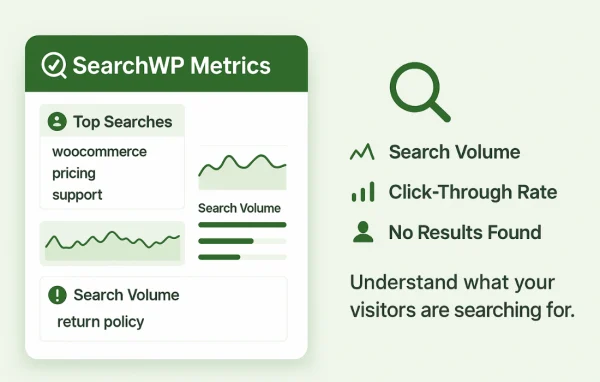
Search analytics
Review what visitors search for and spot trends, which helps you see where documentation is missing or needs clearer wording.
Questions about SearchWP HeroThemes
Can it search PDFs and custom fields in my knowledge base?
Yes. The plugin indexes HeroThemes help content along with FAQs, custom fields and attachments such as PDFs, so information kept in those places can appear in search results alongside regular articles.
Can I keep searches limited to one section of my help center?
You can create custom search engines for specific knowledge base sections. Each engine returns results from its assigned content, which is useful when different products or audiences have their own documentation areas.
How do I add a search bar to my pages?
Search forms can be placed anywhere on your site using Gutenberg blocks or modal popups, without coding. Live Ajax search can also show results while visitors are still typing their query.
Can I control which articles show up first?
Yes. You can adjust the relevance algorithm settings, promote or demote specific posts and pages, and exclude unrelated content so the results for knowledge base searches stay on topic.
Is SearchWP HeroThemes free?
The code of SearchWP HeroThemes is licensed under the GPL, so anyone may use, change and share it. GPL Feast is a paid service: a plan or a single purchase gives you the download and automatic updates. The developer's own support, licence key and online services are not included.
Which version of SearchWP HeroThemes is this?
Version 1.2.0, released May 24, 2020. New versions appear here when the developer publishes them, and members get them as automatic updates.
How do I update SearchWP HeroThemes?
Install the free GPL Feast Updater on your site and connect it with your API key. It installs new versions of SearchWP HeroThemes automatically and keeps a backup, so you can roll back.
More from SearchWP