
Plugin
Updated
SearchWP Product Table
SearchWP Product Table is a WordPress plugin by SearchWP that links SearchWP's search engine with WooCommerce product tables. Shoppers can search and filter your catalog and see the results in an organized, readable table instead of a grid of product cards.
- Version
- 1.0.4
- Released
- Jan 24, 2022
- Developer
- SearchWP
- Type
- WordPress plugin
- Licence
- GPL
- Included in
- Every plan, or $5.59 a year on its own
What’s new in SearchWP Product Table 1.0.4
Version 1.0.4
Latest
- FixedPagination issue.
What it does
Product tables are a practical way to list many items at once, but the default WooCommerce search often misses details stored in attributes, taxonomies or custom fields. This integration routes product table searches through SearchWP, which indexes product attributes, taxonomies, custom fields and metadata. Shoppers who type a size, material or part number into the table search can then find matching products, even when that detail lives outside the product title or description.
Once it is connected, you can adjust how SearchWP ranks results so the products you care about appear higher, and you can exclude specific products or pages you do not want shoppers to see in search. Ajax live search shows suggestions as customers type, and search analytics show what people look for, which helps you refine your settings over time. It suits stores with large or detail-heavy catalogs, and developers can customize it for more complex WooCommerce projects.
Best for
- WooCommerce stores that list products in tables
- Shops with large catalogs and many product attributes
- Developers building data-heavy WooCommerce sites
Features
Search inside product tables
Connects SearchWP to WooCommerce product tables so search results appear in a clean, readable table that shoppers can scan and filter.
Full product data indexing
Indexes product attributes, taxonomies, custom fields and metadata, so searches can match details stored outside the product title and description.
Adjustable result ranking
Customize the search algorithm to rank results according to your own product priorities and the way your customers search.
Live Ajax search suggestions
Shows matching products as customers type, giving them instant previews before they finish their query.
Table layouts with filters
Build product table layouts with filtering options that help shoppers narrow down a large catalog to the items they want.
Related product promotion
Display related, upsell or cross-sell products while customers browse or check out, bringing other relevant items into view.
Exclude products and pages
Remove specific products or pages from search results so shoppers see the inventory you want them to focus on.
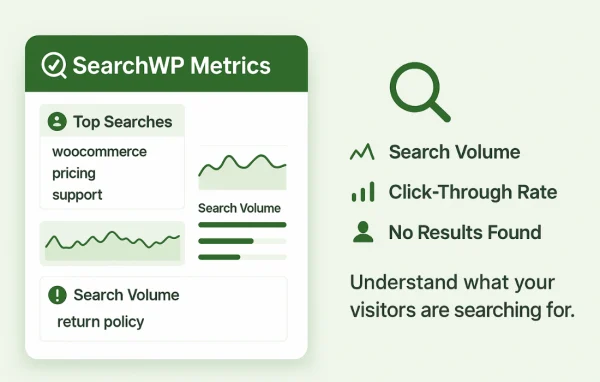
Search analytics
Track what customers search for and spot trends, then use that information to fine-tune your search setup and merchandising.
Questions about SearchWP Product Table
Does this plugin need WooCommerce and SearchWP?
Yes. It is an integration that combines SearchWP's search with WooCommerce product tables, so it is meant for WooCommerce stores using SearchWP to power the search inside their product tables.
Can shoppers find products by custom fields or attributes?
Yes. SearchWP indexes product attributes, taxonomies, custom fields and metadata, so a search typed into the product table can match details like specifications or codes stored in those fields.
Can I keep certain products out of search results?
You can exclude specific products or pages from search results. This is useful for hiding items you do not want shoppers to find through search while keeping attention on the inventory you want to highlight.
Will I be able to see what customers are searching for?
Yes. Search analytics let you monitor customer search behavior and trends. You can use that data to adjust result rankings, exclusions and other search settings for your store.
Is SearchWP Product Table free?
The code of SearchWP Product Table is licensed under the GPL, so anyone may use, change and share it. GPL Feast is a paid service: a plan or a single purchase gives you the download and automatic updates. The developer's own support, licence key and online services are not included.
Which version of SearchWP Product Table is this?
Version 1.0.4, released Jan 24, 2022. New versions appear here when the developer publishes them, and members get them as automatic updates.
How do I update SearchWP Product Table?
Install the free GPL Feast Updater on your site and connect it with your API key. It installs new versions of SearchWP Product Table automatically and keeps a backup, so you can roll back.
More from SearchWP