Plugin
Updated
SearchWP Redirects
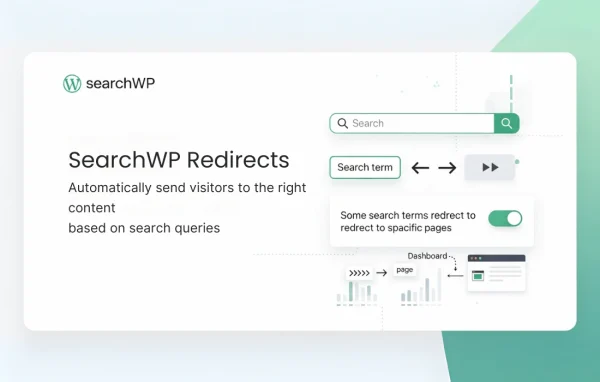
SearchWP Redirects is a WordPress plugin by SearchWP that works as an extension inside SearchWP. It lets you match search keywords to a specific page or post, so a visitor who searches for that term goes directly there instead of seeing a list of results.
- Version
- 1.6.0
- Released
- Nov 25, 2025
- Developer
- SearchWP
- Type
- WordPress plugin
- Licence
- GPL
- Included in
- Every plan, or $4.79 a year on its own
What’s new in SearchWP Redirects 1.6.0
Version 1.6.0
Latest
- NewAdded Redirects Statistics
- ImprovedSettings page redesign
What it does
Site search often returns a long list of loosely related results when you already know exactly which page a visitor needs. If someone searches for a common term, such as the name of a service or a help topic, you may want them to land on one specific page. This plugin handles that by redirecting chosen search keywords to a page or post you select, so the visitor skips the results list and goes straight to the content you picked for that term.
The redirects are managed from a code-free interface within SearchWP, where you turn on the extension and add rules. Each rule ties a keyword to a destination, and you can choose exact or partial matching depending on how strict you want it to be. There is no limit on how many redirects you create. If your site uses more than one custom search engine, rules can be applied per engine, and you can import or export your redirect setup to move it between sites or keep a backup. Redirect statistics are also available.
Best for
- Sites already running SearchWP for their search
- Business sites routing common searches to service pages
- Help centers sending topic searches to key articles
Features
Keyword to page redirects
Assign any search keyword to a custom page or post so visitors searching that term are sent directly to it.
Unlimited redirect rules
Create as many keyword redirects as your site needs, covering everything from product names to help topics across the whole site.
Exact and partial matching
Choose precise keyword matching for strict control, or partial matching to catch broader searches that contain your chosen term.
Rules per search engine
Apply different redirect rules to different custom search engines, giving you separate control over specific areas of your website.
Import and export
Move your redirect configuration to another site or save a backup copy, which helps with migrations and testing.
Code-free management
Add and edit redirects through a visual interface, so marketers and business owners can manage rules without writing code.
Redirect statistics
Review statistics on your search redirects to see how the rules you have set up are being used on your site.
Built into SearchWP
The redirects extension is turned on from within the SearchWP interface, keeping search settings and redirect rules in one place.
SearchWP Redirects older versions
- 1.5.3Oct 28, 20251 improvement, 1 fix
- 1.5.2Aug 6, 20251 fix
- 1.5.1Jul 31, 20251 improvement
- 1.5.0Mar 5, 2025
- 1.4.3Jul 2, 2024
- 1.4.2Apr 18, 2023
Members and buyers of this product can download older versions.
Questions about SearchWP Redirects
Do I need SearchWP to use this plugin?
Yes. It works as an extension of SearchWP and is turned on from within the SearchWP interface, so your site needs SearchWP for the redirects to work.
What is the difference between exact and partial match?
An exact match rule only triggers when the search equals your keyword. A partial match rule triggers when the search contains your keyword, which catches a wider range of related queries. You pick the option for each redirect.
Can I set different redirects for different search forms?
If you use multiple custom search engines in SearchWP, you can apply unique redirect rules to each one. That lets you send the same keyword to different destinations depending on which part of the site the search comes from.
Can I copy my redirects to another site?
Yes. The plugin includes import and export for redirect configurations, so you can move your rules to another site, test them on a staging copy or keep a backup.
Is SearchWP Redirects free?
The code of SearchWP Redirects is licensed under the GPL, so anyone may use, change and share it. GPL Feast is a paid service: a plan or a single purchase gives you the download and automatic updates. The developer's own support, licence key and online services are not included.
Which version of SearchWP Redirects is this?
Version 1.6.0, released Nov 25, 2025. New versions appear here when the developer publishes them, and members get them as automatic updates.
How do I update SearchWP Redirects?
Install the free GPL Feast Updater on your site and connect it with your API key. It installs new versions of SearchWP Redirects automatically and keeps a backup, so you can roll back.
More from SearchWP