
Plugin
Updated
SearchWP Xpdf
SearchWP Xpdf Integration is a WordPress plugin by SearchWP that connects the Xpdf PDF tool to the SearchWP search engine. It lets SearchWP read and index the text inside your PDF files, so those documents turn up in search results the same way regular posts do.
- Version
- 1.3.2
- Released
- Jul 31, 2025
- Developer
- SearchWP
- Type
- WordPress plugin
- Licence
- GPL
- Included in
- Every plan, or $5.59 a year on its own
What’s new in SearchWP Xpdf 1.3.2
Version 1.3.2
Latest
- ImprovedAdds escaping to shell command arguments
- FixedFixed the link to the extension documentation
What it does
Standard WordPress search usually looks at PDF titles and metadata and ignores the words inside the file. That leaves reports, guides, manuals and other documents hidden from anyone using your search box. This extension closes that gap by letting SearchWP index the full text of your PDFs, along with their metadata, custom fields and taxonomies. Once Xpdf support is switched on, the content of each PDF becomes part of your search index, and visitors can find a document by a phrase buried deep in its pages.
The plugin works inside SearchWP, so the indexed PDF content benefits from the tools SearchWP already offers. You can adjust how PDF content is weighted in results, promote specific documents, exclude posts or pages you do not want shown, and review what people search for. Search forms can be placed with Gutenberg blocks or in a modal popup, and live Ajax results can update as visitors type. It suits online libraries, resource centers and any site that hosts a lot of PDF material.
Best for
- Online libraries and document archives with many PDFs
- Businesses publishing manuals, reports or whitepapers as PDFs
- Bloggers and educators sharing downloadable PDF resources
Features
One-click Xpdf activation
Turn on Xpdf support for PDF content indexing with a single click, with no coding or complicated configuration needed to get PDF text into your search index.
Full text PDF indexing
SearchWP indexes every word inside your PDF files, together with their metadata, custom fields and taxonomies, so visitors can find documents by their actual content.
Adjustable result weighting
Fine-tune how PDF content is weighted and ranked in search results so the documents you care about most appear near the top for visitors.
Live Ajax search
Show search results and suggestions in real time as visitors type, which helps them reach the right PDF without loading a separate results page.
Flexible search placement
Add PDF search forms anywhere on your site using Gutenberg blocks, or present search in a modal popup window that fits your existing design.
Promote and exclude content
Promote important PDF documents or keywords with one click, and exclude irrelevant posts or pages so search results stay focused on what visitors need.
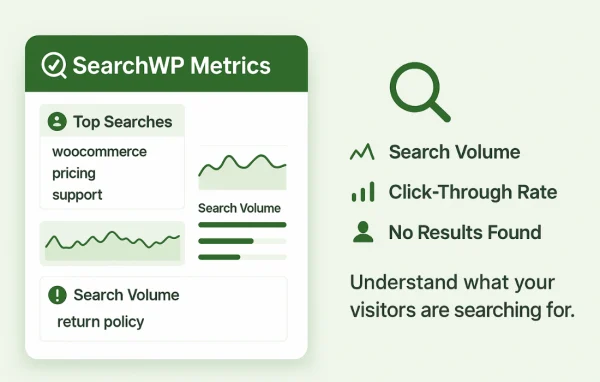
Search behavior insights
Review data on what your visitors search for, then use it to plan new content and adjust how your search results are arranged.
Multisite and custom post types
Works with WordPress multisite setups and custom post types, so PDF search can fit into more complex site structures alongside other plugins.
SearchWP Xpdf older versions
- 1.3.1Jan 14, 20251 fix
- 1.3.0Apr 18, 20231 new, 1 improvement
Members and buyers of this product can download older versions.
Questions about SearchWP Xpdf
Does this plugin work without SearchWP?
No. SearchWP Xpdf Integration is an extension for the SearchWP search engine. It adds Xpdf support so SearchWP can read and index PDF text, and the search features it relies on, such as weighting, live results and search forms, all come from SearchWP itself.
Will visitors be able to search the text inside my PDFs?
Yes. Instead of indexing only titles and metadata, the extension lets SearchWP index the full text of your PDF files, along with metadata, custom fields and taxonomies. Visitors can then find a document by searching for words or phrases that appear inside it.
Can I control which PDFs appear first in results?
You can. SearchWP lets you adjust how PDF content is weighted and ranked, promote specific documents or keywords with one click, and exclude posts or pages you do not want appearing, so the most relevant files show up first.
Does it work on a multisite network?
Yes, multisite setups are supported, as are custom post types. That makes it a reasonable fit for networks or larger sites that store PDFs across different sections and want them all available through search.
Is SearchWP Xpdf free?
The code of SearchWP Xpdf is licensed under the GPL, so anyone may use, change and share it. GPL Feast is a paid service: a plan or a single purchase gives you the download and automatic updates. The developer's own support, licence key and online services are not included.
Which version of SearchWP Xpdf is this?
Version 1.3.2, released Jul 31, 2025. New versions appear here when the developer publishes them, and members get them as automatic updates.
How do I update SearchWP Xpdf?
Install the free GPL Feast Updater on your site and connect it with your API key. It installs new versions of SearchWP Xpdf automatically and keeps a backup, so you can roll back.
More from SearchWP