Plugin
Updated
Thrive Product Manager
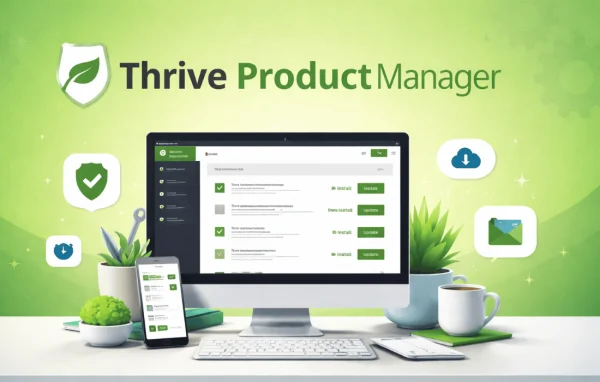
Thrive Product Manager is a WordPress plugin by Thrive Themes that gathers your Thrive tools into one central dashboard. From there you can check for and apply updates, turn plugin features on or off and see alerts about compatibility issues, without moving between separate screens.
- Version
- 11.1
- Released
- Oct 8, 2026
- Developer
- Thrive Themes
- Type
- WordPress plugin
- Licence
- GPL
- Included in
- Every plan, or $3.99 a year on its own
What’s new in Thrive Product Manager 11.1
Version 11.1 · Oct 8, 2026
Latest
What it does
If you run several Thrive plugins on one site, such as Thrive Architect, Thrive Leads and Thrive Quiz Builder, their settings and update status can end up spread across different parts of the WordPress admin. This plugin pulls that work into a single control panel. You get one place to see which Thrive tools are on the site, what needs updating and which features are switched on, so routine upkeep takes fewer clicks.
The dashboard checks for new versions of your Thrive plugins and can apply them automatically, which cuts down on manual maintenance. It also sends notifications about important updates and compatibility problems, giving you a heads-up before something affects your site. Feature controls let you enable or disable parts of each plugin so your setup matches what the site actually uses. It fits best on sites already built around the Thrive toolset.
Best for
- Sites running several Thrive plugins together
- Freelancers maintaining client sites built with Thrive tools
- Agencies managing many Thrive-based WordPress installs
Features
Central dashboard
Manage all of your Thrive plugins from one screen, so you can reach each tool's status and settings without hunting through the WordPress admin.
Automatic update checks
The plugin checks for new versions of your Thrive tools and can apply them automatically, reducing the manual work of keeping each one current.
Feature on and off controls
Enable or disable individual plugin features to tailor your Thrive tools to what your site needs and keep unused options out of the way.
Compatibility notifications
Receive alerts about important updates or compatibility issues so you can act before they cause disruptions on your website.
Support for many Thrive plugins
Organize a range of Thrive products in one place, including Thrive Architect, Thrive Leads, Thrive Quiz Builder and others from the same family.
Clean control panel
A tidy, clutter-free interface keeps your Thrive tools easy to navigate, with the main controls laid out in a single panel.
Thrive Product Manager older versions
- 11.0.1Sep 23
- 11.0.0.1Sep 16
- 11.0Sep 9
- 10.9.3.3Aug 25
- 10.9.3.2Jul 22
- 10.9.3.1Jul 18
- 10.9.2.1Jun 26
- 10.9.4Jun 2
- 10.9.3May 27
- 10.9.2May 24
Members and buyers of this product can download older versions.
21 older versions in all. If you need one that is not listed, ask support.
Questions about Thrive Product Manager
Which Thrive plugins can I manage with it?
It is built to organize a range of Thrive products from one dashboard. That includes Thrive Architect, Thrive Leads and Thrive Quiz Builder, along with other plugins in the Thrive family that you have on your site.
Can it apply updates for me automatically?
Yes. The plugin checks for new versions of your Thrive tools and can apply them automatically, so you spend less time updating each plugin by hand. It also notifies you about important updates that need your attention.
Can I switch off features I don't use?
Yes. The feature controls let you enable or disable plugin features, so you can shape your Thrive tools around your site's needs and keep the admin area tidier.
Will it warn me about compatibility problems?
It sends compatibility notifications that alert you to important updates or issues that could cause problems. This gives you a chance to respond before your website is disrupted.
Is Thrive Product Manager free?
The code of Thrive Product Manager is licensed under the GPL, so anyone may use, change and share it. GPL Feast is a paid service: a plan or a single purchase gives you the download and automatic updates. The developer's own support, licence key and online services are not included.
Which version of Thrive Product Manager is this?
Version 11.1, released Oct 8, 2026. New versions appear here when the developer publishes them, and members get them as automatic updates.
How do I update Thrive Product Manager?
Install the free GPL Feast Updater on your site and connect it with your API key. It installs new versions of Thrive Product Manager automatically and keeps a backup, so you can roll back.
More from Thrive Themes