Plugin
Updated
Thrive Comments
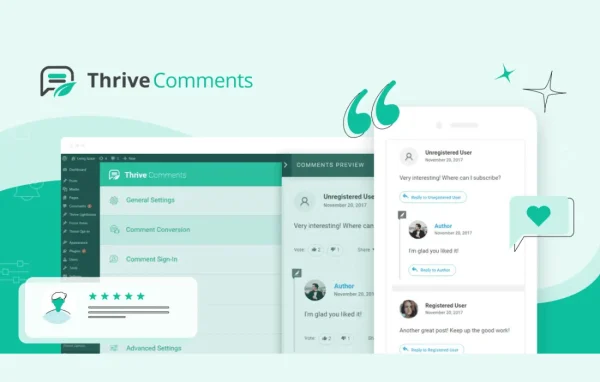
Thrive Comments is a WordPress plugin by Thrive Themes that turns a standard comment section into a more interactive space. It adds likes, up-votes and down-votes, achievement badges, social login and comment sharing, along with moderation and reporting tools for the site owner.
Install this firstPlease install the Thrive Product Manager Plugin from here to Activate Thrive Products
Go to product- Version
- 11.1
- Released
- Oct 8, 2026
- Developer
- Thrive Themes
- Type
- WordPress plugin
- Licence
- GPL
- Included in
- Every plan, or $6.39 a year on its own
What’s new in Thrive Comments 11.1
Version 11.1 · Oct 8, 2026
Latest
What it does
The default WordPress comment area gives visitors little reason to take part, and managing a busy thread can take a lot of time. This plugin borrows familiar ideas from social platforms such as Facebook, Reddit and Quora. Readers can like and vote on comments, earn badges for taking part, log in with a social account and share a specific comment on social networks. You can also feature standout comments so the most useful replies get noticed.
On the owner's side, the plugin adds a moderation dashboard built for handling large volumes of comments, which suits solo site owners and teams. Reporting shows top commenters, post popularity and visitor behavior. Post-comment actions let you send first-time commenters to a welcome page, offer a freebie, show related posts or prompt a social share. It also pairs with Thrive Leads and other Thrive products, for example to trigger lightbox popups, and the comment section is responsive on desktop, tablet and phone.
Best for
- Bloggers who want more reader discussion
- Content creators building a community around their posts
- Sites already using Thrive Leads or other Thrive products
Features
Likes, votes and featured comments
Visitors can like comments and give up-votes or down-votes, and you can feature the best comments so helpful replies stand out in the thread.
Achievement badges
Commenters earn badges as they keep participating, giving regular contributors a visible status within your community.
Post-comment actions
Send first-time commenters to a welcome page, offer a freebie, display related posts or prompt them to share on social media after they comment.
Social login
Visitors can comment using their social media accounts, so they do not need to create a separate account on your site first.
Share individual comments
Users can share their own specific comments on social networks, in addition to sharing the post itself.
Moderation dashboard
A dedicated moderation workflow helps you review and manage large numbers of comments quickly, whether you work alone or with a team.
Reporting and analytics
Reports cover visitor behavior, top commenters and post popularity, helping you see which content draws the most discussion.
Works with Thrive Leads
Pair it with Thrive Leads and other Thrive products to connect comment activity with lightbox popups and lead generation.
Thrive Comments older versions
- 11.0.1Sep 23
- 11.0.0.1Sep 16
- 11.0Sep 9
- 10.9.3.3Aug 25
- 10.9.3.2Jul 22
- 10.9.3.1Jul 18
- 10.9.2.1Jun 26
- 10.9.4Jun 2
- 10.9.3May 27
- 10.9.2May 24
Members and buyers of this product can download older versions.
64 older versions in all. If you need one that is not listed, ask support.
Questions about Thrive Comments
Can visitors vote on comments?
Yes. Readers can like comments and give up-votes or down-votes. This gives quieter visitors a quick way to react and helps the most useful comments rise to the top. You can also mark standout comments as featured.
What happens after someone leaves their first comment?
You can set post-comment actions. For example, first-time commenters can be redirected to a welcome page, offered a freebie, shown related posts or prompted to share on social media.
Do commenters need to create an account on my site?
No. Social login lets visitors comment with their existing social media accounts, so they can join the conversation without signing up separately.
Does it help with moderating busy comment sections?
Yes. It includes a moderation dashboard designed for handling large volumes of comments, suitable for solo site owners and teams. Reporting also shows top commenters and which posts get the most activity.
Is Thrive Comments free?
The code of Thrive Comments is licensed under the GPL, so anyone may use, change and share it. GPL Feast is a paid service: a plan or a single purchase gives you the download and automatic updates. The developer's own support, licence key and online services are not included.
Which version of Thrive Comments is this?
Version 11.1, released Oct 8, 2026. New versions appear here when the developer publishes them, and members get them as automatic updates.
How do I update Thrive Comments?
Install the free GPL Feast Updater on your site and connect it with your API key. It installs new versions of Thrive Comments automatically and keeps a backup, so you can roll back.
More from Thrive Themes