Theme
Updated
Thrive Themes
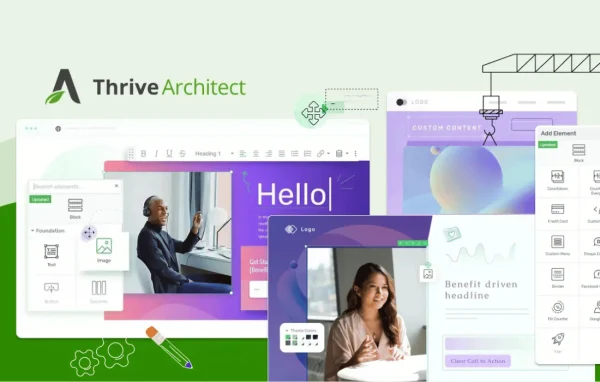
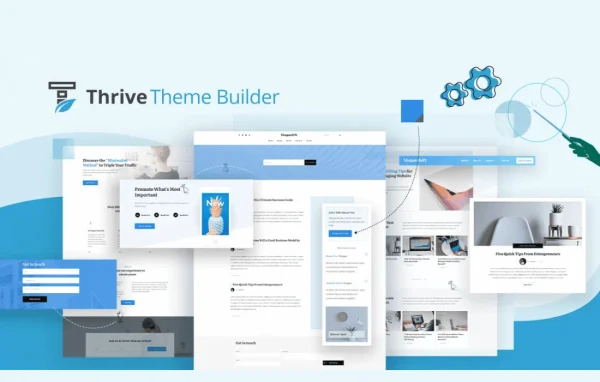
Thrive Theme Builder by Thrive is a standalone WordPress theme with a built-in front-end visual builder. It lets you design headers, footers, blog templates, archive pages and more by dragging and dropping elements, with no coding needed.
Install this firstPlease install the Thrive Product Manager Plugin from here to Activate Thrive Products
Go to product- Version
- 11.1
- Released
- Oct 8, 2026
- Developer
- Thrive Themes
- Type
- WordPress theme
- Licence
- GPL
- Included in
- Every plan, or $7.99 a year on its own
- Topics
- Page Builders
What’s new in Thrive Themes 11.1
Version 11.1 · Oct 8, 2026
Latest
What it does
Most WordPress themes lock you into fixed layouts, and changing them often means editing code or stacking extra plugins. This theme takes a different route. It is a full WordPress theme that includes its own visual builder, so you edit your site live on the front end and see changes as you make them. Every part of the site is editable, including headers, footers, sidebars, blog post templates, category pages, search pages and 404 error pages.
Getting started is handled by a setup wizard that walks you through each step, and Thrive says a site can be up in under 15 minutes. Companion starter themes such as Shapeshift, Ommi and Bookwise give you a styled starting point for different niches. Brand colors, fonts and logos are managed from one central dashboard, so a change applies across the whole site. The theme is built with marketing in mind, with list-building elements and connections to email platforms, webinar systems and automation tools like Zapier.
Best for
- Marketers building email lists and lead generation pages
- Business owners who want a custom site without coding
- Bloggers who want control over post and archive templates
Features
Front-end drag-and-drop builder
Design and edit every part of your site live on the front end, placing and arranging elements visually instead of working in code.
Full template control
Customize headers, footers, sidebars, page layouts, blog post templates, category pages, search pages and 404 error pages from the same builder.
Setup wizard
A guided wizard walks you through each step of building your site, with Thrive stating a launch is possible in under 15 minutes.
Central brand settings
Set your colors, fonts and logos in one dashboard and apply updates to your look across the entire site at once.
Library of 100+ elements
Build pages from more than 100 design elements and blocks, including icons, fonts, page blocks, dividers and list-building tools.
Companion starter themes
Start from ready-made themes like Shapeshift, Ommi and Bookwise, each designed for a different niche and visual style.
Marketing tool connections
Connect your site to email platforms, webinar systems and automation services such as Zapier to tie your pages into your marketing workflow.
Mobile-responsive design
Design elements are built to adapt to modern devices, so your layouts work for visitors on phones and tablets as well as desktops.
Thrive Themes older versions
- 11.0.1Sep 23
- 11.0.0.1Sep 16
- 11.0Sep 9
- 10.9.3.3Aug 25
- 10.9.3.2Jul 22
- 10.9.3.1Jul 18
- 10.9.2.1Jun 26
- 10.9.4Jun 2
- 10.9.3May 27
- 10.9.2May 24
Members and buyers of this product can download older versions.
67 older versions in all. If you need one that is not listed, ask support.
Questions about Thrive Themes
Is Thrive Theme Builder a plugin or a theme?
It is a complete, standalone WordPress theme. The visual builder is part of the theme itself, so you design headers, footers, templates and pages directly within it rather than adding a separate builder plugin on top of another theme.
Do I need coding skills to customize my site?
No. Everything is edited through a front-end drag-and-drop builder, and a setup wizard guides you through building the site. Brand colors, fonts and logos are set from a central dashboard and applied site-wide.
Can I connect it to my email marketing tools?
Yes. The theme connects with email platforms, webinar systems and automation tools like Zapier, and it includes list-building elements so you can collect subscribers from your pages.
Are there ready-made designs to start from?
Yes. Companion starter themes such as Shapeshift, Ommi and Bookwise give you a designed starting point for different niches and styles, which you can then customize with the builder.
Is Thrive Themes free?
The code of Thrive Themes is licensed under the GPL, so anyone may use, change and share it. GPL Feast is a paid service: a plan or a single purchase gives you the download and automatic updates. The developer's own support, licence key and online services are not included.
Which version of Thrive Themes is this?
Version 11.1, released Oct 8, 2026. New versions appear here when the developer publishes them, and members get them as automatic updates.
How do I update Thrive Themes?
Install the free GPL Feast Updater on your site and connect it with your API key. It installs new versions of Thrive Themes automatically and keeps a backup, so you can roll back.
More from Thrive Themes