
Plugin
Updated
Thrive Leads
Thrive Leads by Thrive Themes is a WordPress plugin for growing an email list. It brings popups, slide-ins, sticky ribbons, inline forms, widgets and content locks into one tool, with a drag-and-drop editor, targeting rules and built-in A/B testing.
Install this firstPlease install the Thrive Product Manager Plugin from here to Activate Thrive Products
Go to product- Version
- 11.1
- Released
- Oct 8, 2026
- Developer
- Thrive Themes
- Type
- WordPress plugin
- Licence
- GPL
- Included in
- Every plan, or $6.39 a year on its own
What’s new in Thrive Leads 11.1
Version 11.1 · Oct 8, 2026
Latest
What it does
Many sites end up running several separate plugins for popups, slide-ins and inline signup forms, and those tools can conflict with each other. This plugin puts every form type in one place. You design forms in a drag-and-drop editor without code, start from pre-designed templates if you like, and match each form to your brand. Forms are responsive, so they adjust to phones, tablets and desktop screens.
Once a form is built, you decide where and when it appears. Targeting rules let you show offers on specific categories, tags or posts, and triggers such as scroll depth, clicks or timed delays control the moment it opens. A/B tests compare designs, headlines and calls to action, while reports show form performance, conversion rates and traffic sources. SmartLinks can hide offers from people who already subscribed, which suits bloggers, business owners and marketers who send email regularly.
Best for
- Bloggers building an email list from their posts
- Business owners collecting leads on a WordPress site
- Marketers testing and targeting opt-in offers
Features
Every opt-in form type
Create popups, sticky ribbons, inline forms, slide-ins and widgets from one plugin instead of combining several separate list-building tools on the same site.
Drag-and-drop form editor
Design opt-in forms visually without writing code, adjusting layout and styling so each form fits the look of your brand and site.
Targeting and triggers
Show forms based on categories, tags, posts or visitor behavior, and open them on scroll, on click or after a timed delay.
Built-in A/B testing
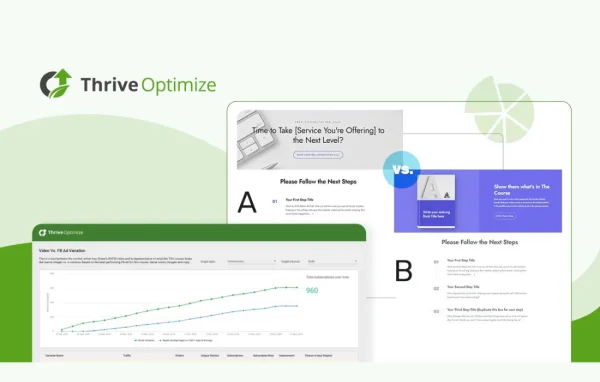
Test different form designs, headlines and calls to action against each other to find out which versions bring in more signups.
SmartLinks and SmartExit
Show different forms to different visitors or hide offers from people who are already subscribed, so returning readers are not asked twice.
Content locking
Gate exclusive content behind a signup form, revealing the material or incentive only after a visitor opts in to your list.
Reporting and analytics
Review form performance, conversion rates and traffic sources in reports that help you decide which forms to keep, change or retire.
Pre-designed templates
Start from dozens of ready-made form templates and adjust them, which shortens the time it takes to launch a new campaign.
Thrive Leads older versions
- 11.0.1Sep 23
- 11.0.0.1Sep 16
- 11.0Sep 9
- 10.9.3.3Aug 25
- 10.9.3.2Jul 22
- 10.9.3.1Jul 18
- 10.9.2.1Jun 26
- 10.9.4Jun 2
- 10.9.3May 27
- 10.9.2May 24
Members and buyers of this product can download older versions.
70 older versions in all. If you need one that is not listed, ask support.
Questions about Thrive Leads
What kinds of forms can I create with it?
You can build popups, sticky ribbon bars, slide-ins, inline forms placed within content, sidebar widgets and content locks that hide material until a visitor signs up. All of these are managed from the same plugin, so you do not need separate tools for each form type.
Do I need coding skills to design forms?
No. Forms are designed in a drag-and-drop editor, and you can begin from dozens of pre-designed templates. You can change the styling and layout visually to match your brand, and the finished forms adapt to different screen sizes, including mobile devices.
Can I show different forms on different parts of my site?
Yes. Targeting options let you display forms based on categories, tags, specific posts or visitor behavior. Triggers such as scroll, click or a timed delay control when a form appears, and SmartLinks can hide offers from people who are already on your list.
How do I know which forms work best?
Thrive Leads includes A/B testing for form designs, headlines and calls to action. Its reports show form performance, conversion rates and traffic sources, so you can compare versions and keep the ones that bring in more subscribers.
Is Thrive Leads free?
The code of Thrive Leads is licensed under the GPL, so anyone may use, change and share it. GPL Feast is a paid service: a plan or a single purchase gives you the download and automatic updates. The developer's own support, licence key and online services are not included.
Which version of Thrive Leads is this?
Version 11.1, released Oct 8, 2026. New versions appear here when the developer publishes them, and members get them as automatic updates.
How do I update Thrive Leads?
Install the free GPL Feast Updater on your site and connect it with your API key. It installs new versions of Thrive Leads automatically and keeps a backup, so you can roll back.
More from Thrive Themes