Plugin
Updated
Comments Pro
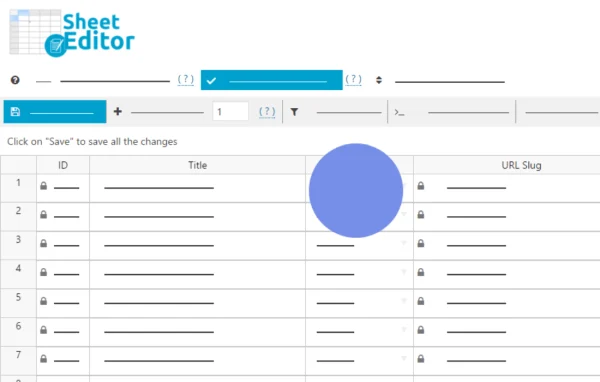
Comments Pro by WP Sheet Editor is a WordPress plugin that shows your comments in a spreadsheet inside the dashboard. You can search, filter, edit, delete, import and export comments, WooCommerce product reviews, testimonials and order notes from one screen.
- Version
- 1.1.41
- Released
- Jul 9, 2026
- Developer
- WP Sheet Editor
- Type
- WordPress plugin
- Licence
- GPL
- Included in
- Every plan, or $7.19 a year on its own
What’s new in Comments Pro 1.1.41
Version 1.1.41 · Jul 9, 2026
Latest
- ImprovedUpdated to CORE v2.27.0
What it does
The default WordPress comments screen handles basic moderation and replies, but it gets slow when you need to change many comments at once. This plugin puts every comment-related item into rows and columns, so you can find what you need with multi-condition searches and update large batches in one pass. Ratings, status, messages and author details can all be changed in bulk, and the changes apply to your site right away without an import and export cycle.
It fits blogs with active discussions, stores that collect WooCommerce product reviews, and sites that publish testimonials. Store owners can work with order notes, which WooCommerce saves as comments, and change their visibility for customers. You can also convert comments into testimonials or reviews and back again, add columns for custom fields, and edit data from Advanced Custom Fields. The plugin is designed to handle hundreds of thousands of rows.
Best for
- WooCommerce stores managing many product reviews
- Blogs with large volumes of reader comments
- Sites that collect and publish customer testimonials
Features
Bulk editing in a spreadsheet
Edit hundreds or thousands of comments, reviews and testimonials at once, including ratings, status, messages and author information, all from a single spreadsheet view.
Multi-condition search
Filter comments and reviews by keywords, ratings, post types, status, author and custom fields to target exactly the rows you want to edit or delete.
WooCommerce review management
Search product reviews by star rating, spot low-quality reviews, and update or delete them in bulk without opening each review on its own page.
Order notes editing
Work with WooCommerce order notes from the spreadsheet, change their visibility settings, and add messages that customers can see on their orders.
Comment type conversion
Turn regular comments into testimonials or product reviews, or convert them back, so feedback can be reused where it fits best on your site.
Import and export
Import or export comments, reviews and testimonials inside WordPress, which helps with migrations, backups and moving data to other platforms.
Custom fields and formulas
Add columns for custom fields, edit metadata from other plugins and Advanced Custom Fields, and apply formulas to update thousands of rows at once.
Flexible column layout
Rename, resize, reorder and hide columns so the spreadsheet only shows the information you actually work with.
Comments Pro older versions
- 1.1.40Jan 191 improvement
- 1.1.39Jan 61 improvement
- 1.1.38Jul 15, 20251 fix
- 1.1.36Feb 20, 2025
- 1.1.35Jan 23, 2025
- 1.1.34Nov 2, 2024
- 1.1.33Aug 9, 2024
- 1.1.32Mar 28, 2024
- 1.1.28Jan 29, 2024
- 1.1.27Dec 14, 2023
Members and buyers of this product can download older versions.
16 older versions in all. If you need one that is not listed, ask support.
Questions about Comments Pro
Can I edit WooCommerce product reviews with this plugin?
Yes. Product reviews appear in the spreadsheet, where you can search them by star rating, find low-quality reviews, and update or delete them in bulk. You can also change ratings, status and author details across many reviews at the same time.
Do changes go live right away?
Yes. Edits you make in the spreadsheet apply to your website immediately. There is no need to export a file, change it elsewhere and import it back, which saves time when you are moderating or correcting many comments.
Will it work on a site with a very large number of comments?
The plugin is built to handle hundreds of thousands of rows while keeping server resource use low. That makes it suitable for large or fast-growing sites where the standard comments screen becomes hard to work with.
Can I edit custom fields attached to comments?
Yes. You can add new columns for custom fields and edit metadata created by other plugins. Fields made with Advanced Custom Fields plugins are displayed automatically and can be edited directly in the spreadsheet.
Is Comments Pro free?
The code of Comments Pro is licensed under the GPL, so anyone may use, change and share it. GPL Feast is a paid service: a plan or a single purchase gives you the download and automatic updates. The developer's own support, licence key and online services are not included.
Which version of Comments Pro is this?
Version 1.1.41, released Jul 9, 2026. New versions appear here when the developer publishes them, and members get them as automatic updates.
How do I update Comments Pro?
Install the free GPL Feast Updater on your site and connect it with your API key. It installs new versions of Comments Pro automatically and keeps a backup, so you can roll back.
More from WP Sheet Editor