Plugin
Updated
WP Sheet Editor - Events Pro
This plugin from WP Sheet Editor adds a spreadsheet editor for events built with The Events Calendar. You can view, filter, edit and create many events at once from the WordPress dashboard, with changes saved live to your site and no file import or export needed.
- Version
- 1.1.40
- Released
- Jul 9, 2026
- Developer
- WP Sheet Editor
- Type
- WordPress plugin
- Requires
- The Events Calendar
- Licence
- GPL
- Included in
- Every plan, or $7.19 a year on its own
What’s new in WP Sheet Editor - Events Pro 1.1.40
Version 1.1.40 · Jul 9, 2026
Latest
- ImprovedUpdated to CORE v2.27.0
What it does
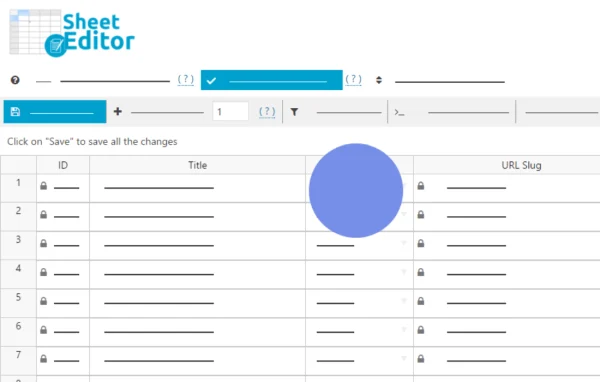
Editing events one at a time gets slow once a calendar grows past a few dozen entries. Changing a venue, adjusting prices or adding tags across many events means opening each one in the WordPress backend. This plugin replaces that routine with a spreadsheet view of your events, where every row is an event and every column is a field such as dates, venues, organizers, pricing, categories, tags and custom fields. Edits apply directly to your site, so there is no need to export a file, change it elsewhere and import it back.
It works on top of The Events Calendar, which it requires. Search and filters let you narrow the sheet by any field, including custom ones, so you can find events by category, price range, venue or organizer, or spot events missing a featured image. A formula tool handles mass changes like raising prices by a percentage. Venues and organizers get their own sheets with the same tools, and batch saving helps keep wp-admin responsive when working with thousands of rows.
Best for
- Sites running The Events Calendar with large event lists
- Event managers who update prices, venues or dates often
- Agencies maintaining event calendars for clients
Features
Live bulk editing
Change fields across hundreds or thousands of events at once, with edits applied directly on your site instead of through import and export files.
Search and filter by any field
Find events by category, price range, venue, organizer, custom fields, or missing featured images, then edit only the rows that match.
Formulas for mass updates
Run math operations in the sheet, such as increasing event prices by a percentage or lowering them by a fixed amount across many events.
Create events in bulk
Add many events at once by typing in rows, pasting from Excel, Google Sheets or web pages, or importing a CSV file.
Venue and organizer spreadsheets
Manage venues and organizers in their own dedicated sheets, using the same bulk editing, filtering and formula tools available for events.
Automatic custom field detection
Custom fields from plugins like Advanced Custom Fields (ACF) are detected and shown as columns without extra configuration.
Template event for new entries
Set up a master event that fills in common fields automatically when you create several new events, cutting down on repeated typing.
Adjustable columns and image uploads
Hide, show, resize, rename and reorder columns to suit your workflow, and upload and assign images to many events at the same time.
WP Sheet Editor - Events Pro older versions
- 1.1.39Jan 191 improvement
- 1.1.38Jan 61 improvement
- 1.1.37Jul 15, 20251 improvement
- 1.1.36Jun 4, 2025
- 1.1.35Feb 20, 2025
- 1.1.34Jan 23, 2025
- 1.1.33Nov 2, 2024
- 1.1.32Aug 9, 2024
- 1.1.31Mar 28, 2024
- 1.1.27Jan 29, 2024
Members and buyers of this product can download older versions.
16 older versions in all. If you need one that is not listed, ask support.
Questions about WP Sheet Editor - Events Pro
Does this work without The Events Calendar?
No. The plugin is built to manage events created with The Events Calendar and requires it. It reads and edits that plugin's events, venues and organizers, along with related categories, tags and custom fields.
Can I paste a list of events from Excel or Google Sheets?
Yes. You can create many events at once by copying rows from Excel, Google Sheets or a website and pasting them into the spreadsheet. You can also type entries directly or import a CSV file. A template event can prefill shared fields.
Will it show custom fields I added with ACF?
Yes. Custom fields from plugins like Advanced Custom Fields (ACF) are detected automatically and appear as columns. You can edit them, filter by them and hide or reorder those columns like any other field in the sheet.
How does it cope with thousands of events?
The editor is designed to handle thousands of rows in wp-admin. It includes batch saving controls, so large edits are saved in groups, which helps preserve server resources and keeps the backend responsive while you work.
Is WP Sheet Editor - Events Pro free?
The code of WP Sheet Editor - Events Pro is licensed under the GPL, so anyone may use, change and share it. GPL Feast is a paid service: a plan or a single purchase gives you the download and automatic updates. The developer's own support, licence key and online services are not included.
Which version of WP Sheet Editor - Events Pro is this?
Version 1.1.40, released Jul 9, 2026. New versions appear here when the developer publishes them, and members get them as automatic updates.
How do I update WP Sheet Editor - Events Pro?
Install the free GPL Feast Updater on your site and connect it with your API key. It installs new versions of WP Sheet Editor - Events Pro automatically and keeps a backup, so you can roll back.
What does WP Sheet Editor - Events Pro need?
WP Sheet Editor - Events Pro needs The Events Calendar installed and active.
More from WP Sheet Editor