Plugin
Updated
WP Sheet Editor - Frontend Editor Addon (Premium)
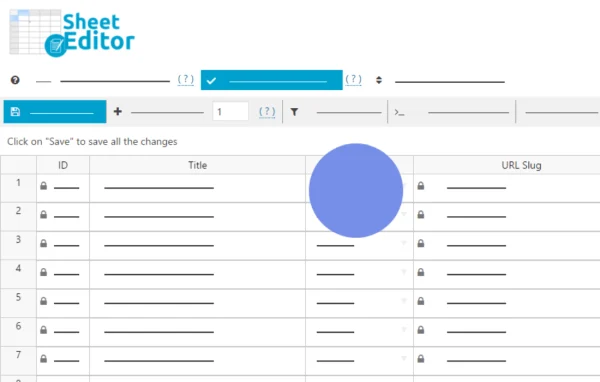
This is a frontend editing addon by WP Sheet Editor. It puts spreadsheet-style tables on the public side of your WordPress site, so users can edit posts, pages, WooCommerce products, custom post types and custom fields without opening the WordPress admin area.
- Version
- 2.4.46
- Released
- Jul 9, 2026
- Developer
- WP Sheet Editor
- Type
- WordPress plugin
- Licence
- GPL
- Included in
- Every plan, or $7.19 a year on its own
What’s new in WP Sheet Editor - Frontend Editor Addon (Premium) 2.4.46
Version 2.4.46 · Jul 9, 2026
Latest
- ImprovedUpdated to CORE v2.27.0
What it does
Giving staff, clients or contributors access to the WordPress backend can be more than they need, and it often means extra training. This plugin moves the editing work to the frontend. You build editable tables, choose which columns each one shows, and place them on any page with a shortcode. People then work in a familiar spreadsheet layout, updating content row by row and handling bulk changes in one view.
It fits many setups: WooCommerce stores where a team manages prices, stock, attributes and variations, event directories where users submit and update listings, client dashboards, employee management systems and user-generated content sites. WordPress user roles are respected, so contributors can submit without publishing and authors edit only their own content. It also works with Advanced Custom Fields and YOAST SEO, and a separate Users Extension adds frontend editing of users and customer profiles.
Best for
- WooCommerce stores where staff update prices and stock
- Event directories and user-submitted content sites
- Agencies building client dashboards on WordPress
Features
Unlimited frontend tables
Create as many editable spreadsheets as you need for posts, pages, WooCommerce products and custom post types, then place each one anywhere on your site with a shortcode.
WooCommerce product editing
Update product details, prices, stock, attributes and variations from the frontend, so a team can manage inventory and pricing without backend access.
Custom columns and layouts
Pick which fields appear in each table, resize columns, toggle their visibility and sort data to suit different users or business needs.
Search and filtering
Find content by keyword, date range, author, taxonomy or custom field directly in the frontend table before making your edits.
Custom post types and meta
Edit any custom post type along with its metadata, including fields created with Advanced Custom Fields, from the same spreadsheet view.
Role-based permissions
Tables follow WordPress user roles: contributors submit posts without publishing, authors edit only their own content, and editors and admins get full access.
YOAST SEO fields
Edit SEO titles, descriptions and keywords in your spreadsheets through the YOAST SEO integration, alongside your regular content changes.
WP Sheet Editor - Frontend Editor Addon (Premium) older versions
- 2.4.45Jan 191 improvement
- 2.4.44Jan 61 improvement
- 2.4.43Jul 15, 20251 fix
- 2.4.42Jun 4, 2025
- 2.4.41Feb 20, 2025
- 2.4.40Jan 23, 2025
- 2.4.39Nov 2, 2024
- 2.4.38Aug 9, 2024
- 2.4.37Mar 28, 2024
- 2.4.33Jan 29, 2024
Members and buyers of this product can download older versions.
17 older versions in all. If you need one that is not listed, ask support.
Questions about WP Sheet Editor - Frontend Editor Addon (Premium)
Can my team edit WooCommerce products without logging into the admin area?
Yes. Frontend tables let users edit product details, prices, stock, attributes and variations from a page on your site. You decide which columns appear, so each team sees only the fields they need to work with.
How do I control who can edit what?
The plugin respects WordPress user roles. Contributors can submit posts without publishing them, authors can edit only their own content, and editors and administrators have full access. You can also build separate tables with different columns for different groups.
Does it work with Advanced Custom Fields and YOAST SEO?
Yes. You can edit custom post types and their metadata, including Advanced Custom Fields data, and the YOAST SEO integration lets you change SEO titles, descriptions and keywords right in the spreadsheet.
Can users edit WordPress user profiles from the frontend too?
Not with this addon alone. Frontend editing of WordPress users and customer profiles is handled by a separate add-on called the Users Extension.
Is WP Sheet Editor - Frontend Editor Addon (Premium) free?
The code of WP Sheet Editor - Frontend Editor Addon (Premium) is licensed under the GPL, so anyone may use, change and share it. GPL Feast is a paid service: a plan or a single purchase gives you the download and automatic updates. The developer's own support, licence key and online services are not included.
Which version of WP Sheet Editor - Frontend Editor Addon (Premium) is this?
Version 2.4.46, released Jul 9, 2026. New versions appear here when the developer publishes them, and members get them as automatic updates.
How do I update WP Sheet Editor - Frontend Editor Addon (Premium)?
Install the free GPL Feast Updater on your site and connect it with your API key. It installs new versions of WP Sheet Editor - Frontend Editor Addon (Premium) automatically and keeps a backup, so you can roll back.
More from WP Sheet Editor