Plugin
Updated
WP Sheet Editor - Custom Tables
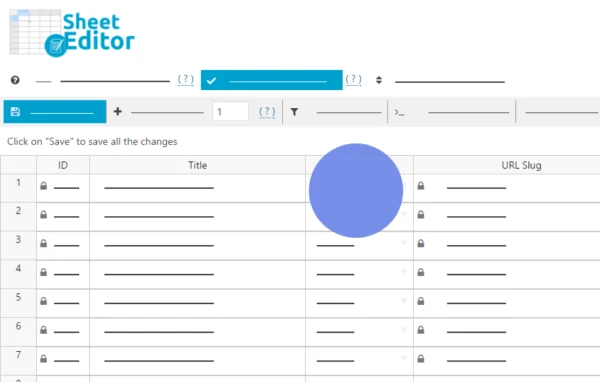
This WordPress plugin by WP Sheet Editor opens every custom database table on your site in a spreadsheet-style editor inside the dashboard. You can edit cells live, run bulk updates with formulas, search across columns, and import or export rows without writing SQL.
- Version
- 1.3.0
- Released
- Jul 9, 2026
- Developer
- WP Sheet Editor
- Type
- WordPress plugin
- Licence
- GPL
- Included in
- Every plan, or $7.19 a year on its own
What’s new in WP Sheet Editor - Custom Tables 1.3.0
Version 1.3.0 · Jul 9, 2026
Latest
- NewCustom Tables - Improved way of creating rows
What it does
Many plugins store their data in their own database tables instead of the standard WordPress tables for posts, users and taxonomies. Course progress from an LMS, affiliate statistics, forum threads, directory listings and redirections often live in these custom tables. Editing them usually means working through limited plugin screens or writing SQL queries by hand, which is slow and easy to get wrong when you need to change a lot of rows.
The plugin finds the custom tables in your database and builds an editable spreadsheet for each one. Changes you make in a cell are saved straight to the database, so there is no import or export step for everyday edits. It works with tables from plugins such as LearnDash, AffiliateWP, JReviews and Pretty Links, and it fits site owners and developers who manage large amounts of plugin data and want to handle it from within WordPress.
Best for
- Sites running LMS, affiliate or directory plugins with custom tables
- Developers who would rather avoid writing SQL for data edits
- Admins moving plugin data between tables or WordPress sites
Features
Spreadsheet for every custom table
An editable spreadsheet is created automatically for each custom database table, covering plugin data stored outside the standard WordPress tables.
Live in-cell editing
Edit values directly in the cells and the changes are saved to your live site's database right away, with no import or export needed.
Bulk editing and formulas
Update hundreds or thousands of rows at once with bulk editing tools, or use formulas to calculate values and apply advanced updates across many rows.
Multi-criteria search
Filter rows by any combination of columns and conditions, which makes it practical to find exact records in very large tables.
Import and export
Bring in data from Excel, Google Sheets or other plugins, and export rows for offline analysis or for moving data to another plugin or site.
Custom column formats
Rename columns, resize widths and switch cell formats to checkboxes, dropdowns, file uploads or WYSIWYG editors to suit the data you enter.
Columns manager
Show, hide, reorder and sort columns so the spreadsheet view only displays the fields you actually need to work with.
Add and duplicate rows
Create new rows or copy existing ones directly in the spreadsheet, which helps when entering many similar records.
WP Sheet Editor - Custom Tables older versions
- 1.2.25Jan 191 improvement
- 1.2.24Jan 61 improvement
- 1.2.23Jul 15, 20251 improvement
- 1.2.22Jun 4, 2025
- 1.2.21Feb 20, 2025
- 1.2.20Jan 23, 2025
- 1.2.19Nov 2, 2024
- 1.2.18Aug 9, 2024
- 1.2.17Mar 28, 2024
- 1.2.13Jan 29, 2024
Members and buyers of this product can download older versions.
17 older versions in all. If you need one that is not listed, ask support.
Questions about WP Sheet Editor - Custom Tables
Which plugins' data can I edit with this?
It builds a spreadsheet for any custom table in your WordPress database, so it covers plugins that store data in their own tables. Examples include LearnDash course progress, AffiliateWP statistics, JReviews directory listings and Pretty Links redirections.
Can it handle tables with a lot of rows?
Yes. It is built for tables with hundreds of thousands of rows and dozens of columns, and you can use multi-criteria search and the columns manager to narrow the view down to the records and fields you need.
Do edits change my live site immediately?
Yes. Cell edits, new rows and duplicated rows are saved directly to your WordPress database as you work, so changes apply to the live site without a separate import or export step.
Can I move data from one site to another?
You can export rows from a table and import them elsewhere, or copy and paste between spreadsheets. This works for moving data between two plugins' tables or from one WordPress site to another.
Is WP Sheet Editor - Custom Tables free?
The code of WP Sheet Editor - Custom Tables is licensed under the GPL, so anyone may use, change and share it. GPL Feast is a paid service: a plan or a single purchase gives you the download and automatic updates. The developer's own support, licence key and online services are not included.
Which version of WP Sheet Editor - Custom Tables is this?
Version 1.3.0, released Jul 9, 2026. New versions appear here when the developer publishes them, and members get them as automatic updates.
How do I update WP Sheet Editor - Custom Tables?
Install the free GPL Feast Updater on your site and connect it with your API key. It installs new versions of WP Sheet Editor - Custom Tables automatically and keeps a backup, so you can roll back.
More from WP Sheet Editor