Plugin
Updated
WP Sheet Editor Users
WP Sheet Editor Users by WP Sheet Editor is a WordPress plugin that puts your user list into a spreadsheet inside the admin panel. You can filter users, edit many profiles at once and save changes directly to your site, with no import or export step.
- Version
- 1.6.0
- Released
- Jul 9, 2026
- Developer
- WP Sheet Editor
- Type
- WordPress plugin
- Licence
- GPL
- Included in
- Every plan, or $7.19 a year on its own
What’s new in WP Sheet Editor Users 1.6.0
Version 1.6.0 · Jul 9, 2026
Latest
- NewImprove learndash integration
What it does
Editing user profiles one at a time in the default WordPress screens gets slow once a site has hundreds or thousands of accounts. This plugin replaces that routine with a spreadsheet layout where each row is a user and each column is a field. You can change names, emails, roles, WooCommerce billing and shipping details or custom user meta right in the grid, and the changes apply live on your site without exporting a file, editing it and importing it back.
The plugin suits sites with large user bases, such as WooCommerce stores, multi-author blogs and community forums. Search filters let you narrow the list by name, email, role, location or any custom meta before making targeted edits. Excel-like formulas handle calculations and data changes across many users, and batch save settings let you set intervals and batch sizes to balance speed against server load. It also works with Advanced Custom Fields user fields and includes LearnDash integration.
Best for
- WooCommerce stores managing many customer accounts
- Multi-author blogs and community forums with large user lists
- Administrators who edit user meta or ACF user fields often
Features
Spreadsheet view of users
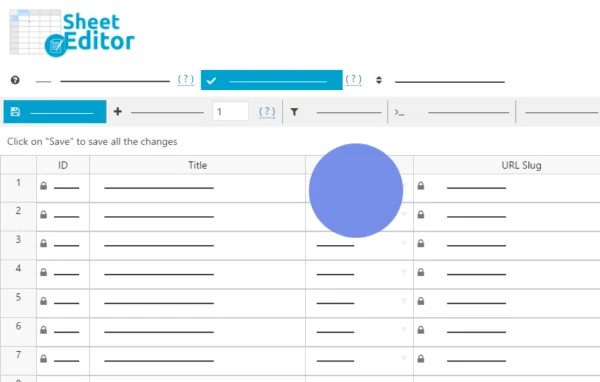
All user fields appear in a familiar spreadsheet layout, so you can scan and edit profile data in rows and columns instead of opening each profile.
WooCommerce customer fields
Edit billing, shipping and other customer details for WooCommerce shoppers from the same spreadsheet, without switching to separate screens.
Custom columns and user meta
Add columns for custom user fields and metadata, and edit them directly in the grid. Advanced Custom Fields user meta fields are supported too.
Search and filters
Find users by name, email, user role, location or any custom user meta, then apply bulk edits only to the matching group.
Formula-based bulk edits
Use Excel-like formulas to run math operations and data transformations across many users at once, which helps with repetitive field updates.
Password resets and email changes
Reset user passwords and update email addresses from the spreadsheet when you need to correct or secure many accounts.
Batch save settings
Set saving intervals and batch sizes so large bulk updates run at a pace your server can handle comfortably.
Bulk avatar uploads
Update user profile pictures for many users at once. This feature requires a separate avatar plugin to be active on your site.
WP Sheet Editor Users older versions
- 1.5.43Jan 191 improvement
- 1.5.42Jan 61 improvement
- 1.5.41Jul 15, 20251 improvement
- 1.5.40Jun 4, 2025
- 1.5.39Feb 20, 2025
- 1.5.38Jan 23, 2025
- 1.5.37Nov 2, 2024
- 1.5.36Aug 9, 2024
- 1.5.35Mar 28, 2024
- 1.5.31Jan 29, 2024
Members and buyers of this product can download older versions.
17 older versions in all. If you need one that is not listed, ask support.
Questions about WP Sheet Editor Users
Can I edit WooCommerce customer billing and shipping details with this?
Yes. The spreadsheet includes WooCommerce customer data, so you can edit billing, shipping and other customer details alongside regular user fields without leaving the grid.
Does it work with custom user fields from Advanced Custom Fields?
It does. ACF user meta fields are available in the spreadsheet, and you can also add custom columns for other user metadata and edit those values directly.
Will it handle a site with thousands of users?
It is built to load thousands of users in the admin panel. You can also adjust batch sizes and saving intervals so bulk updates balance speed with server load on your hosting.
Can I change only a specific group of users at once?
Yes. Filter by name, email, role, location or custom meta to narrow the list, then apply edits or formulas to just those users.
Is WP Sheet Editor Users free?
The code of WP Sheet Editor Users is licensed under the GPL, so anyone may use, change and share it. GPL Feast is a paid service: a plan or a single purchase gives you the download and automatic updates. The developer's own support, licence key and online services are not included.
Which version of WP Sheet Editor Users is this?
Version 1.6.0, released Jul 9, 2026. New versions appear here when the developer publishes them, and members get them as automatic updates.
How do I update WP Sheet Editor Users?
Install the free GPL Feast Updater on your site and connect it with your API key. It installs new versions of WP Sheet Editor Users automatically and keeps a backup, so you can roll back.
More from WP Sheet Editor