Plugin
Updated
Product Tabs Pro
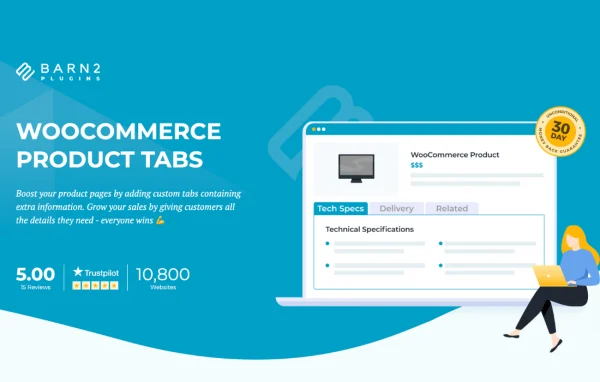
WooCommerce Product Tabs Pro by Barn2 Media Ltd is a WordPress plugin that adds custom tabs to WooCommerce product pages. You can organize specifications, FAQs, size guides, media and more into tidy tabbed sections, shown on every product or only where they apply.
- Version
- 2.1.7
- Released
- Jul 14, 2026
- Developer
- Barn2 Media
- Type
- WordPress plugin
- Requires
- WooCommerce
- Licence
- GPL
- Included in
- Every plan, or $10.39 a year on its own
What’s new in Product Tabs Pro 2.1.7
Version 2.1.7 · Jul 14, 2026
Latest
- ImprovedUpdated internal libraries and tested up to WordPress 7.0 and WooCommerce 10.9.4
- NewAdded the helpscout beacon
- ImprovedAllowed HTML tags in the individual tab content
- FixedThe accordion tabs style were active regardless of the state of the option
What it does
Product pages often need more information than the default WooCommerce layout handles well. Specs, size charts, shipping notes and company details can pile up in a long description that shoppers have to scroll through. This plugin lets you move that content into as many extra tabs as you need, so each topic gets its own section and the page stays easy to scan. It requires WooCommerce and works inside your existing product pages.
A drag-and-drop tab manager is where you create, rename, reorder and add icons to tabs. Tabs can hold text, images, video, audio, Google Maps, contact forms, shortcodes and HTML, and you can build tab content with Elementor. Each tab can apply globally or only to chosen products, categories or tags. You can pick horizontal or vertical layouts, set which tab opens by default, and optionally show tabs in a quick view lightbox on the shop page.
Best for
- WooCommerce stores with detailed product specifications
- Clothing shops needing size guides on product pages
- Agencies building organized product pages for client stores
Features
Unlimited custom tabs
Add as many extra tabs as you like to product pages, giving specs, guides and other details their own section instead of crowding the main description.
Drag-and-drop tab manager
Create, rename and reorder tabs from one screen, and assign a unique icon to each tab so shoppers can spot sections quickly.
Wide range of content
Place text, images, videos, audio, Google Maps, contact forms, shortcodes and HTML inside tabs to present product details and interactive elements.
Global and targeted tabs
Show a tab on every product, or limit it to specific products, categories or tags so each shopper sees information that fits the item.
Elementor compatible content
Design tab content with Elementor and other page builders when you want more layout control than the standard editor offers.
Horizontal or vertical layouts
Choose whether tabs display horizontally or vertically, and set which tab opens by default to suit your store design and how shoppers browse.
Quick view lightbox tabs
Optionally display your extra tabs inside a quick view lightbox on the shop page, so customers can read details without leaving the catalog.
Product Tabs Pro older versions
- 2.1.6Jan 212 improvements, 1 fix
- 2.1.5Sep 14, 20251 new, 1 improvement
- 2.1.4May 14, 20251 new, 1 improvement, 1 fix
- 2.1.2Jan 10, 2025
- 2.1.1Nov 3, 2024
- 2.1.0Aug 28, 2024
- 2.0.2Feb 21, 2024
- 2.0.0Dec 7, 2023
- 1.1.2Sep 7, 2023
- 1.1.1Aug 14, 2023
Members and buyers of this product can download older versions.
Questions about Product Tabs Pro
Can I show different tabs on different products?
Yes. Each tab can be set to appear on all products, or only on specific products, categories or tags. That lets you add a size guide to clothing only, for example, while a shipping tab appears across the whole store.
What kind of content can I put in a tab?
Tabs can hold text, images, videos, audio, Google Maps, contact forms and shortcodes, and HTML tags are allowed in individual tab content. This covers anything from a simple FAQ to a product gallery or an embedded map.
Does it work with Elementor?
Yes. The plugin is compatible with Elementor and other popular page builders, so you can design the content inside your tabs with a builder you already use instead of relying only on the standard editor.
Can I change how the tabs look?
You can choose a horizontal or vertical tab layout, give each tab its own icon and title, reorder tabs with drag and drop, and pick which tab opens by default when a shopper lands on the product page.
Is Product Tabs Pro free?
The code of Product Tabs Pro is licensed under the GPL, so anyone may use, change and share it. GPL Feast is a paid service: a plan or a single purchase gives you the download and automatic updates. The developer's own support, licence key and online services are not included.
Which version of Product Tabs Pro is this?
Version 2.1.7, released Jul 14, 2026. New versions appear here when the developer publishes them, and members get them as automatic updates.
How do I update Product Tabs Pro?
Install the free GPL Feast Updater on your site and connect it with your API key. It installs new versions of Product Tabs Pro automatically and keeps a backup, so you can roll back.
What does Product Tabs Pro need?
Product Tabs Pro needs WooCommerce installed and active.
More from Barn2 Media