Plugin
Updated
WooCommerce Lead Time
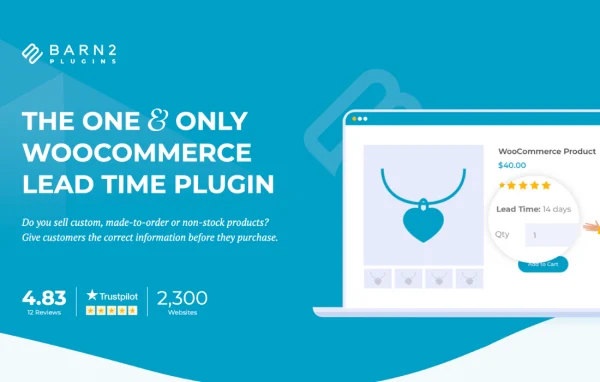
WooCommerce Lead Time by Barn2 Media Ltd is a WordPress plugin that adds lead time messages to your WooCommerce store. It tells shoppers how long an item will take to process or ship, and shows that information from the shop page all the way to the order emails.
- Version
- 2.2.2
- Released
- Jul 28, 2026
- Developer
- Barn2 Media
- Type
- WordPress plugin
- Requires
- WooCommerce
- Licence
- GPL
- Included in
- Every plan, or $10.39 a year on its own
What’s new in WooCommerce Lead Time 2.2.2
Version 2.2.2 · Jul 28, 2026
Latest
- NewAdded the live chat with the support team in the plugin settings.
- NewAdded an option to hide the lead time for specific products.
- ImprovedUpdated internal libraries and tested up to WordPress 7.0 and WooCommerce 10.9.
What it does
Stores that sell made-to-order, handmade or backorder products often get the same question from customers: when will this arrive? This plugin answers it up front. You set a lead time, and it appears on shop and category pages, single product pages, the cart, the checkout and confirmation emails. Customers see the expected wait before they buy, which helps set clear expectations and cuts down on guesswork about delivery.
Lead times can be set once for the whole store, then refined for individual categories, products or variations. Messages can be fixed text, or dynamic ones that count down to a date you choose. You can also give in-stock, out-of-stock and backorder items their own lead times, hide the lead time on chosen products, and adjust the wording and text color. The plugin requires WooCommerce and picks up your theme's styling.
Best for
- WooCommerce stores selling custom or made-to-order products
- Handmade goods shops with variable production times
- Merchants who regularly take backorders on stock
Features
Lead times across the store
Display lead times on shop pages, category pages, product pages, the cart, the checkout and customer emails so the information follows the shopper through the order.
Global and per-item settings
Set one lead time for the entire store, or override it for specific categories, individual products or single variations to match how each item is produced.
Static and dynamic messages
Write a fixed lead time message, or pick a date and let the plugin calculate a countdown to the expected delivery automatically.
Stock status lead times
Configure separate lead times for in-stock, out-of-stock and backorder products, so each message reflects the item's current availability.
Sold-out product messages
Show a lead time message automatically as soon as a product sells out, letting customers know what to expect before ordering.
Custom text and colors
Change the lead time wording and text color to fit your store's tone and design, while the display inherits your theme's styling.
Hide lead times per product
Turn off the lead time message for specific products where showing a wait time does not make sense.
Product table compatibility
Works with WooCommerce product table and quick view plugins, so lead times can appear in those layouts too.
WooCommerce Lead Time older versions
- 2.2.1Feb 111 fix
- 2.2.0Jan 211 new, 3 improvements
- 2.1.6Sep 13, 20251 new, 1 improvement, 1 fix
- 2.1.5Apr 24, 2025
- 2.1.4Apr 3, 2025
- 2.1.3Nov 28, 2024
- 2.1.2Jun 20, 2024
- 2.1.1Jan 24, 2024
- 2.1.0Nov 10, 2023
- 2.0.17Sep 7, 2023
Members and buyers of this product can download older versions.
12 older versions in all. If you need one that is not listed, ask support.
Questions about WooCommerce Lead Time
Can I set different lead times for different products?
Yes. You can set a global lead time for the whole store, then override it for specific categories, individual products or even single variations. You can also hide the lead time entirely on products where you do not want it shown.
Where do customers see the lead time?
The message can appear on shop pages, category pages, product detail pages, the cart, the checkout and confirmation emails. It can also show in compatible WooCommerce product table and quick view plugins.
Can the lead time change based on stock status?
Yes. You can configure separate lead times for in-stock, out-of-stock and backorder products. The plugin can also display a message automatically as soon as an item sells out.
Does it need WooCommerce?
Yes, WooCommerce Lead Time is built for WooCommerce stores and requires the WooCommerce plugin to be active. It uses your theme's styling, and you can adjust the message text and color.
Is WooCommerce Lead Time free?
The code of WooCommerce Lead Time is licensed under the GPL, so anyone may use, change and share it. GPL Feast is a paid service: a plan or a single purchase gives you the download and automatic updates. The developer's own support, licence key and online services are not included.
Which version of WooCommerce Lead Time is this?
Version 2.2.2, released Jul 28, 2026. New versions appear here when the developer publishes them, and members get them as automatic updates.
How do I update WooCommerce Lead Time?
Install the free GPL Feast Updater on your site and connect it with your API key. It installs new versions of WooCommerce Lead Time automatically and keeps a backup, so you can roll back.
What does WooCommerce Lead Time need?
WooCommerce Lead Time needs WooCommerce installed and active.
More from Barn2 Media