Plugin
Updated
WooCommerce Orders Pro
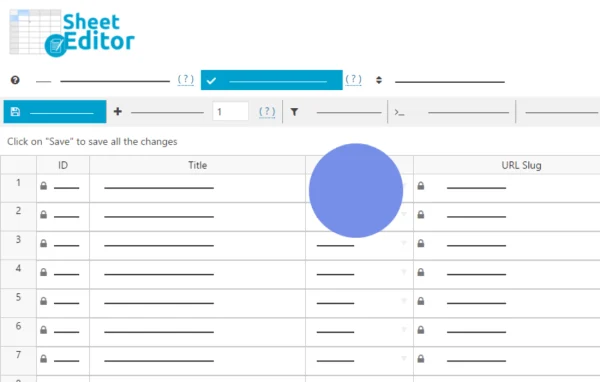
WooCommerce Orders Pro by WP Sheet Editor is a WordPress plugin that puts your WooCommerce orders into a spreadsheet inside the dashboard. You can view, search and bulk edit orders in one place, and changes are saved to your site right away.
- Version
- 1.4.0
- Released
- Jul 9, 2026
- Developer
- WP Sheet Editor
- Type
- WordPress plugin
- Requires
- WooCommerce
- Licence
- GPL
- Included in
- Every plan, or $7.19 a year on its own
What’s new in WooCommerce Orders Pro 1.4.0
Version 1.4.0 · Jul 9, 2026
Latest
- NewWC Orders - Improve handling of products
- ImprovedCHANGE - WC Orders - HPOS - Add date range search field like the posts table
- FixedWC Orders - Some columns appear empty when they aren't
What it does
Managing orders one page at a time gets slow once a store has a steady flow of sales. Opening each order to fix a status, correct a shipping address or change a payment method adds up, and the default filters only go so far. This plugin replaces that routine with a spreadsheet view of your orders, where each row is an order and each column is a field you can edit directly. There is no import or export step for everyday edits, since your changes apply on the site as you make them.
The spreadsheet comes with a multi-field search that filters by payment method, status, date, products in the order, customer details and custom fields. Once you have the orders you need, bulk editing with formulas lets you update many of them at once. You can add, rename or hide columns, edit metadata from other plugins such as Advanced Custom Fields, and import or export order details through Excel or Google Sheets. It requires WooCommerce and is meant for stores that handle a large number of orders.
Best for
- WooCommerce stores processing a high volume of orders
- Store managers who regularly correct addresses or statuses
- Agencies maintaining order data for client shops
Features
Live orders spreadsheet
Edit WooCommerce orders in a spreadsheet inside your dashboard, with changes saved to your site instantly and no import or export needed for routine edits.
Multi-field order search
Filter orders by payment method, order status, date range, products contained, customer details and custom fields to find exactly the records you need.
Bulk editing with formulas
Apply formulas to update statuses, billing and shipping addresses, payment methods and other fields across many orders in a single action.
Custom columns and metadata
Add, rename or hide columns, and edit custom fields or metadata created by other plugins, including Advanced Custom Fields (ACF).
Import and export options
Import billing, shipping and general order details from Excel or Google Sheets, and export order data for use in external systems or CRMs.
Copy details between orders
Copy or move information such as shipping details from one order to another, which cuts down on repeated data entry.
Bulk delete and reassign
Delete large batches of orders, change order dates in bulk, or reassign orders to different customers or users.
Adjustable spreadsheet view
Resize columns, sort data and control column visibility so the spreadsheet matches the way you review and process orders.
WooCommerce Orders Pro older versions
- 1.3.23Jan 191 improvement
- 1.3.22Jan 61 improvement
- 1.3.21Jul 15, 20251 improvement
- 1.3.20Jun 4, 2025
- 1.3.19Feb 20, 2025
- 1.3.18Jan 23, 2025
- 1.3.17Nov 2, 2024
- 1.3.16Aug 9, 2024
- 1.3.15Mar 28, 2024
- 1.3.11Jan 29, 2024
Members and buyers of this product can download older versions.
17 older versions in all. If you need one that is not listed, ask support.
Questions about WooCommerce Orders Pro
Does this plugin work without WooCommerce?
No. It is built to manage WooCommerce orders, so WooCommerce needs to be active on your site. The spreadsheet reads and edits the orders your WooCommerce store already holds.
Can I edit custom fields added by other plugins?
Yes. You can edit custom fields and metadata from other plugins, including Advanced Custom Fields (ACF). You can also add, rename or hide columns so the fields you work with most are easy to reach.
Can I update orders from an Excel or Google Sheets file?
Yes. You can import billing, shipping and general order details from Excel or Google Sheets to make bulk updates. You can also export order data to send to external systems or a CRM.
Will it handle a store with a lot of orders?
The plugin is designed for large stores and is described as handling hundreds of thousands of orders while managing server resources. Bulk editing, bulk deletion and advanced search are all aimed at working through big order lists.
Is WooCommerce Orders Pro free?
The code of WooCommerce Orders Pro is licensed under the GPL, so anyone may use, change and share it. GPL Feast is a paid service: a plan or a single purchase gives you the download and automatic updates. The developer's own support, licence key and online services are not included.
Which version of WooCommerce Orders Pro is this?
Version 1.4.0, released Jul 9, 2026. New versions appear here when the developer publishes them, and members get them as automatic updates.
How do I update WooCommerce Orders Pro?
Install the free GPL Feast Updater on your site and connect it with your API key. It installs new versions of WooCommerce Orders Pro automatically and keeps a backup, so you can roll back.
What does WooCommerce Orders Pro need?
WooCommerce Orders Pro needs WooCommerce installed and active.
More from WP Sheet Editor